Unknown's avatar

Teleprompter Magic: How to Look Natural on Camera—Even If You’re Not an Actor

If you’re a C-suite leader, product manager, or marketing director, you need message precision and a human, trustworthy presence. A teleprompter makes that possible—when it’s set up, scripted, and operated correctly. Below is the playbook we use in studio and on location to help non-actors look relaxed, sound authoritative, and land the message on time.


Why Use a Teleprompter in the First Place?

  • Accuracy: Legal, compliance, and investor language must be exact.
  • Consistency at scale: One message across multiple markets, languages, or spokespeople.
  • Throughput: Shoot more segments per day with fewer retakes and faster approvals.
  • Editorial efficiency: Prompter scripts feed captions, translations, and transcripts.

Eye-Line & Optics: Where Authenticity Starts

Goal: align the audience’s eyes with yours. Do that and you’ll read as confident and sincere.

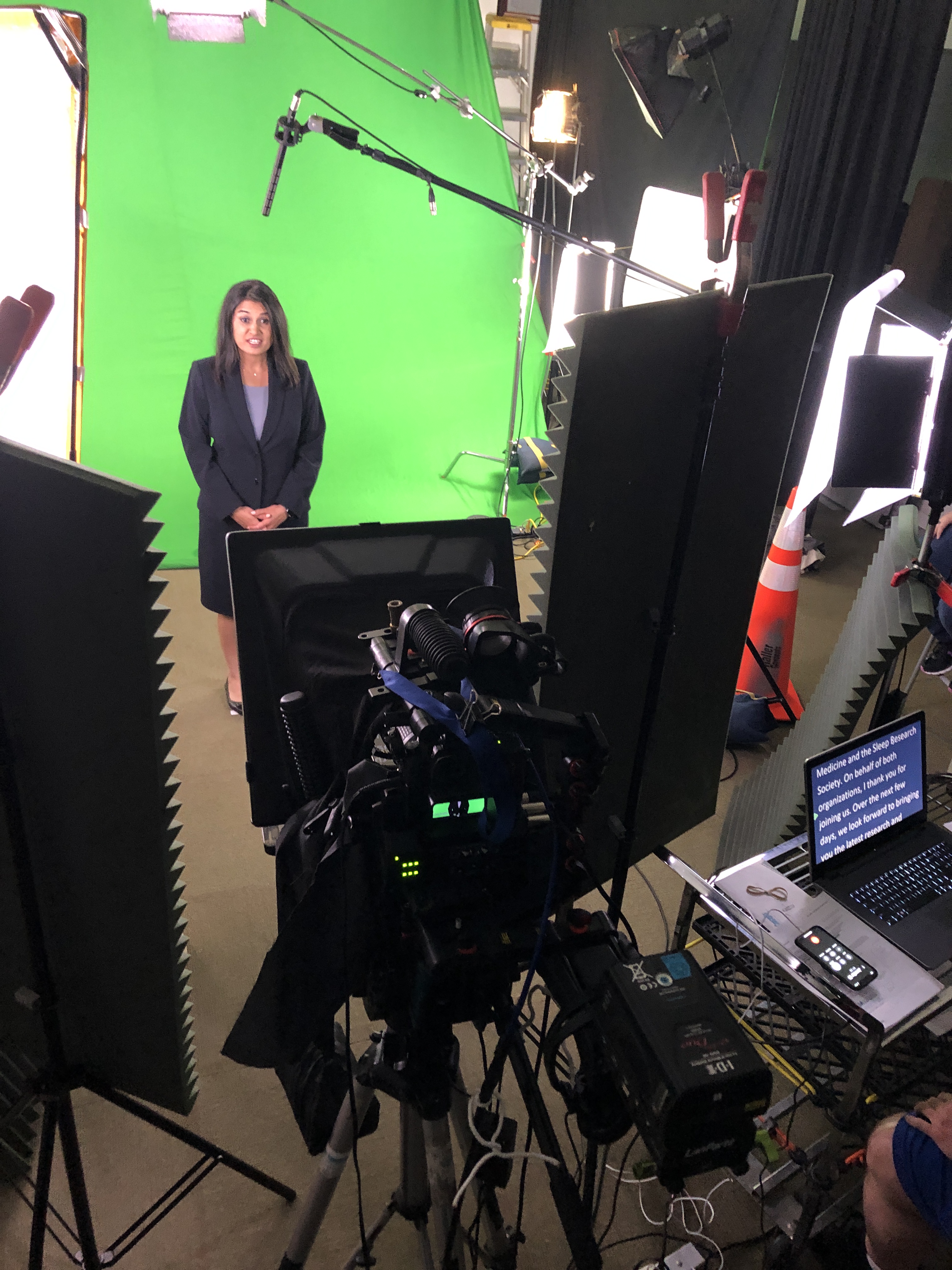
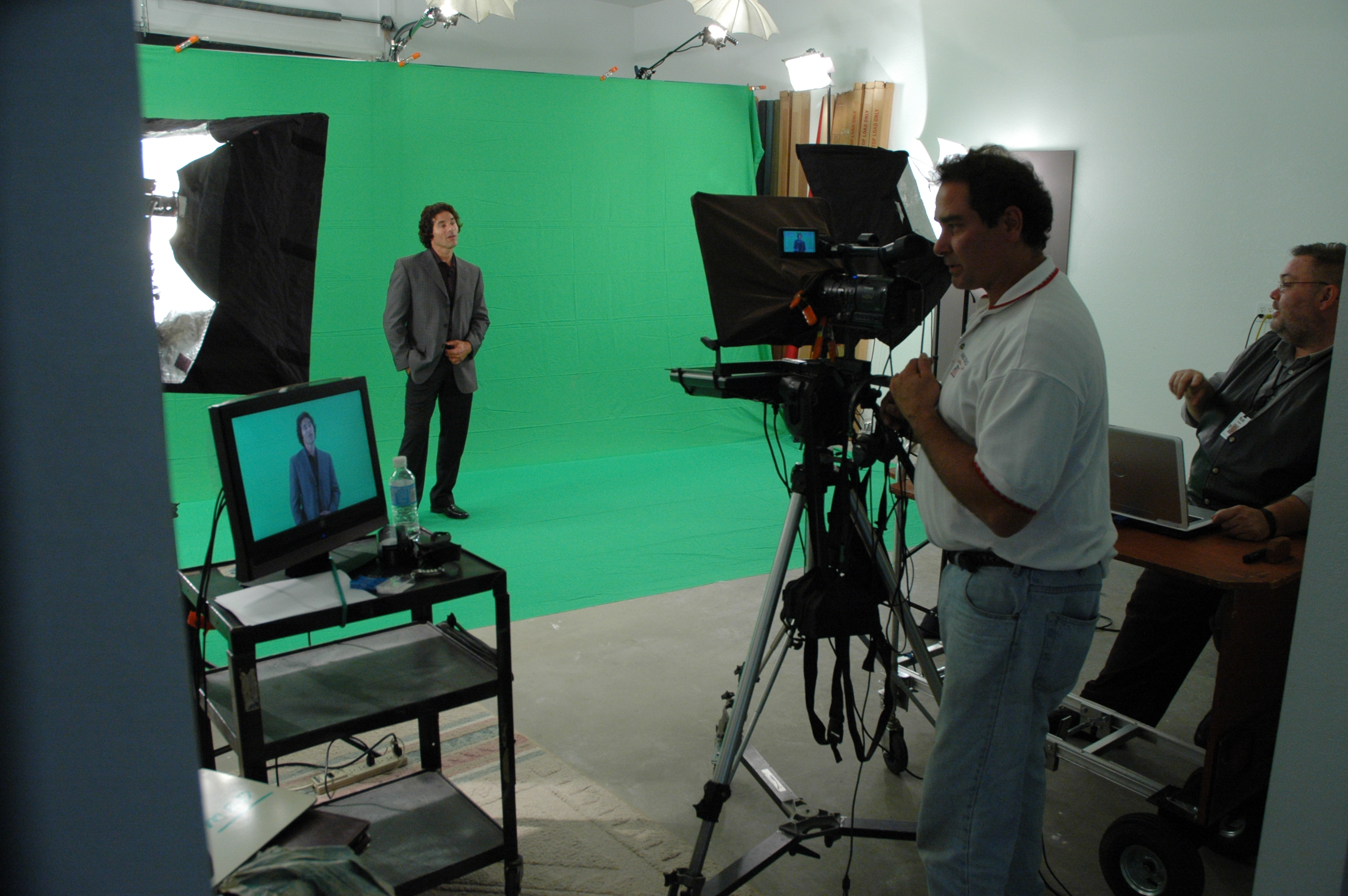
  • Prompter type: Through-the-lens (TTL) beam-splitter in front of the lens for direct-to-camera delivery.
  • Lens choice: 50–85 mm (full-frame) subtly compresses perspective and reduces visible eye travel.
  • Distance & font: Place talent ~5–10 ft from the glass; set font so each line reads without scanning (typically 48–72 pt at that distance).
  • Scroll window: Keep active text centered vertically; avoid top/bottom edges which trigger noticeable eye jumps.
  • Glasses & glare: Slightly raise the key light, tilt the glass a few degrees, use flags/hoods, and favor matte/AR-coated frames.

Script Engineering: Write for the Ear (Not the Page)

  • Cadence target: 110–135 words per minute for conversational corporate delivery.
  • One idea per line: 12–18 words; short clauses beat long sentences.
  • Mark the “music”:
    • Bracketed cues: [PAUSE] [SMILE] [B-ROLL CUT] [GRAPHIC]
    • Phonetics for tricky names/terms: “kuh-TEG-uh-ree”
    • LIGHT emphasis—avoid ALL CAPS everywhere.
  • Numbers that land: Round when possible; put dense data on graphics/B-roll, not in a single spoken sentence.
  • Version control: Name files clearly (CEO_TownHall_v7_APPROVED) and keep a visible change log.
Scroll Craft: The Operator Follows You

  • The operator matches the speaker, not the other way around.
  • Smooth acceleration/deceleration prevents mechanical “stair-step” motion.
  • White space between paragraphs lowers cognitive load and eye flicker.
  • Live edits: one owner routes last-minute changes—no dueling cursors.

Coaching Non-Actors: Small Levers, Big Gains

  • 90-second warm-up: hum on “M,” tongue twisters at 70% speed, then one throwaway read to find pace.
  • Breath mapping: land breath at punctuation; commas = half-beat, periods = full beat.
  • Landing words: linger a beat on the key noun/verb; let connector words glide.
  • Posture & presence: feet planted, shoulders soft, chin level, micro-smile through transitions.
  • Pickups that edit cleanly: redo the full sentence, not the fragment.
  • Wardrobe notes: avoid tight stripes or loud jewelry; powder forehead/nose; keep lav clear of necklaces.

Multi-Camera, Panels, and Walk-and-Talks

  • A/B cameras: match prompter size & distance to keep eye-line consistent across angles.
  • Panels/interviews: use confidence monitors with talking points instead of full sentences to encourage natural interplay.
  • Walk-and-talks: small prompter on a gimbal, pre-block turns so eye-line stays near lens axis.

Remote & Hybrid Setups (Executives on the Move)

  • Place the overlay within 1–2 inches of the webcam lens.
  • Use wired controllers to avoid Bluetooth lag.
  • Rehearse in the actual meeting platform to test latency and frame pacing.
  • Treat the remote space like a set: key/fill/back light, controlled background, treated audio.

Editorial Integration: Shoot for the Edit

  • Plan cover shots: bake [B-ROLL CUT] and [GRAPHIC] cues into the script.
  • Handles: roll 5 seconds before/after each take for clean transitions.
  • Captions & access: prompter scripts accelerate accurate captions and multi-language subs.
  • Continuity notes: log best takes, pronunciation locks, and any approved ad-libs.

Troubleshooting: Fast Fixes We Use On Set

  • Eyes darting: enlarge font, reduce scroll speed, recenter active line.
  • Flat delivery: insert breath/beat marks, add verbs up front, encourage micro-smile.
  • Glare on lenses: adjust light angle first; then tilt glass and flag spill.
  • Rushing the close: add [HOLD SMILE 2s] at the final line and capture a clean button.

Day-Before & Day-Of Checklists

Day-Before

  • Final script in shared doc + PDF; pronunciations verified
  • Shot list with B-roll/graphic cues
  • Teleprompter/laptop/controller tested, mirror flip confirmed
  • Wardrobe guidelines sent; location noise/light checks completed

Day-Of

  • TTL prompter + hood, backup unit, UPS/power distro
  • Lens set 50/85 mm, flags/matte box, anti-glare wipes
  • Eye-line test recording (10 s) and speed calibration pass
  • Mark landing words/CTAs; confirm durations per segment

Copy-Paste Script Skeleton (≈2:00, 240–260 words)

OPEN [SMILE]
I’m [Name], [Title]. Today, three updates designed to help your team move faster and make smarter decisions. [PAUSE]

BENEFIT HEADLINE
First: [Feature/Program] reduces steps in [workflow] so your process is simpler, safer, and easier to scale. [B-ROLL CUT]

PROOF
Teams like [Client] saw results in weeks—not months—and cut [metric] by [X%]. [PAUSE]

WHAT’S NEW
Second: [Feature] adds [capability], so admins spend less time on manual tasks.
Third: [Feature] improves [process], with clearer approvals and better visibility. [GRAPHIC]

CALL TO ACTION
If you’re on [plan], these roll out [date]. To learn more, visit your admin panel or talk with your account team. [SMILE]

CLOSE [HOLD 2s]
Thanks for choosing us to help you do more with less. [HOLD SMILE]


Why This Matters for Decision Makers

Teleprompter-driven workflows reduce retakes, protect compliance language, and shorten post-production—all while helping your leaders show up as themselves. The business result: tighter schedules, faster approvals, and on-brand content that persuades.
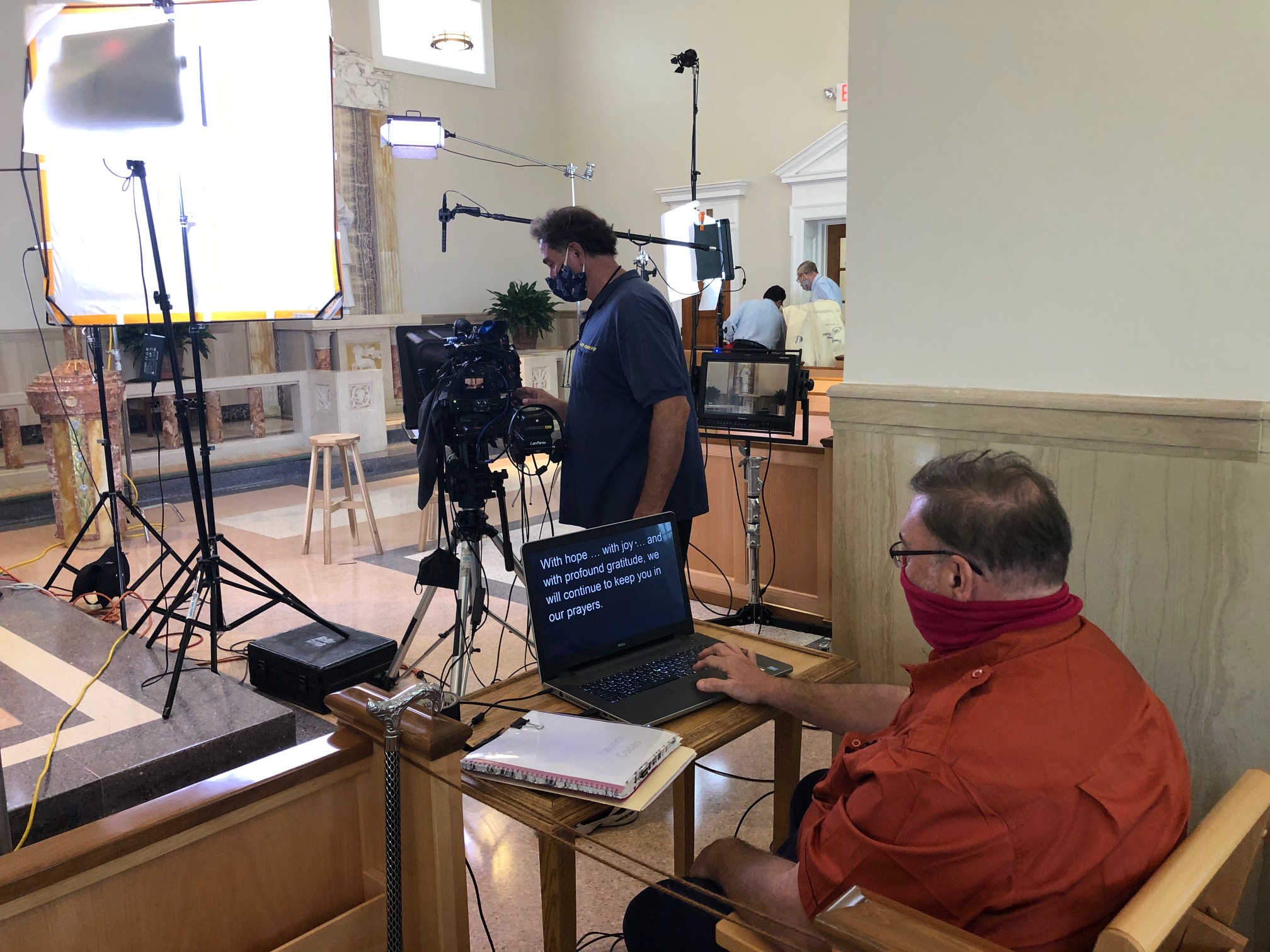

Work With a Studio That Makes Prompters Invisible

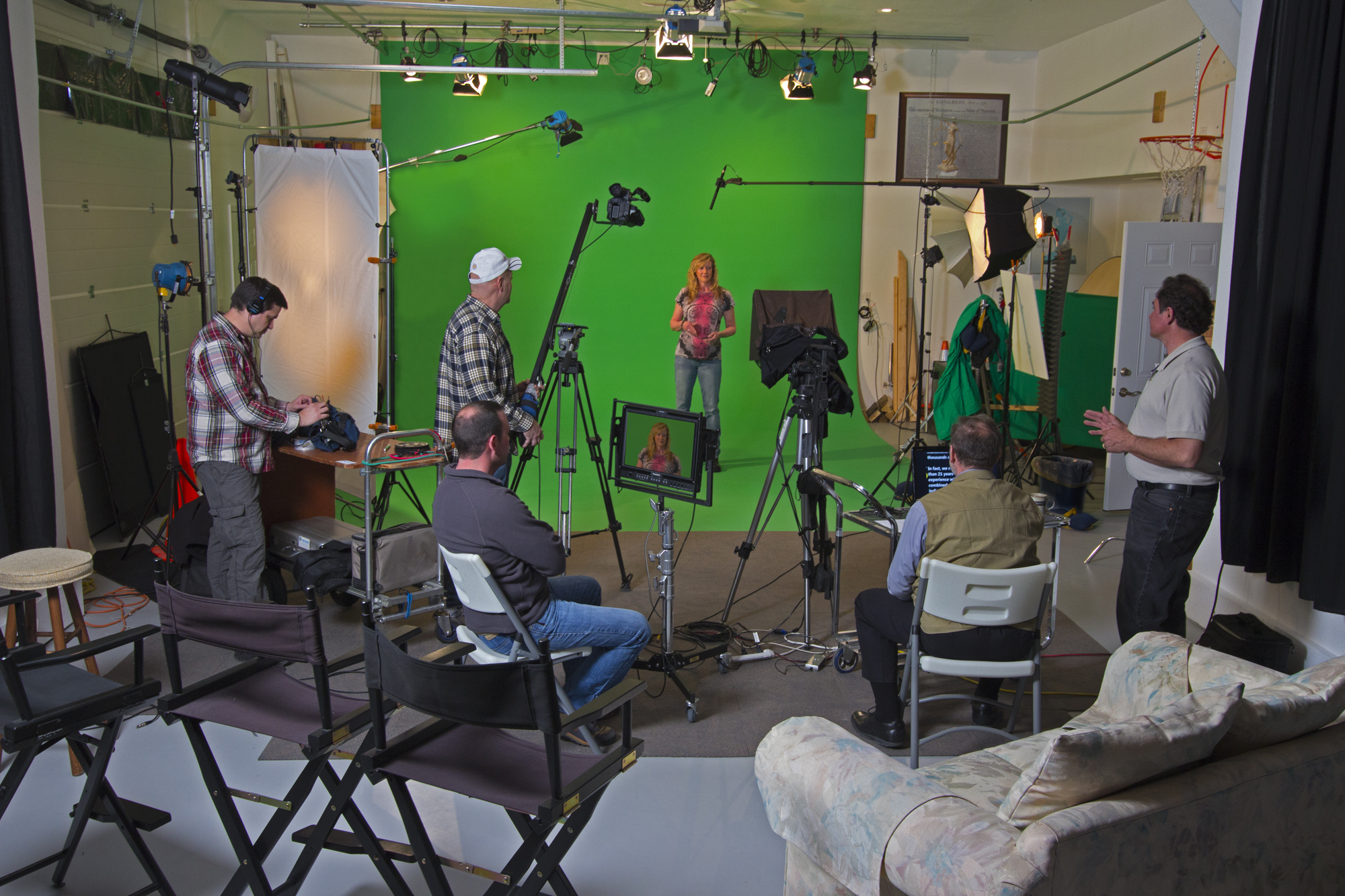
St Louis Video Studio is a full-service professional commercial photography and video production company with the right equipment and creative crew service experience for successful image acquisition. We offer full-service studio and location video and photography, as well as editing, post-production and licensed drone pilots. St Louis Video Studio can customize your productions for diverse types of media requirements. Repurposing your photography and video branding to gain more traction is another specialty. We are well-versed in all file types and styles of media and accompanying software. We use the latest in Artificial Intelligence for all our media services. Our private studio lighting and visual setup is perfect for small productions and interview scenes. Our studio is large enough to incorporate props to round out your set. We support every aspect of your production—from setting up a private, custom interview studio to supplying professional sound and camera operators, as well as providing the right equipment—ensuring your next video production is seamless and successful. We can fly our specialized drones indoors. As a full-service video and photography production corporation, since 1982, St Louis Video Studio has worked with many businesses, marketing firms and creative agencies in the St. Louis area for their marketing photography and video.
314-913-5626

stlouisvideostudio@gmail.com

Unknown's avatar

How to Get Your Testimonial Interviewees Comfortable on Camera

Creating compelling testimonial videos is a powerful way to build trust and credibility for your brand. However, capturing authentic and engaging testimonials hinges on one critical factor: getting your interviewees comfortable on camera. Many people feel uneasy in front of a lens, even if they are passionate about the subject matter. As an experienced video producer, you can take several strategic steps to ensure your interviewees feel at ease, allowing their true stories and personalities to shine.

While it’s tempting to script out exactly what you want your interviewees to say, doing so can lead to stiff and unnatural responses. Instead, provide your interviewees with general talking points. Encourage them to speak in their own words, allowing their authentic voice to come through.

1. Create a Relaxed Environment

A comfortable environment can make a world of difference in helping interviewees relax. Ensure your studio is welcoming and free from unnecessary distractions. Greet your interviewees warmly, offer refreshments, and take a few moments to chat casually before diving into the interview. Setting a positive tone before the cameras start rolling will help put your subjects at ease.

2. Keep the Setup Simple and Unintimidating

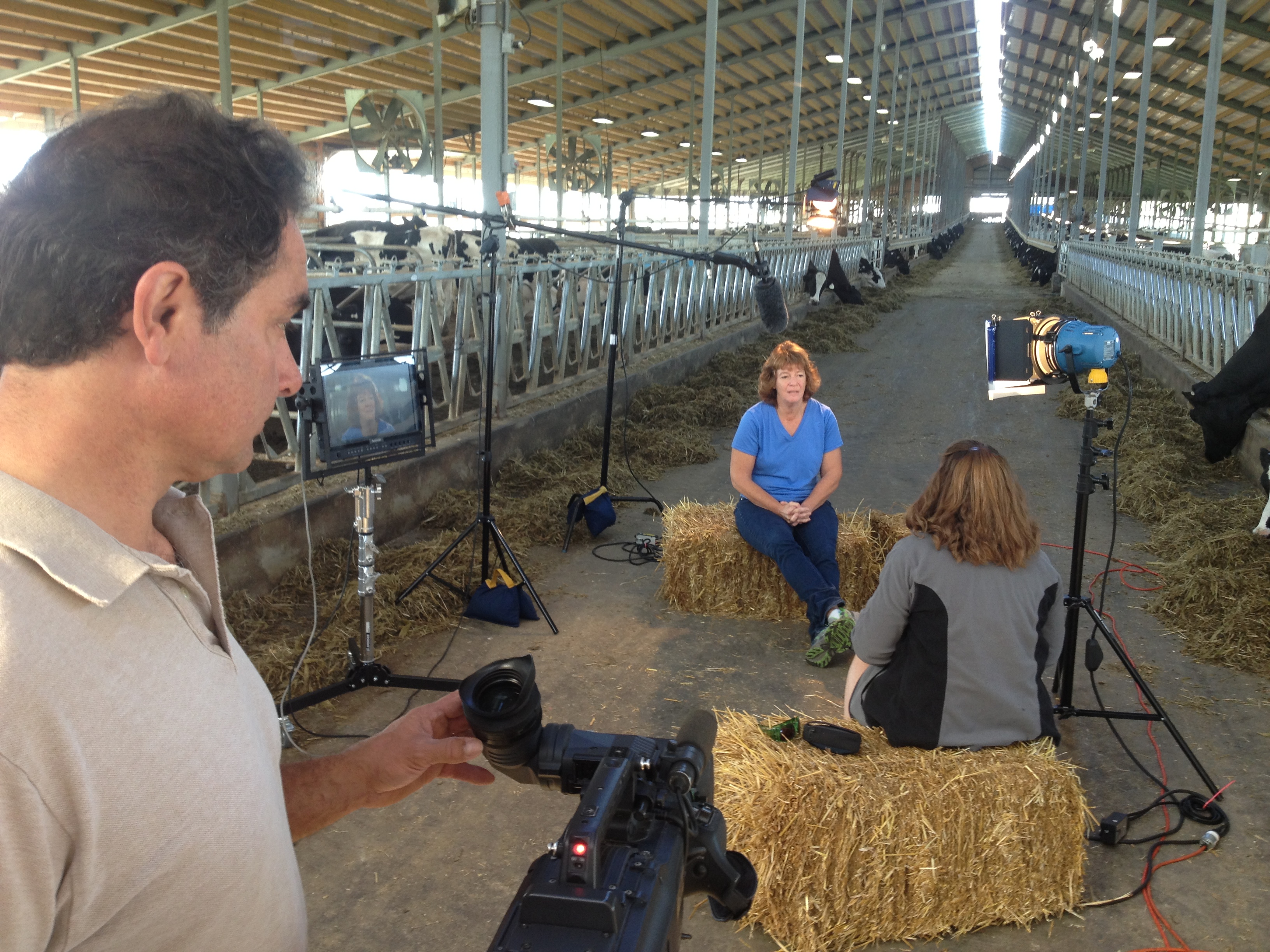
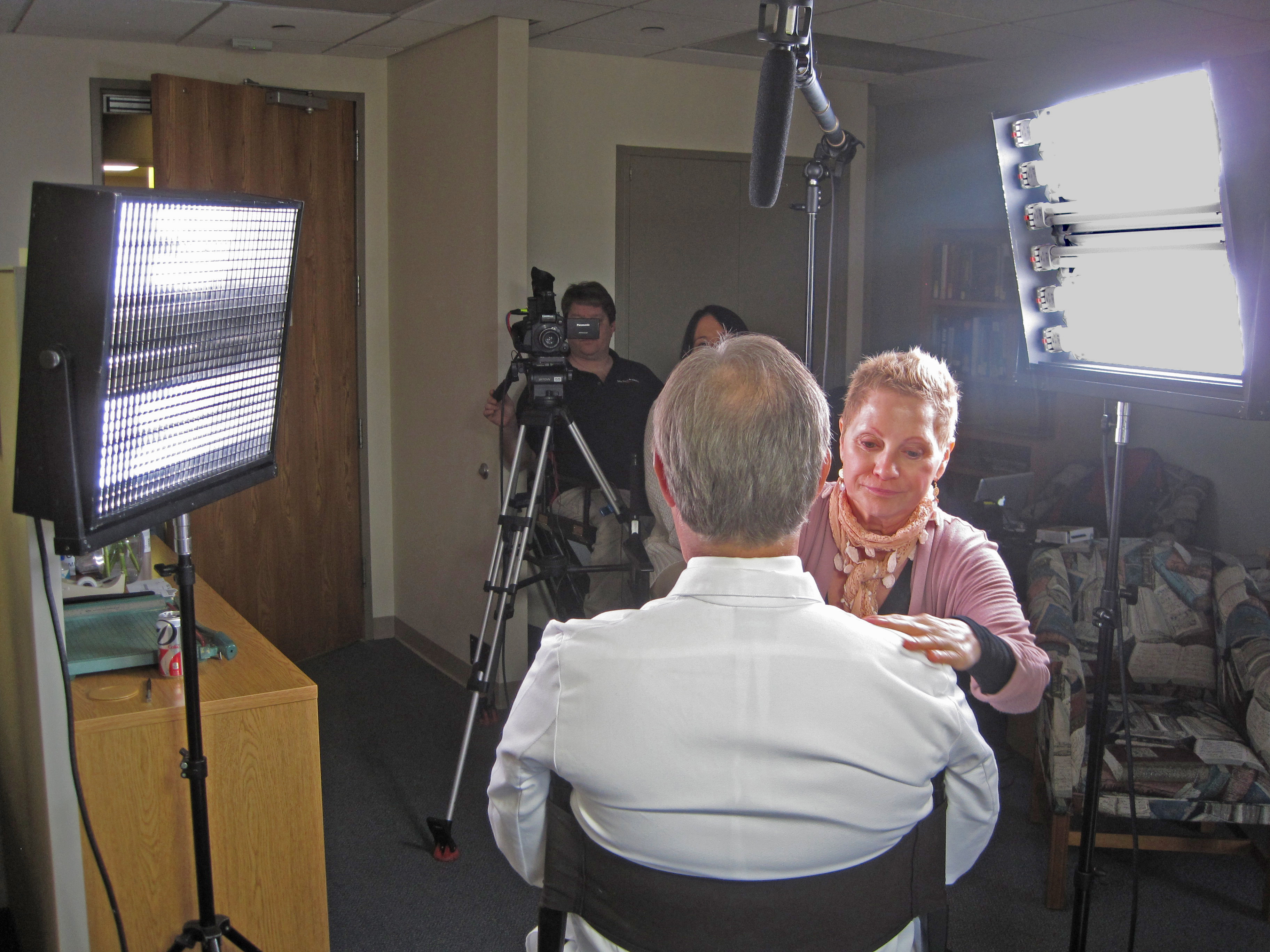
The setup of your shoot can significantly impact how your interviewees feel. Minimize the number of crew members present during the shoot to reduce pressure. Use discreet cameras, soft lighting, and an uncluttered space that feels more like a conversation than a formal interview. Our private studio setup at St Louis Video Studio, with its flexible space and controlled lighting, is ideal for creating such a relaxed atmosphere, perfect for small productions and intimate interviews.

3. Conduct a Pre-Interview Conversation

Before the actual interview, conduct a brief pre-interview chat. This helps familiarize your interviewees with the process and allows them to articulate their thoughts without the added pressure of being recorded. Use this time to discuss the key points you hope to cover and allow them to share their experiences in a more informal manner. This practice helps build rapport and makes the official interview feel more like an extension of your initial conversation.

4. Guide, Don’t Script

While it’s tempting to script out exactly what you want your interviewees to say, doing so can lead to stiff and unnatural responses. Instead, provide your interviewees with general talking points. Encourage them to speak in their own words, allowing their authentic voice to come through. Your role as the producer is to guide the conversation, prompting them with open-ended questions that encourage detailed and heartfelt responses.

5. Use Warm-Up Questions

Start with a few easy, low-stakes questions to help your interviewees settle in. Simple prompts like, “Can you tell me a bit about yourself?” or “What’s your favorite part of your job?” are great icebreakers. These questions get your interviewees talking without feeling pressured to deliver the perfect answer right away. As they warm up, you can gradually transition into the more specific questions related to the testimonial.

6. Encourage Natural Pauses and Conversation Flow

Many interviewees feel compelled to rush through their answers, often due to nervousness or the perceived pressure of being on camera. Encourage your subjects to take their time, pause, and think before responding. Let them know that it’s perfectly fine to stop and start again if needed—editing can take care of any stumbles or hesitations. By normalizing these pauses, you create a more conversational and less pressured environment.

7. Offer Positive Reinforcement

Throughout the interview, offer positive reinforcement to keep your interviewees feeling confident. A simple nod, smile, or “that was great, let’s explore that further” can do wonders for an interviewee’s comfort level. Positive feedback helps reassure them that they are providing valuable content and encourages them to open up even more.

8. Minimize Distractions

Keep the set as quiet and distraction-free as possible. Ensure that phones are on silent, unnecessary movement is minimized, and only essential crew are present. Distractions can make interviewees lose their train of thought or feel self-conscious. A focused, calm environment helps them stay on topic and feel more confident.

9. Keep the Camera Hidden

When feasible, position the camera slightly off to the side rather than directly in front of your interviewee. This technique helps create a more conversational dynamic, as the subject will be speaking directly to the interviewer rather than feeling like they’re addressing the camera. Our studio’s flexible setups at St Louis Video Studio make it easy to design a comfortable shooting arrangement that feels more like a personal chat than a staged production.

10. Encourage Natural Body Language

Remind your interviewees that they don’t need to sit stiffly or overly pose for the camera. Encourage them to use their hands naturally as they speak and to adjust their seating if that helps them feel more comfortable. Small movements, nods, and gestures all contribute to a more dynamic and relatable testimonial.

Partner with an Experienced Team for Stress-Free Production

Making testimonial interviewees comfortable on camera is both an art and a science. It requires the right blend of environment, communication, and production expertise. That’s where partnering with an experienced team like St Louis Video Studio makes a significant difference.

At St Louis Video Studio, we are a full-service professional commercial photography and video production company with the right equipment and creative crew service experience for successful image acquisition. We offer full-service studio and location video and photography, as well as editing, post-production, and licensed drone pilots. Our team is adept at customizing productions for diverse media requirements and can help repurpose your photography and video branding to maximize your marketing impact.

Our private studio lighting and visual setup is ideal for small productions and interview scenes, and our space is large enough to incorporate props to enhance your set. From private custom interview studio setups to providing sound and camera operators, our comprehensive services ensure your next video production is perfect. We even have the expertise to fly our specialized drones indoors, capturing unique and dynamic footage.

Since 1982, St Louis Video Studio has worked with countless businesses, marketing firms, and agencies in the St. Louis area, providing corporate photography and video services that make a lasting impact. Whether you’re looking to create engaging testimonials or any other type of video content, our experienced team is ready to help you every step of the way.

314-913-5626 Private Studio 4501 Mattis Road 63128

Unknown's avatar

Guide to Producing PSA Videos

Welcome to St. Louis Video Studio, your trusted partner in creating compelling and impactful PSA (Public Service Announcement) videos. With our years of experience in the field of commercial video and photography, we understand the power of PSA videos in conveying important messages and driving social change. In this comprehensive guide, we’ll walk you through the essential steps and considerations for producing effective PSA videos that resonate with your target audience and leave a lasting impact.

PSA – A vital tool for fostering a sense of responsibility and unity.

Understanding the Importance of PSA Videos

PSA videos are a dynamic medium for raising awareness about social issues, promoting charitable causes, and advocating positive change. These videos serve as a bridge between organizations and the community, making them a vital tool for fostering a sense of responsibility and unity.

Step 1: Define Your Message and Goals

Every successful PSA video begins with a clear and concise message. Define the core issue you want to address and outline the goals you aim to achieve through your video. Whether it’s raising awareness, encouraging donations, or promoting volunteerism, a well-defined message will guide the entire production process.

Step 2: Know Your Audience

Understanding your target audience is crucial for crafting a message that resonates. Research their preferences, interests, and demographics to create content that captures their attention and motivates them to take action.

Step 3: Develop a Compelling Storyline

PSA videos are most effective when they tell a compelling story. Create a narrative that engages emotions, connects with the audience on a personal level, and conveys the urgency of the issue. Consider using real-life testimonials, relatable scenarios, or emotional appeals to drive your message home.

Step 4: Scriptwriting and Storyboarding

A well-crafted script is the backbone of any successful PSA video. Collaborate with experienced scriptwriters to develop a concise and impactful script that effectively communicates your message. Once the script is finalized, create a storyboard to visualize the flow of the video and plan the shots accordingly.

Step 5: Pre-production Planning

Before you start filming, ensure all logistics are in place. Secure locations, gather props, and assemble your production team. This is also the time to decide on the visual style, tone, and mood that best align with your message.

Step 6: Lights, Camera, Action!

Filming is where your vision comes to life. Capture high-quality visuals and audio, paying attention to lighting, composition, and sound. Collaborate closely with your team to ensure smooth coordination and seamless execution.

Step 7: Editing and Post-production

Post-production is where the magic happens. Edit your footage, add graphics, animations, and music to enhance the emotional impact of your PSA video. Strive for a polished and professional look that captures and holds the viewer’s attention.

Step 8: Test and Refine

Before releasing your PSA video to the public, gather feedback from a diverse group of individuals. Make necessary revisions to ensure your message is clear, relatable, and persuasive.

Step 9: Distribution and Promotion

Once your PSA video is finalized, it’s time to share it with the world. Utilize social media platforms, your organization’s website, and relevant community channels to reach your target audience. Engage with viewers, encourage shares, and foster conversations around the topic.

Step 10: Measure Impact and Adapt

Monitor the performance of your PSA video by tracking metrics such as views, engagement, and conversions. Use this data to assess the effectiveness of your message and make informed decisions for future campaigns.

How St. Louis Video Studio Can Elevate Your PSA Campaign

At St. Louis Video Studio, we take pride in being a full-service commercial video and photography company based in St. Louis. Our extensive experience and expertise in multimedia productions uniquely position us to meet your branding and business marketing communication needs. We have successfully partnered with numerous businesses and organizations, both large and small, to create impactful PSA videos that drive meaningful change.

As professional videographers and photographers, we understand the intricacies of storytelling, visual composition, and emotional resonance. Our team is well-versed in all aspects of video and photography production, from conceptualization and scriptwriting to filming, editing, and post-production. We bring creativity, technical excellence, and a deep commitment to our craft to every project we undertake.

Over the years, we have had the privilege of producing PSA videos for a wide range of causes and campaigns. Our work has helped amplify the voices of organizations striving to make a positive impact in the St. Louis region. By collaborating with St. Louis Video Studio, you are tapping into a wealth of experience and creativity that will elevate your PSA campaign and drive results.

In conclusion, PSA videos are a powerful medium for spreading awareness, driving change, and fostering community engagement. With the right approach and the support of a dedicated team like St. Louis Video Studio, your PSA video can become a catalyst for positive transformation. Let us help you create a compelling PSA video that resonates with your audience and contributes to a better tomorrow.

Contact us today to discuss how St. Louis Video Studio can partner with you to create impactful PSA videos that leave a lasting impression. Together, we can make a difference.

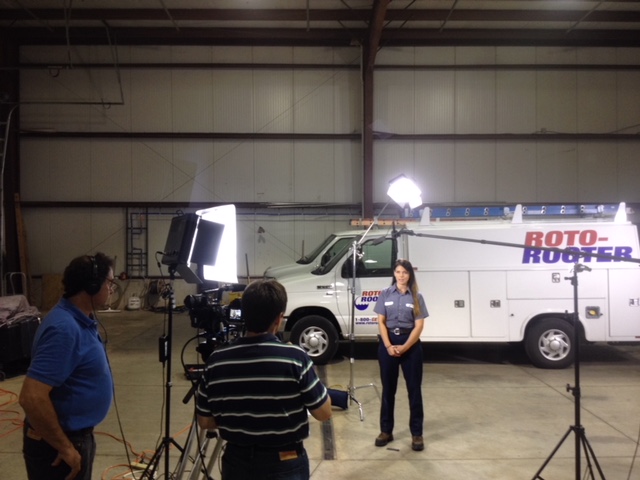
As professional videographers and photographers, St. Louis Video Studio has shot for hundreds of PSA’s for all types of large and small businesses and organizations in the St. Louis region.

314-913-5626

stlouisvideostudio@gmail.com

Unknown's avatar

Video Studio Saint Louis | Production and Editing Planning

Corporate Business Sense

Our staff is steeped in business knowledge with both internal and external communication projects. Our promotional and teaching experiences in consumer products, agency, and technology sectors is especially broad in scope.

What does that experience mean for YOU?

A fast production start. We get up to speed quickly and can work autonomously. We partner with our clients to hear their corporate communication needs, and then our team gets to work creating and executing on a solid, outcome-based plan.

We know you’re busy. Don’t worry, we’ve got this!

Video, movie, cinema concept. Retro camera, reels, clapperboard

A Multi-talented, and Efficient Bench

We maintain a dedicated full-time management of account leadership and creative production professionals.  We are concerned as you are about Cost and time efficiency, all while maintaining the highest level of creativity and quality. Project due in a week? Production teams needed in different locations simultaneously? We can dedicate multiple producers to our clients’ projects if needed.


314-892-1233

Rob Haller, St Louis Video Producer

robh@hallerconcepts.com