Unknown's avatar

How Drone Inspections Expose Building Heat Loss Before It Gets Expensive

Energy waste rarely announces itself with a flashing red light.
Most of the time, it slips out quietly—through a failing roof membrane, leaky windows, uninsulated walls, or aging mechanical systems. By the time a problem becomes visible inside the building, you’ve often already paid for it several times over in wasted energy, moisture damage, and emergency repairs.

Drone-based thermal inspections change that equation. They give you a fast, safe, and visual way to see exactly where your building is losing heat—across an entire facility or campus—without scaffolding, lifts, or guesswork.

For facility managers, building owners, and the marketing and communications teams who support them, this kind of visual data isn’t only a maintenance tool. It’s also powerful storytelling and documentation: proof of due diligence, sustainability efforts, and capital improvement ROI.

Let’s break down how drone inspections help you “fix” building heat loss—practically, safely, and in a way that can be clearly communicated to stakeholders.


What “Building Heat Loss” Really Looks Like in the Real World

Heat loss isn’t a single problem; it’s a cluster of related issues that show up in different ways:

  • Roofing failures
    • Wet or saturated insulation under a membrane
    • Seams and penetrations where warm air escapes
    • Ponding water that leads to long-term moisture and structural issues
  • Wall and façade problems
    • Thermal bridging at structural elements
    • Missing or compromised insulation in panels or cavities
    • Failing joints around expansion gaps and cladding
  • Windows, doors, and openings
    • Leaky curtain walls and storefront systems
    • Gaps around overhead doors in loading docks and warehouses
    • Aging weatherstripping that no longer seals
  • Mechanical and utility losses
    • Steam line leaks
    • Inefficient rooftop units (RTUs) running hot
    • Poorly insulated piping and ductwork

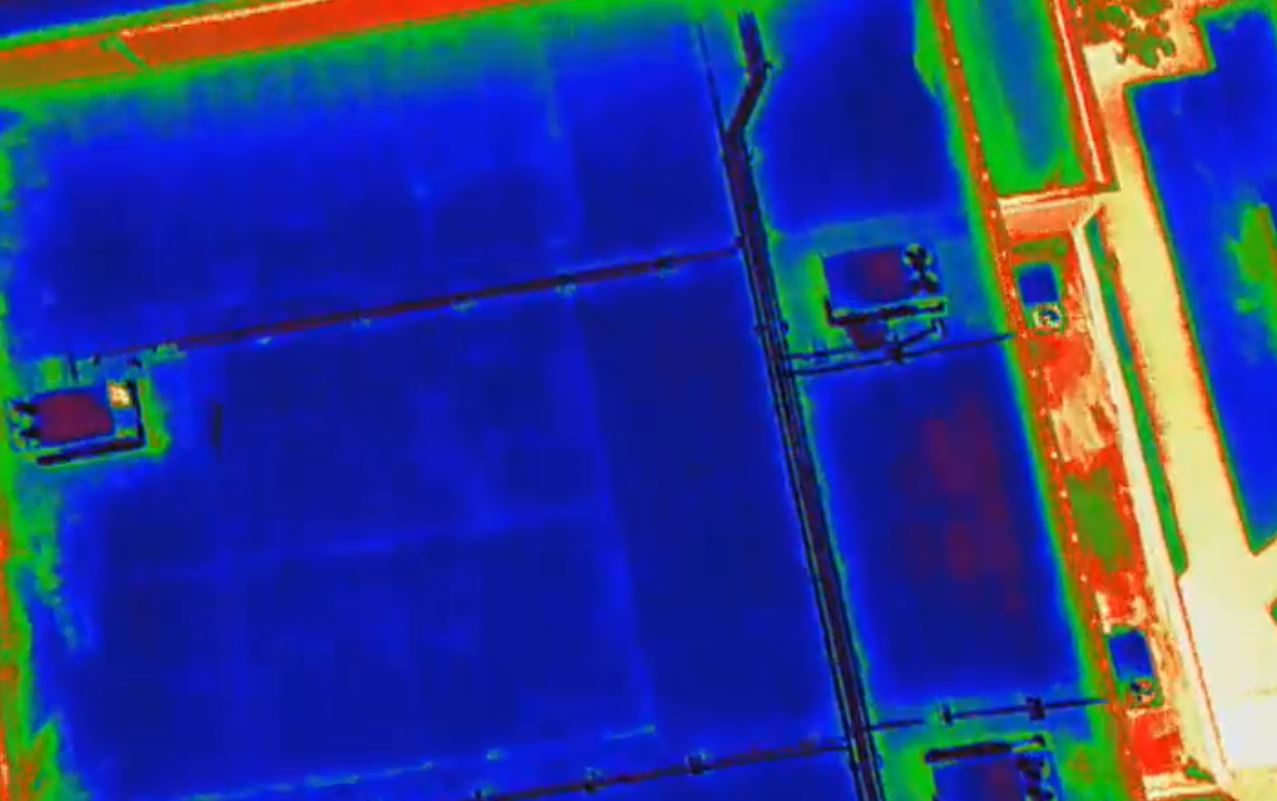
All of these issues show up as temperature anomalies—areas that are warmer or colder than they should be relative to surrounding surfaces. Thermal cameras mounted on drones capture this delta and translate it into clear, actionable visuals.


Why Traditional Inspections Miss So Much

Conventional building envelope inspections rely heavily on:

  • Walking the roof with a handheld thermal camera
  • Lift-based checks of façades
  • Visual inspections from the ground
  • Trial-and-error destructive testing

Those methods can work—but they’re:

  • Slow and labor-heavy
  • Limited in coverage (you see only what you can safely reach)
  • Dependent on the inspector’s vantage point and experience
  • Potentially disruptive to building operations

In large facilities—corporate campuses, industrial plants, logistics hubs, healthcare complexes—it’s easy for problem areas to stay hidden for years simply because no one can see them safely, quickly, and comprehensively.

Drone inspections step over those limitations.


How Drone-Based Thermal Inspections Work

A modern building heat-loss drone survey typically includes two data layers:

  1. Thermal (infrared) imagery – to show temperature anomalies
  2. High-resolution visual imagery – to document physical conditions

Here’s what the process looks like when it’s done professionally:

1. Pre-Planning

  • Review site constraints (airspace, nearby airports, local restrictions)
  • Map building footprints, roof levels, obstructions, and critical areas
  • Coordinate with building management for access, timing, and safety

2. Optimal Timing and Conditions

Thermal inspections depend on contrasts. The best results typically come when:

  • There’s a clear difference between indoor and outdoor temperatures
  • The building has gone through a heating or cooling cycle
  • Direct sunlight and reflective surfaces are managed to avoid false positives

An experienced drone crew plans flight schedules to maximize this contrast and minimize noise in the data.

3. Flight and Data Capture

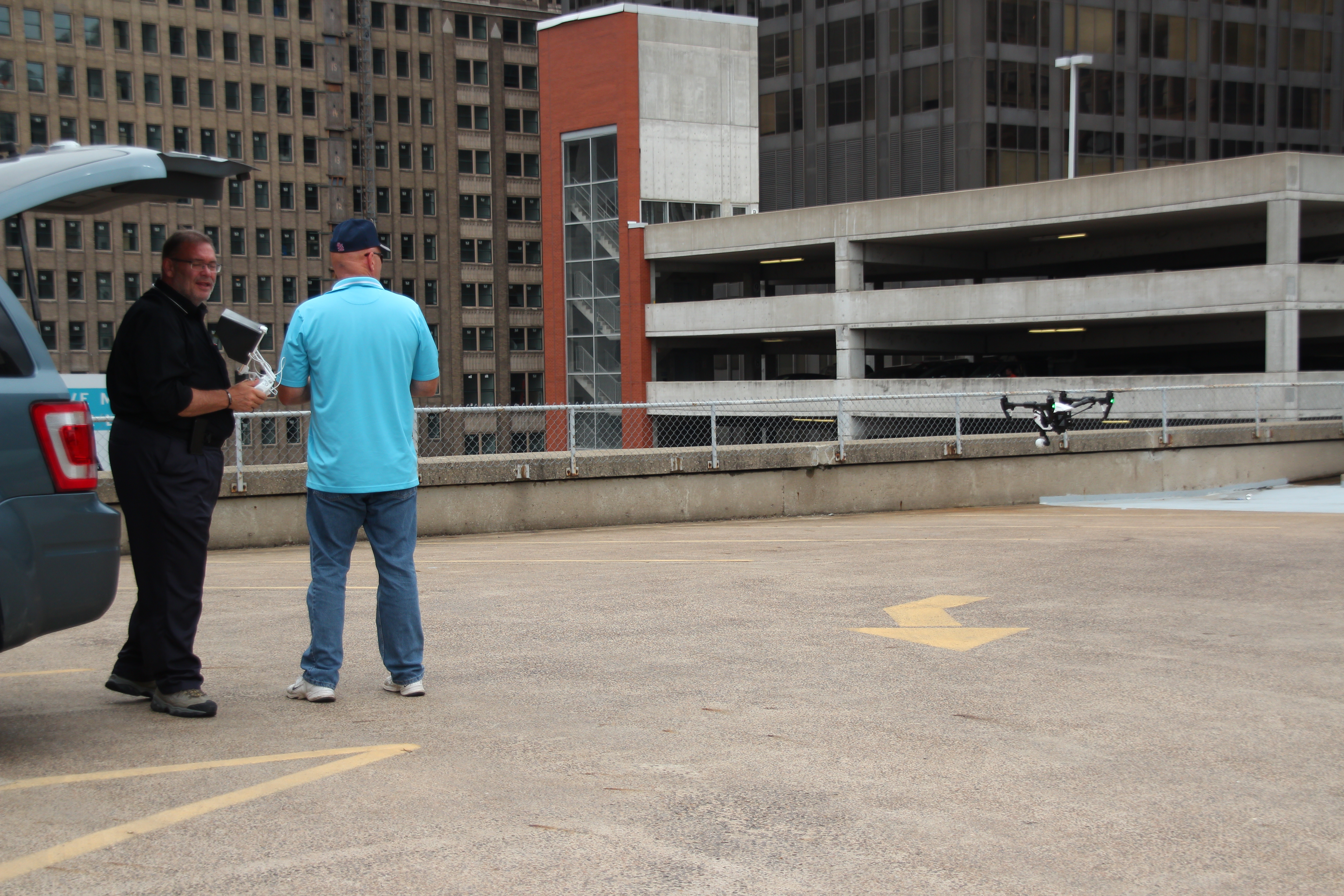
Using specialized drones equipped with radiometric thermal sensors, the crew:

  • Flies precise grid patterns over roofs and façades
  • Captures overlapping thermal stills and/or video
  • Collects matching high-res visual imagery for context

With the right gear and pilots, an inspection that would take days on lifts can often be captured in a fraction of the time—with no one leaving the ground.

4. Analysis and Interpretation

Raw thermal data is only half the job. The real value comes from:

  • Comparing thermal images with visual imagery to understand what’s happening at each anomaly (e.g., seam failure, wet insulation, missing insulation, mechanical issue)
  • Creating maps and reports that align anomalies with real-world locations and roof or building drawings
  • Flagging priority areas by severity, risk, and likely cause

This is where pairing commercial drone pilots with a seasoned imaging and post-production team pays off. You’re not just getting “cool pictures”—you’re getting usable intelligence.


Where Drone Thermal Inspections Deliver the Biggest Wins

1. Commercial Roofs

Flat and low-slope roofs are a perfect fit for drone thermography. Aerial thermal imagery can reveal:

  • Wet or saturated insulation
  • Failing seams, flashings, and penetrations
  • Heat loss around HVAC curbs, vents, and skylights

Instead of guessing where to core sample or cut, you target the exact spots that show anomalies—reducing destructive testing and focusing repair budgets where they matter.

2. Building Envelopes and Façades

From high-rise office towers to big-box retail, drones can scan façades quickly and safely to detect:

  • Missing or poorly installed insulation
  • Thermal bridging at structural elements and anchors
  • Air leakage around windows, doors, and façade transitions

For owners, this is invaluable evidence when evaluating contractor work, planning façade upgrades, or developing long-term capital budgets.

3. Industrial and Utility Infrastructure

Drone-based thermal imaging is also effective for:

  • Steam tunnels and pipe runs
  • Heat exchangers and process equipment
  • Mechanical rooms and rooftop units (when accessible to line-of-sight)

Being able to capture both thermal and visual data from elevated angles gives maintenance teams an immediate short list of what to address first.


Turning Technical Data into Clear Visual Communication

You’re not just fixing heat loss; you’re also justifying budgets, demonstrating ESG progress, and communicating risk and ROI to non-technical audiences.

That’s where expert video and photography production comes in. Thoughtful post-production can transform your drone capture into:

  • Executive-ready presentations
    • Before/after visuals of problem areas and completed repairs
    • Simple overlays that show thermal anomalies alongside the visible image
    • Callouts and annotations explaining what each hotspot means
  • Board and investor updates
    • Short, narrated explainer videos that walk through issues, solutions, and projected savings
    • Visual documentation of capital improvements tied to sustainability and resilience goals
  • Marketing and ESG storytelling
    • Branded micro-videos and stills demonstrating your commitment to energy efficiency
    • Visual proof that your organization is proactive about infrastructure health, not reactive

When drone and thermal inspections are paired with a professional studio and post-production team, you’re not just checking boxes—you’re creating a visual asset library that supports operations, compliance, and brand.


Planning a Drone Inspection Program That Actually Pays Off

To get maximum value from building heat-loss inspections, treat them as a structured program, not a one-off event.

Consider:

  1. Baseline Survey
    • Capture current conditions across roofs, façades, and key mechanical areas
    • Identify and rank anomalies by risk and cost impact
  2. Targeted Repairs and Upgrades
    • Use the visuals to guide contractors directly to problem zones
    • Prioritize “quick win” fixes with strong ROI
  3. Follow-Up and Verification Flights
    • Confirm completed repairs actually resolved the thermal issues
    • Build a “before and after” visual record for internal and external stakeholders
  4. Ongoing Monitoring
    • Schedule periodic inspections (annually or after major weather events)
    • Track trends over time to anticipate failures before they become critical

When your inspection assets are captured and processed by an experienced imaging partner, each year’s data layers cleanly onto the last. Over time, you build a visual history of the building’s performance that’s hard to dispute—and incredibly valuable.


Why Professional Production Quality Matters

Anyone can buy a drone and a thermal camera. Very few can:

  • Fly safely and legally in complex environments
  • Capture usable, consistent images and video that align with inspection goals
  • Color-grade, annotate, and edit that footage into a coherent story for decision makers
  • Deliver footage and stills in formats that your engineers, contractors, marketing team, and executives can all use without frustration

That’s the gap a dedicated video studio fills—translating raw technical capture into polished, clear, and versatile visual assets.


Partner with St. Louis Video Studio for Drone Heat-Loss Inspections

St. Louis Video Studio is an experienced, full-service professional commercial photography and video production company with the right equipment and creative crew experience for successful image acquisition—on the ground and in the air.

We offer full-service studio and location video and photography, as well as editing, post-production and licensed drone pilots. St. Louis Video Studio can customize your productions for a wide range of media requirements, from technical inspection documentation to executive briefings and marketing campaigns.

Repurposing your photography and video branding to gain more traction is another specialty. We are well-versed in all file types, styles of media and accompanying software, and we use the latest in Artificial Intelligence for all our media services—from smart noise reduction and image enhancement to AI-assisted editing and content versioning.

Our private studio lighting and visual setup is perfect for small productions and interview scenes, and our studio is large enough to incorporate props to round out your set. We support every aspect of your production—from setting up a private, custom interview studio to supplying professional sound and camera operators, as well as providing the right equipment—ensuring your next video production is seamless and successful.

For inspections that demand unique perspectives, we can even fly our specialized drones indoors where appropriate and safe, capturing views that traditional methods simply cannot reach.

As a full-service video and photography production corporation since 1982, St. Louis Video Studio has worked with many businesses, marketing firms and creative agencies in the St. Louis area for their marketing photography and video. Whether you’re documenting building heat loss, showcasing repairs, or telling a broader story about your organization’s commitment to efficiency and sustainability, we’re ready to help you capture it—and communicate it—clearly.

314-913-5626

stlouisvideostudio@gmail.com

Unknown's avatar

From Marathon to Micro: The Power of Repurposing Long-Form Training into Engaging Video Bites

In today’s fast-paced business landscape, attention spans are shrinking, and the demand for digestible, easily accessible information is at an all-time high. For decision-makers in marketing, video production, and photography services, this presents a unique challenge: how do you deliver essential training and educational content effectively when your audience is time-poor and inundated with information? The answer lies in the strategic repurposing of your valuable long-form training sessions into shorter, more impactful video clips.

Traditional lengthy training videos, while comprehensive, often suffer from diminishing engagement. Learners can become overwhelmed, lose focus, and struggle to retain key information. This is where the “micro-learning” approach, fueled by intelligently segmented video content, truly shines.

Why Shorter is Smarter: The Benefits of Video Micro-Content

  • Enhanced Engagement and Retention: Shorter videos are less daunting and easier to consume. This leads to higher completion rates and, more importantly, improved information retention. When content is broken down into specific, bite-sized modules, learners can focus on one concept at a time, making it easier to absorb and recall.
  • On-Demand Accessibility and Flexibility: Imagine your employees needing a quick refresher on a specific procedure. Instead of sifting through an hour-long training video, they can instantly access a two-minute clip that addresses their exact need. This on-demand availability empowers self-directed learning and immediate problem-solving.
  • Targeted Learning Paths: By segmenting your training, you can create customized learning paths. Different departments or roles may only need specific information from a broader training session. Shorter clips allow you to tailor content precisely, avoiding information overload and increasing relevance.
  • Versatility in Distribution: Short video clips are incredibly versatile. They can be embedded in internal communication platforms, shared on social media for external outreach, used in email newsletters, or even integrated into interactive learning modules. This expands the reach and utility of your initial investment in training content.
  • Cost-Effective Updates and Iteration: If a particular policy or procedure changes, it’s far more efficient to update or reshoot a short, specific video clip than to revise an entire long-form production. This agility ensures your training content remains current and accurate with minimal overhead.
  • SEO and Discoverability: For external-facing educational content, shorter, keyword-rich videos are more likely to rank higher in search results, driving organic traffic and positioning your organization as a thought leader.

The Strategic Approach to Transformation

Converting your extensive training sessions into impactful micro-content isn’t simply about cutting a long video into arbitrary segments. It requires a thoughtful, strategic approach:

  1. Content Audit and Identification of Key Concepts: Begin by meticulously reviewing your existing long-form training. Identify the core learning objectives, key takeaways, and distinct topics that can stand alone as individual video segments. Think about the natural breaks in the information flow.
  2. Scripting for Brevity and Clarity: Even if the original training was unscripted, consider creating concise scripts or outlines for your shorter clips. Each video should have a clear purpose, a defined beginning, middle, and end, and deliver a single, focused message.
  3. Visual Reinforcement: Leverage strong visuals to enhance understanding. This might include on-screen text, graphics, animations, or relevant B-roll footage. Remember, the goal is to convey information efficiently, and visuals are a powerful tool for this.
  4. Professional Editing and Post-Production: The quality of your micro-content reflects on your brand. Professional editing ensures smooth transitions, clear audio, consistent branding, and an overall polished look. This includes color correction, sound design, and the addition of lower thirds or graphics.
  5. Strategic Call to Action (Where Applicable): For external content, consider a subtle call to action. This could be a link to more information, a sign-up form, or an invitation to explore related topics. For internal training, the call to action might be a quick quiz or a link to a relevant resource.
  6. Leveraging AI in Media Production: Modern video production is significantly enhanced by Artificial Intelligence. AI can assist in transcription, content summarization, identifying key moments for segmentation, and even generating initial edits. This streamlines the process of breaking down long videos and optimizing them for various platforms.
  7. By embracing the strategy of converting long training sessions into shorter, purposeful video clips, businesses and organizations can dramatically improve the efficacy of their educational content. It’s an investment that pays dividends in employee engagement, knowledge retention, and the overall professional image of your brand.
  8. St Louis Video Studio and Photography: Your Partner in Image Acquisition Success
  9. At St Louis Video Studio, we understand the critical importance of effective visual communication. As a full-service professional commercial photography and video production company since 1982, we bring unparalleled experience and a creative crew to every project. We are equipped with the right tools and expertise for successful image acquisition, offering full-service studio and location video and photography. Our services extend to comprehensive editing, post-production, and we boast licensed drone pilots for captivating aerial perspectives, including the unique capability to fly our specialized drones indoors.
  10. St Louis Video Studio excels at customizing productions for diverse media requirements. We specialize in repurposing your photography and video branding to gain more traction, ensuring your visual assets work harder for you. Well-versed in all file types, styles of media, and accompanying software, we leverage the latest in Artificial Intelligence for all our media services, optimizing workflows and enhancing creative output.
  11. Our private studio offers the perfect lighting and visual setup for small productions and interview scenes, with ample space to incorporate props and round out your set. We support every aspect of your production—from setting up a private, custom interview studio to supplying professional sound and camera operators, as well as providing the right equipment—ensuring your next video production is seamless and successful. Since 1982, St Louis Video Studio has proudly partnered with numerous businesses, marketing firms, and creative agencies in the St. Louis area, delivering exceptional marketing photography and video solutions.

314-913-5626

stlouisvideostudio@gmail.com

Unknown's avatar

Beyond the Camera: The Art of Stress-Free Video Production Planning

As seasoned videographers, photographers, and producers at St Louis Video Studio, we’ve guided countless businesses and organizations through the seemingly complex world of video production. We understand that for many decision-makers, the idea of planning a video shoot can conjure images of logistical nightmares, budget overruns, and unexpected complications. However, with a structured approach and clear communication, planning a video shoot can be an efficient, even enjoyable, process that leads to exceptional results.

This post will demystify the planning stages, offering expert insights into how to approach your next video project with confidence and clarity, ensuring a stress-free journey from concept to captivating final product.

The Foundation: Why Meticulous Planning Matters

Think of video production as building a house. You wouldn’t start hammering nails without blueprints. Similarly, a video shoot requires a solid foundation of planning to prevent costly mistakes, wasted time, and creative compromises. Poor planning often leads to:

  • Scope Creep: The project expands beyond initial agreements, leading to budget and timeline issues.
  • Miscommunication: Vision discrepancies between client and production team, resulting in dissatisfaction.
  • Logistical Headaches: Unforeseen location issues, equipment shortages, or scheduling conflicts.
  • Mediocre Results: Rushed decisions on set compromise the final quality and impact of your message.

Your Stress-Free Planning Blueprint: Key Steps

Step 1: Define Your “Why” and “Who” – The Strategic Core

Before any creative ideas take shape, solidify the strategic purpose of your video.
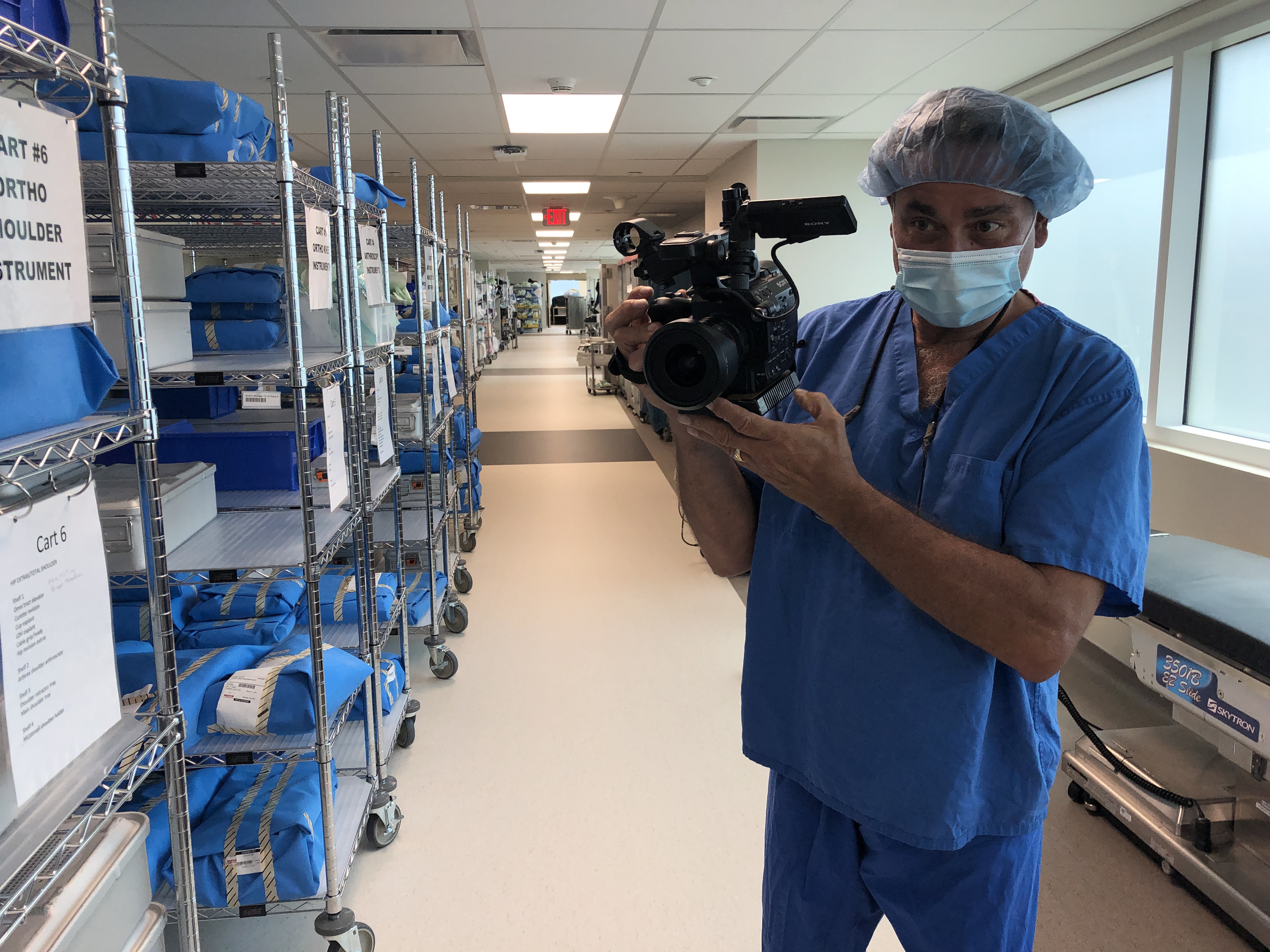
  • Clear Objectives: What specific business goal does this video serve? Is it lead generation, brand awareness, employee training, product launch, or something else?
  • Target Audience: Who are you trying to reach? Understanding their demographics, pain points, and preferences will inform every creative decision.
  • Key Message: What is the single most important takeaway you want viewers to remember? Keep it concise and impactful.
  • Call to Action: What do you want viewers to do after watching the video? Visit a website, make a purchase, sign up for a newsletter?

Step 2: Budget & Timeline – Realistic Expectations

Transparency and realism here are paramount to avoiding stress later.

  • Establish a Budget Range: Communicate your financial parameters upfront. A professional production company can then advise on what’s achievable within those limits.
  • Set a Realistic Timeline: Factor in pre-production (planning, scripting, scheduling), production (filming), and post-production (editing, graphics, revisions). Good video takes time.
  • Contingency Planning: Always build in a buffer for both budget and time to account for unforeseen circumstances (e.g., weather delays, minor script changes).

Step 3: Creative Brief & Concept Development – Aligning Visions

This is where your vision starts to materialize.

  • Detailed Creative Brief: Provide your production partner with as much information as possible: brand guidelines, competitor examples, preferred styles, tone, and any existing assets.
  • Concept Presentation: Your production team should present initial concepts, script outlines, and visual references (mood boards, example videos). This is a collaborative phase for feedback and refinement.
  • Scripting & Storyboarding: Once a concept is approved, a detailed script is developed. For more complex shoots, storyboards or shot lists visually map out each scene, ensuring everyone is on the same page.

Step 4: Logistics & Scheduling – The Nitty-Gritty

This is where the detailed execution plan comes together.

  • Location Scouting: Identify and secure ideal locations that align with the creative vision and practical requirements. Consider lighting, sound, permits, and accessibility.
  • Talent Casting (if applicable): Whether professional actors or your own employees, ensure talent is briefed, available, and comfortable with their roles.
  • Crew & Equipment Allocation: A professional studio will assign the right videographers, photographers, sound technicians, lighting specialists, and the necessary equipment (cameras, drones, specialized lighting) for your specific shoot.
  • Detailed Production Schedule (Call Sheet): This document is the bible for shoot day, outlining timings, locations, scenes, and contact information for everyone involved. Share it widely.

Step 5: Pre-Production Meeting – Final Checks

A final meeting before the shoot day is crucial to ensure everyone is aligned.

  • Review Everything: Go over the script, storyboard, schedule, and logistical details one last time with all key stakeholders.
  • Address Questions: Provide an opportunity for any last-minute questions or concerns from the client or crew.
  • Contingency Plans: Discuss what-if scenarios (e.g., bad weather for an outdoor shoot) and agreed-upon backup plans.

By meticulously following these steps, you’re not just planning a video shoot; you’re orchestrating a seamless experience designed for success. The result is a high-quality video that achieves your marketing and communication goals, produced without the usual stress and uncertainty.


At St Louis Video Studio, we believe that brilliant video and photography begin with exceptional planning. As a full-service professional commercial photography and video production company since 1982, we bring over four decades of experience to every project. We possess the right equipment and a creative crew with extensive service experience for successful image acquisition. We offer full-service studio and location video and photography, as well as comprehensive editing, post-production, and licensed drone pilots.

St Louis Video Studio can customize your productions for diverse types of media requirements, specializing in repurposing your photography and video branding to gain more traction. We are well-versed in all file types and styles of media and accompanying software, utilizing the latest in Artificial Intelligence for all our media services to ensure cutting-edge results. Our private studio lighting and visual setup is perfect for small productions and interview scenes, large enough to incorporate props to round out your set. We support every aspect of your production—from setting up a private, custom interview studio to supplying professional sound and camera operators, as well as providing the right equipment—ensuring your next video production is seamless and successful. We can even fly our specialized drones indoors for unique perspectives and dynamic shots.

Having worked with numerous businesses, marketing firms, and creative agencies in the St. Louis area, St Louis Video Studio is your trusted partner for marketing photography and video, transforming complex production processes into stress-free, successful ventures.

314-913-5626

stlouisvideostudio@gmail.com

Unknown's avatar

Teleprompter Magic: How to Look Natural on Camera—Even If You’re Not an Actor

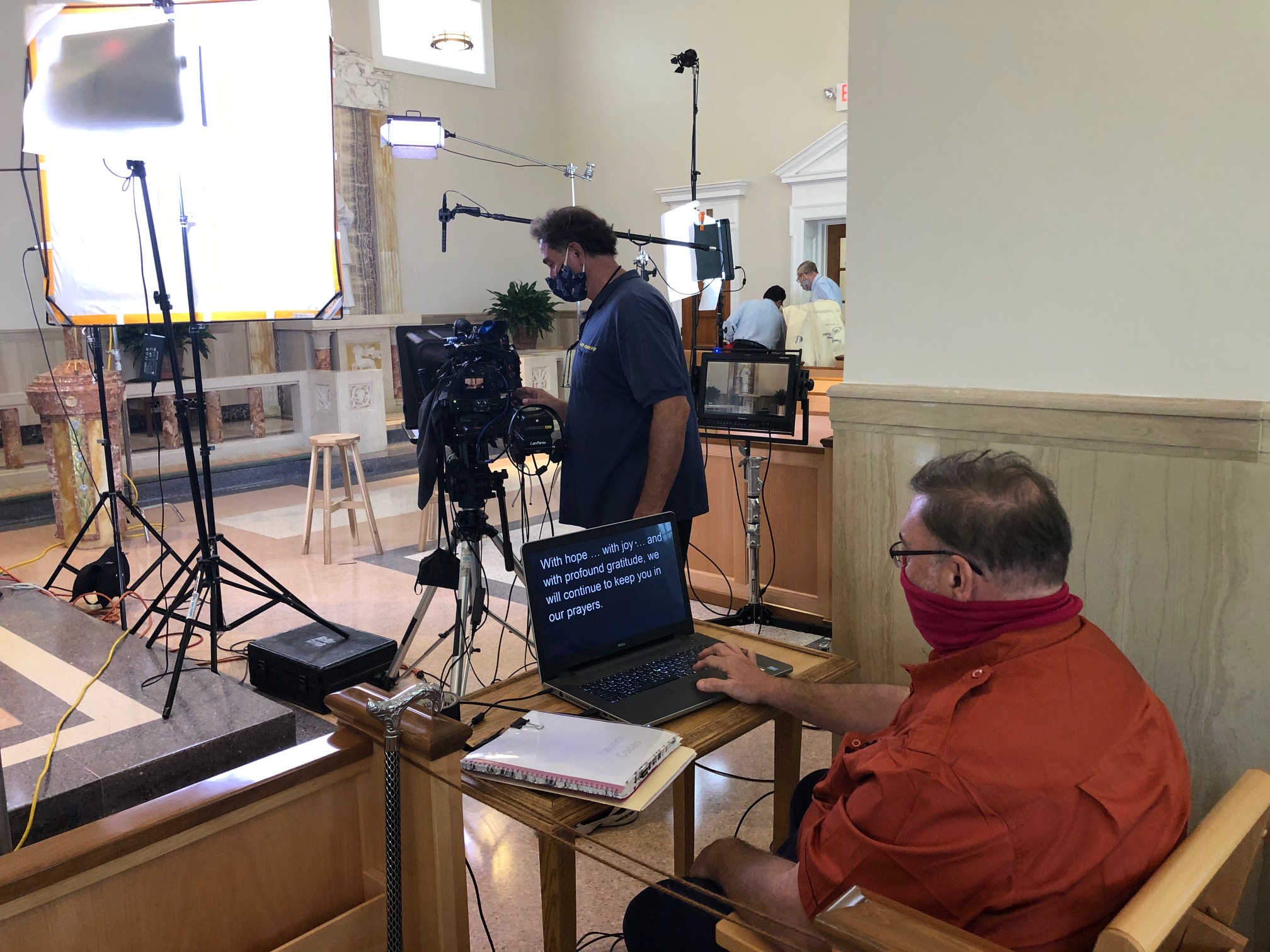
If you’re a C-suite leader, product manager, or marketing director, you need message precision and a human, trustworthy presence. A teleprompter makes that possible—when it’s set up, scripted, and operated correctly. Below is the playbook we use in studio and on location to help non-actors look relaxed, sound authoritative, and land the message on time.


Why Use a Teleprompter in the First Place?

  • Accuracy: Legal, compliance, and investor language must be exact.
  • Consistency at scale: One message across multiple markets, languages, or spokespeople.
  • Throughput: Shoot more segments per day with fewer retakes and faster approvals.
  • Editorial efficiency: Prompter scripts feed captions, translations, and transcripts.

Eye-Line & Optics: Where Authenticity Starts

Goal: align the audience’s eyes with yours. Do that and you’ll read as confident and sincere.

  • Prompter type: Through-the-lens (TTL) beam-splitter in front of the lens for direct-to-camera delivery.
  • Lens choice: 50–85 mm (full-frame) subtly compresses perspective and reduces visible eye travel.
  • Distance & font: Place talent ~5–10 ft from the glass; set font so each line reads without scanning (typically 48–72 pt at that distance).
  • Scroll window: Keep active text centered vertically; avoid top/bottom edges which trigger noticeable eye jumps.
  • Glasses & glare: Slightly raise the key light, tilt the glass a few degrees, use flags/hoods, and favor matte/AR-coated frames.

Script Engineering: Write for the Ear (Not the Page)

  • Cadence target: 110–135 words per minute for conversational corporate delivery.
  • One idea per line: 12–18 words; short clauses beat long sentences.
  • Mark the “music”:
    • Bracketed cues: [PAUSE] [SMILE] [B-ROLL CUT] [GRAPHIC]
    • Phonetics for tricky names/terms: “kuh-TEG-uh-ree”
    • LIGHT emphasis—avoid ALL CAPS everywhere.
  • Numbers that land: Round when possible; put dense data on graphics/B-roll, not in a single spoken sentence.
  • Version control: Name files clearly (CEO_TownHall_v7_APPROVED) and keep a visible change log.

Scroll Craft: The Operator Follows You

  • The operator matches the speaker, not the other way around.
  • Smooth acceleration/deceleration prevents mechanical “stair-step” motion.
  • White space between paragraphs lowers cognitive load and eye flicker.
  • Live edits: one owner routes last-minute changes—no dueling cursors.

Coaching Non-Actors: Small Levers, Big Gains

  • 90-second warm-up: hum on “M,” tongue twisters at 70% speed, then one throwaway read to find pace.
  • Breath mapping: land breath at punctuation; commas = half-beat, periods = full beat.
  • Landing words: linger a beat on the key noun/verb; let connector words glide.
  • Posture & presence: feet planted, shoulders soft, chin level, micro-smile through transitions.
  • Pickups that edit cleanly: redo the full sentence, not the fragment.
  • Wardrobe notes: avoid tight stripes or loud jewelry; powder forehead/nose; keep lav clear of necklaces.

Multi-Camera, Panels, and Walk-and-Talks

  • A/B cameras: match prompter size & distance to keep eye-line consistent across angles.
  • Panels/interviews: use confidence monitors with talking points instead of full sentences to encourage natural interplay.
  • Walk-and-talks: small prompter on a gimbal, pre-block turns so eye-line stays near lens axis.

Remote & Hybrid Setups (Executives on the Move)

  • Place the overlay within 1–2 inches of the webcam lens.
  • Use wired controllers to avoid Bluetooth lag.
  • Rehearse in the actual meeting platform to test latency and frame pacing.
  • Treat the remote space like a set: key/fill/back light, controlled background, treated audio.

Editorial Integration: Shoot for the Edit

  • Plan cover shots: bake [B-ROLL CUT] and [GRAPHIC] cues into the script.
  • Handles: roll 5 seconds before/after each take for clean transitions.
  • Captions & access: prompter scripts accelerate accurate captions and multi-language subs.
  • Continuity notes: log best takes, pronunciation locks, and any approved ad-libs.

Troubleshooting: Fast Fixes We Use On Set

  • Eyes darting: enlarge font, reduce scroll speed, recenter active line.
  • Flat delivery: insert breath/beat marks, add verbs up front, encourage micro-smile.
  • Glare on lenses: adjust light angle first; then tilt glass and flag spill.
  • Rushing the close: add [HOLD SMILE 2s] at the final line and capture a clean button.

Day-Before & Day-Of Checklists

Day-Before

  • Final script in shared doc + PDF; pronunciations verified
  • Shot list with B-roll/graphic cues
  • Teleprompter/laptop/controller tested, mirror flip confirmed
  • Wardrobe guidelines sent; location noise/light checks completed

Day-Of

  • TTL prompter + hood, backup unit, UPS/power distro
  • Lens set 50/85 mm, flags/matte box, anti-glare wipes
  • Eye-line test recording (10 s) and speed calibration pass
  • Mark landing words/CTAs; confirm durations per segment

Copy-Paste Script Skeleton (≈2:00, 240–260 words)

OPEN [SMILE]
I’m [Name], [Title]. Today, three updates designed to help your team move faster and make smarter decisions. [PAUSE]

BENEFIT HEADLINE
First: [Feature/Program] reduces steps in [workflow] so your process is simpler, safer, and easier to scale. [B-ROLL CUT]

PROOF
Teams like [Client] saw results in weeks—not months—and cut [metric] by [X%]. [PAUSE]

WHAT’S NEW
Second: [Feature] adds [capability], so admins spend less time on manual tasks.
Third: [Feature] improves [process], with clearer approvals and better visibility. [GRAPHIC]

CALL TO ACTION
If you’re on [plan], these roll out [date]. To learn more, visit your admin panel or talk with your account team. [SMILE]

CLOSE [HOLD 2s]
Thanks for choosing us to help you do more with less. [HOLD SMILE]


Why This Matters for Decision Makers

Teleprompter-driven workflows reduce retakes, protect compliance language, and shorten post-production—all while helping your leaders show up as themselves. The business result: tighter schedules, faster approvals, and on-brand content that persuades.


Work With a Studio That Makes Prompters Invisible

St Louis Video Studio is a full-service professional commercial photography and video production company with the right equipment and creative crew service experience for successful image acquisition. We offer full-service studio and location video and photography, as well as editing, post-production and licensed drone pilots. St Louis Video Studio can customize your productions for diverse types of media requirements. Repurposing your photography and video branding to gain more traction is another specialty. We are well-versed in all file types and styles of media and accompanying software. We use the latest in Artificial Intelligence for all our media services. Our private studio lighting and visual setup is perfect for small productions and interview scenes. Our studio is large enough to incorporate props to round out your set. We support every aspect of your production—from setting up a private, custom interview studio to supplying professional sound and camera operators, as well as providing the right equipment—ensuring your next video production is seamless and successful. We can fly our specialized drones indoors. As a full-service video and photography production corporation, since 1982, St Louis Video Studio has worked with many businesses, marketing firms and creative agencies in the St. Louis area for their marketing photography and video.

314-913-5626

stlouisvideostudio@gmail.com

Unknown's avatar

Shooting B-Roll for Better Interview Videos: A Director’s Playbook for Decision Makers

If your interviews feel flat, the fix usually isn’t a new camera—it’s better B-roll. Thoughtful cutaway footage elevates on-camera answers into a narrative that persuades, clarifies, and moves viewers to act. Below is the framework we use at St Louis Video Studio to plan, capture, and integrate B-roll that makes interviews land with authority and style.

Why B-Roll Matters (to Business Outcomes)

  • Context & credibility: Show the process, place, and people behind claims to reduce viewer skepticism.
  • Clarity: Visualize features, workflows, and outcomes so complex ideas become self-evident.
  • Pace & retention: Varied imagery resets attention and smooths jump cuts, increasing watch-through.
  • Repurposability: A great B-roll library fuels social edits, sales decks, product pages, and launch reels.

Start with Message, Not a Shot List

Before we talk lenses or gimbals, we map the message arcs you need to land:

  1. Who is speaking and why they’re credible.
  2. What is the benefit or transformation.
  3. How it works (process or proof).
  4. What’s next (CTA or desired action).

For each arc, we pair visual proof points—moments that demonstrate the claim. Example: if an interview mentions “same-day turnaround,” we capture time-stamped workflow boards, scan guns, courier hand-offs, and the final product leaving the dock.

Pre-Production: The B-Roll Blueprint

  • Interview beat sheet: Highlight phrases you know will need cover (jargon, lists, long sentences).
  • Location walk-through: Identify hero spaces, quiet zones, natural movement paths, and drone-safe corridors (we can fly specialized cinewhoop drones indoors).
  • People & permissions: Confirm who can be filmed doing what; secure releases and any brand or safety approvals.
  • Props & demos: Stage real artifacts—devices, packaging, dashboards, product cross-sections.
  • Wardrobe & brand color cues: Ensure textures and tones that play nicely at your brand white balance.
  • Shot architecture: Pre-plan W-M-T (wide/medium/tight) passes for every key activity to guarantee editorial flexibility.

Shot Design That Sells the Story

Prioritize “people doing” over “people pointing.” The most valuable B-roll types for interviews:

  1. Process: Assembly, testing, client hand-offs, onboarding steps.
  2. Environment: Establishing exteriors, signage, interiors with meaningful context (not empty hallways).
  3. Interaction: Team huddles, whiteboard sketches, customer demos, usability testing.
  4. Details & macro: Hands, instruments, displays, textures, materials—visual “verbs.”
  5. Transitions: Doors opening, feet walking, forklifts moving—great for pacing and scene bridges.
  6. Aerials (including indoor): Spatial orientation of facilities, site scale, and equipment layout.

Movement choices:

  • Locked-off for authority (data screens, instruments).
  • Slider or slow gimbal for polish on processes.
  • Handheld micro-movement for energy with people.
  • Dolly-in on key claims (motivated by the interview’s emphasis).
  • Cinewhoop interiors for sweeping reveals without disrupting operations.

Technical Cohesion with Your A-Roll

Consistency beats novelty. Match the interview’s image science:

  • Frame rate: If interviews are at 23.98/24, capture most B-roll at the same rate; reserve 48/60 only for intentional slow-motion beats.
  • Shutter & motion cadence: Keep ~180° shutter (e.g., 1/48 at 24p) for natural motion.
  • White balance & color: Lock Kelvin; avoid auto WB. Shoot one profile (Log or Rec.709) across bodies.
  • Glass & filtration: Polarizer for screens/reflections; variable ND for constant aperture; macro for texture.
  • Lighting continuity: Key practicals (lamps, monitors) to match interview color contrast; add a gentle edge or negative fill to sculpt.
  • Sound beds: Capture NAT sound (machines, keystrokes, ambient room tone) for editorial glue under B-roll.

On-Set Workflow: Coverage Without Chaos

  • Three-pass rule: For each action, run a wide, functional medium, and expressive tight pass.
  • Subject-motivated movement: Start moves on action (hand lift, tool press) to create cut points.
  • Continuity stills: Snap a quick reference photo after each setup for reshoots or future batches.
  • Metadata discipline: Card labels by location/scene; clip notes for high-value selects (“Operator explains torque step”).
  • Coverage ratio: Plan 3–5 minutes of B-roll per minute of interview for efficient edits and future repurposing.

Editorial Integration: Turn Answers into Stories

  • Edit rhythm: Use J-cuts to pre-lap B-roll before new answers; L-cuts to sustain visuals through thought changes.
  • Cut on action: Hide edits by cutting mid-movement (hand pull, page turn).
  • Bridge problem → solution: Start with a friction visual, land on a successful outcome.
  • Use slow motion sparingly: Deploy for emphasis—operator precision, pivotal product moments—and keep it brief.
  • Graphics & captions: Lower thirds, UI callouts, and captioned definitions to translate jargon into value.
  • Color pipeline: One primary grade for cohesion; secondaries to brand hues; maintain believable skin tones.
  • QC pass: Check lip sync on visible dialogue, logo clearance, any safety or compliance visuals.

Smart Uses of AI (That Actually Help)

We incorporate AI where it saves time or adds quality without compromising authenticity:

  • Transcription & paper-edits: Auto-transcribe interviews, keyword search sound bites, and map B-roll candidates to lines.
  • Shot detection & tagging: Quickly cluster similar B-roll for versioning and social pull-through.
  • Noise reduction & speech enhancement: Clean dialogue transparently.
  • Object cleanup (when permitted): Remove stray logos or identifiers.
  • Style-consistent color assists: AI-guided balancing across multi-camera shoots before the final grade.

Repurposing: Squeeze More Value from Every Shoot

  • Aspect ratio strategy: Capture “clean” frames to support 16:9, 1:1, and 9:16 outputs.
  • Evergreen B-roll library: Tag by product, process, persona, and outcome for future campaigns.
  • Versioning plan: From a single interview, spin a 90-second hero, 30-second cut-downs, and 10–15 second verticals for ads and social.
  • Rights & compliance: Track releases, expiration windows, and facility restrictions to keep assets usable long-term.

Practical Tools: Checklists You Can Use

Pre-Production B-Roll Checklist

  • Interview beat sheet with visual proof points
  • Location map + drone/flight plan (indoor corridors marked)
  • Releases/approvals (brand, safety, compliance)
  • Props/products staged; screens prepped with demo data
  • Wardrobe guidance issued; color temperature plan set
  • Shot architecture: W-M-T passes per action
  • NAT sound targets identified

On-Set Coverage Pattern (per scene)

  1. Establishing wide (5–10 sec static)
  2. Functional mediums (two angles)
  3. Tights & macro (hands, indicators, textures)
  4. Expressive move (slow push or lateral)
  5. Transition beats (doors, feet, forklifts)
  6. NAT sound bed (20–30 sec)

Post-Production Hand-Off

  • Labeled folders by scene/action
  • Paper-edit with B-roll suggestions per line
  • Color notes, white balance targets, any legal flags
  • Shortlist of “hero” shots for thumbnails and teasers

A Sample Half-Day Run of Show

  • 00:00–00:30 Lighting & audio for interview; camera tests; white balance lock
  • 00:30–01:30 Interview capture (primary + safety cam)
  • 01:30–02:30 Process B-roll (W-M-T passes)
  • 02:30–03:00 Interaction & demo sequences (customers or internal team)
  • 03:00–03:15 Indoor drone reveals (corridor + hero space)
  • 03:15–03:30 Details, macro, transitions, NAT sound, safety pickups

Why Teams Hire Us for This

St Louis Video Studio is a full-service professional commercial photography and video production company with the right equipment and seasoned crew to ensure reliable, high-quality image acquisition—in studio or on location. We handle studio and location video and photography, editing, and post-production, and our licensed drone pilots (including specialized indoor flight) add dynamic perspectives safely and legally.

We customize productions for diverse media requirements and repurpose your photography and video branding to extend reach across platforms. Our team is well-versed in all file types, media styles, and the accompanying software, and we leverage the latest in Artificial Intelligence for transcription, tagging, cleanup, color assistance, and accelerated post workflows—always with human creative oversight.

Our private studio lighting and visual setup is ideal for small productions and interview scenes, with enough space to incorporate props and create on-brand environments. We support every aspect of your production—from setting up a private, custom interview studio to supplying professional sound and camera operators and the right gear—so your next video is seamless and successful.

Since 1982, we’ve partnered with businesses, marketing firms, and creative agencies across the St. Louis area to deliver marketing photography and video that performs. If you’re ready to transform your interviews with B-roll that actually moves the needle, we’re ready to roll.

314-913-5626

stlouisvideostudio@gmail.com

Unknown's avatar

Why Good Audio Matters More Than You Think: The Overlooked Star of Studio Video Production

Businesses understand the importance of high-resolution visuals, polished editing, and dynamic motion graphics—but often, one critical element gets shortchanged: audio.

At St Louis Video Studio, we know from experience that high-quality audio can be the difference between a compelling piece of branded content and one that viewers click away from within seconds. It’s easy to underestimate sound when the visuals look sharp, but industry research and real-world feedback prove that audio clarity and design have a greater psychological impact on your audience than many realize.

The Science Behind Sound

Viewers will often tolerate less-than-perfect visuals, but poor audio immediately signals unprofessionalism. According to a USC/Annenberg study on multimedia effectiveness, audiences were more likely to trust a video with clear audio and mediocre visuals than the reverse. Why? Because sound is deeply tied to how we interpret meaning and emotional context. Music, tone of voice, ambient sound, and silence each carry subconscious weight that informs how we feel about what we see.
What Bad Audio Does to Good Video

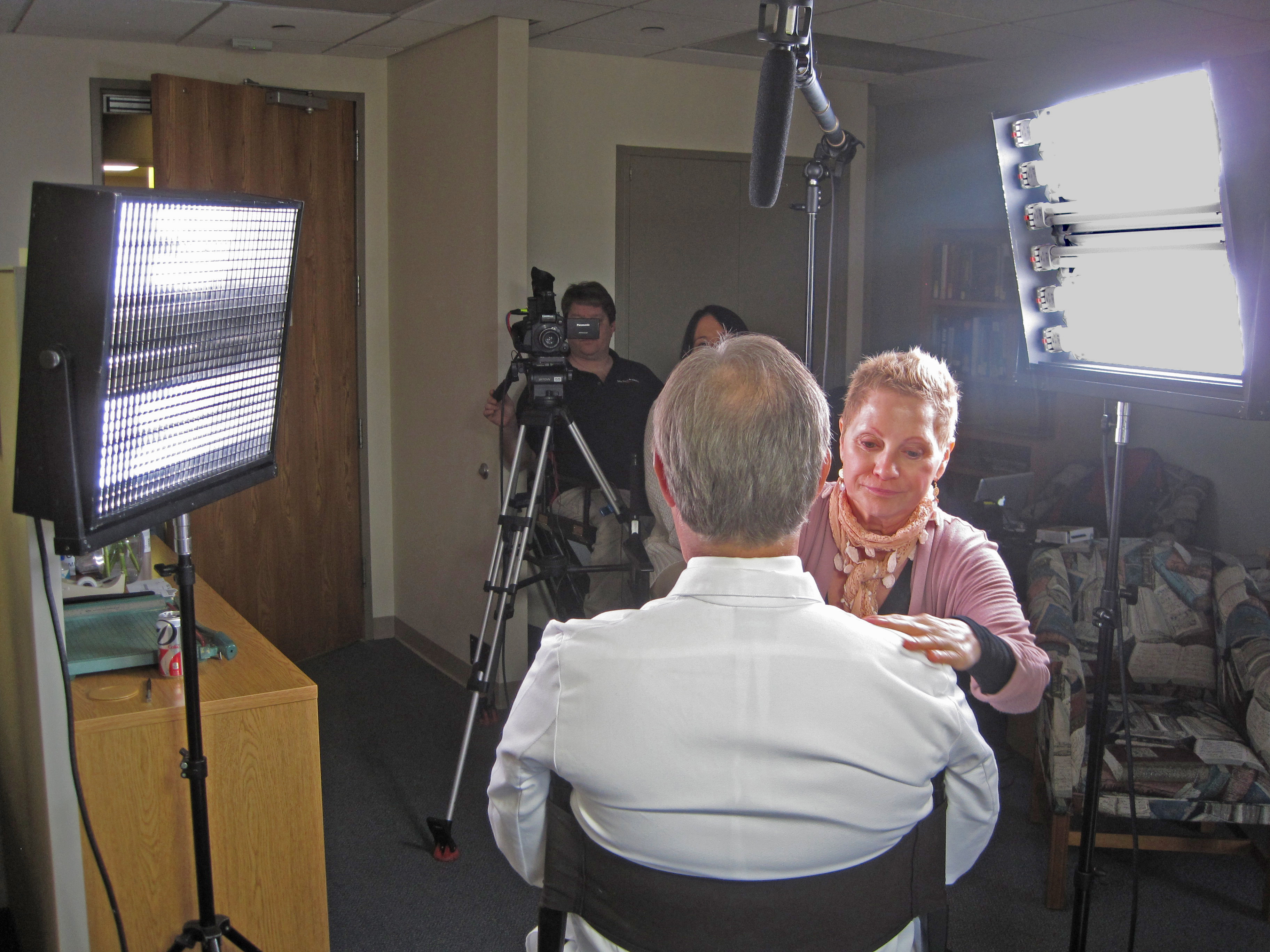
You’ve invested in quality cameras, lighting, and editing—but if your audio is plagued by room echo, inconsistent volume, or background noise, you risk undermining the entire production. Common issues we’ve seen in rushed or underfunded productions include:

  • Echo-heavy audio from untreated rooms or wide-open locations
  • Inconsistent dialogue levels from lav mics or boom mics improperly placed
  • Distracting ambient noise that competes with the message
  • Low bitrate compression that degrades voice quality, especially on mobile devices

These issues are often introduced during production and are costly or impossible to fully fix in post-production, especially when speech intelligibility is compromised.

How Professional Studios Get Audio Right

At St Louis Video Studio, we’ve engineered our private studio space with sound clarity in mind. From acoustically treated walls to purpose-built mic placements and isolation setups, every detail supports optimal audio recording. Our experienced sound operators monitor levels in real-time, ensuring every line of dialogue and every sound cue is clean, crisp, and emotionally tuned to your brand message.

We also bring extensive post-production audio design capabilities to the table—sweetening interviews, removing ambient noise, balancing multi-mic setups, and even designing immersive soundscapes for motion content. Whether your final product will be viewed in a boardroom, at a trade show, or on a smartphone, we ensure your message hits with clarity and authority.

The Competitive Edge of Good Audio

For corporate video interviews, training content, brand stories, and testimonials, superior audio elevates credibility. Subtle shifts in vocal tone and delivery are essential to establishing authenticity and trust. A confident voice without distortion resonates better, and the seamless blend of music and sound design enhances emotional engagement.

This is particularly vital when repurposing your content. Clean audio tracks allow for easier editing into shorter versions for social, broadcast-ready cuts, or podcasts. If you’re trying to get more life out of your production investment—as many savvy marketers are—great audio is a future-proofing strategy.


Why Businesses in St. Louis Trust St Louis Video Studio

Since 1982, St Louis Video Studio has partnered with businesses, marketing firms, and creative agencies throughout the region to deliver high-impact studio and location productions. We are a full-service professional commercial photography and video production company, equipped with the latest tools and the creative insight necessary for successful image acquisition. From full-service studio and location photography and video to editing, post-production, and licensed drone operations, we’ve supported countless successful marketing campaigns.

We specialize in repurposing your existing photography and video branding to generate more traction across platforms. We are well-versed in all file types, media styles, and production software. Leveraging the latest artificial intelligence tools, we optimize workflow and enhance output quality.

Our private studio lighting and visual setup is ideal for small productions, interviews, or controlled environment shoots. The studio can incorporate props to customize your set, while our team handles everything—from sound and camera operators to gear and set design—ensuring a seamless and professional production experience. We can even fly specialized drones indoors, expanding creative options within our custom-built environment.

At St Louis Video Studio, we understand that great visuals open the door, but great audio makes people stay. Let us help you deliver both—exceptionally.

314-913-5626

stlouisvideostudio@gmail.com

Unknown's avatar

How to Tell a Better Story with Ground and Aerial Videos: A Strategic Visual Approach for Modern Brands

In a world saturated with visual content, businesses need more than just great footage—they need compelling stories that hold attention and inspire action. One of the most effective ways to elevate your brand narrative is by combining ground and aerial video. When expertly integrated, these two perspectives deliver a cinematic experience that resonates with viewers on multiple levels—emotionally, spatially, and intellectually.

As experienced storytellers at St Louis Video Studio, we help companies transform simple visuals into strategic brand messages. In this article, we’ll explore how to leverage both ground and drone footage to craft a more powerful, memorable story for your audience.


Why Both Perspectives Matter

Storytelling is about perspective—both figuratively and literally. Ground-level footage creates an intimate, human connection. It captures facial expressions, textures, and close interactions that build emotional depth. Aerial footage, meanwhile, shows scale, movement, and geographic context. It lets viewers see the bigger picture—the facility, the environment, the journey.

When used together, ground and aerial videos:

  • Establish a location and tone
  • Provide narrative rhythm and variety
  • Highlight both scale and detail
  • Reinforce brand authority and production value

This multi-layered approach keeps viewers engaged and communicates more information in less time.


Structuring Your Story with Layered Visuals

Whether you’re producing a corporate overview, a customer testimonial, or a product launch video, integrating ground and drone shots requires thoughtful structure:

  1. Open with an aerial shot – Introduce your location, set the tone, and grab attention with a sweeping view of your facility, event, or landscape.
  2. Shift to ground footage – Bring the story in closer with interviews, operations, or interactions that offer human context.
  3. Alternate perspectives – Use drone shots to transition between scenes or emphasize key moments (like a warehouse in action or a crowd from above).
  4. Conclude with a dynamic blend – Wrap up with a combination of both viewpoints to reinforce your message and leave a strong impression.

Our editing team at St Louis Video Studio excels at pacing, matching color and motion between cameras, and ensuring each transition is both seamless and purposeful.


Technical Considerations for a Cohesive Look

To tell a unified story visually, you need more than great footage—you need a technically sound integration of camera styles. This includes:

  • Matching frame rates and resolution
  • Color grading across both drone and ground footage
  • Consistent motion direction and lens choice
  • Clean, professional audio to tie everything together

Our creative crew is experienced in managing multi-camera environments and blending footage from different sources, so your final video looks polished and intentional.


When and Where to Use Ground + Aerial Storytelling

This approach is especially impactful for:

  • Brand stories and origin videos
    Show where your company started, where it operates, and who drives the mission.
  • Client testimonials
    Combine interview footage with aerial B-roll of operations, locations, or client sites.
  • Product demos or walkthroughs
    Start with an aerial setup and transition into hands-on usage or close-up interaction.
  • Events and activations
    Use drone coverage to capture the energy and scale, then cut to audience or speaker reactions from the ground.

Partner with a Studio That Can Do It All

At St Louis Video Studio, we don’t just shoot video—we tell visual stories that work. As a full-service professional commercial photography and video production company, we’ve been helping businesses, marketing firms, and agencies in the St. Louis area since 1982.

We offer:

  • Studio and on-location video and photography
  • Licensed drone pilots, including indoor flight capabilities
  • Custom studio setups with private lighting and prop integration
  • Post-production services, including editing, color grading, and audio mastering
  • AI-powered tools for faster and smarter content refinement

Our team understands the art and science of integrating multiple visual formats into a single compelling message. Whether you need a custom interview scene, promotional video, or branded campaign content, St Louis Video Studio delivers seamless production from concept to final cut.

Let us help you tell your story—from the ground up, and from the sky down.


Contact St Louis Video Studio today and see how we can elevate your next production into something truly unforgettable.

314-913-5626

stlouisvideostudio@gmail.com

Unknown's avatar

How to Guide Non-Professional Talent for Professional Video Results

In the world of corporate and marketing video production, businesses often feature their own employees, customers, or leadership in front of the camera. While this approach brings authenticity and relatability to the content, it also introduces a unique challenge: guiding non-professional talent to deliver natural, compelling performances on camera.

As experienced videographers, producers, and directors at St Louis Video Studio, we’ve helped countless organizations transform everyday people into confident on-camera storytellers. In this guide, we’ll walk through best practices for working with non-actors to ensure your next video production captures genuine, effective, and professional results.


1. Start with a Clear Vision and Script Support

Non-professional talent thrives when they understand the purpose of the video and their role in it. Provide them with:

  • A simplified script or talking points: Avoid industry jargon and memorization. Focus on clarity and key messages.
  • Context for the scene: Explain who the audience is and why their words matter.
  • Flexible phrasing: Let them say things in their own words—authenticity wins over perfection.

2. Create a Comfortable Environment

Stage fright is common. To ease nerves:

  • Limit the crew: A smaller set makes talent feel less intimidated.
  • Warm up with casual conversation: Break the ice before the camera rolls.
  • Keep the set quiet and calm: Reduce distractions and maintain a positive tone.

At St Louis Video Studio, we’ve designed our private studio space specifically for these situations—comfortable lighting, minimal foot traffic, and a focused atmosphere ideal for first-time on-camera guests.


3. Use Prompting and Interview Techniques

Rather than asking someone to deliver a monologue, guide them with:

  • Prompt-based questions: Lead with questions that encourage natural responses.
    Example: “Can you tell us about a time you saw the company’s values in action?”
  • Conversational interviews: Our producers often sit just off-camera and engage talent in a genuine back-and-forth, then edit for flow and clarity.

4. Position and Direct Gently

Help your talent look and feel their best by:

  • Framing them properly: Use flattering angles and even lighting.
  • Giving clear direction: Guide posture, eye line, and pacing without overwhelming.
  • Reassuring with playback: Show quick takes to boost confidence when appropriate.

We’ve seen time and again how small adjustments—like encouraging someone to slow down their speech or reposition slightly—can significantly elevate a performance.


5. Plan for Extra Takes and Patience

The magic often happens in take two or three. Build time into your schedule to:

  • Allow for warm-up: Initial takes are just practice.
  • Capture multiple angles: Especially helpful in editing for continuity and best moments.
  • Keep energy positive: Encouragement matters more than critique with non-actors.

6. Enhance with Post-Production Polish

Even great raw footage can benefit from post-production:

  • Edit for clarity and flow
  • Add B-roll or visuals to cover rough cuts
  • Include professional audio mixing and color correction

Our editing suite at St Louis Video Studio brings everything together to ensure your final product feels polished and aligned with your brand.


Trust Your Team and Partner with Professionals

Non-professional talent can deliver powerful, authentic performances with the right environment, guidance, and post-production support. It’s a process built on empathy, patience, and experience—and we’re here to help.

At St Louis Video Studio, we bring decades of hands-on experience in directing on-camera talent of all types. As a full-service professional commercial photography and video production company, we provide the equipment, creative expertise, and tailored support needed for successful image acquisition.

We offer:

  • Full-service studio and on-location video and photography
  • Licensed drone pilots for indoor and outdoor flight
  • Skilled editing and post-production teams
  • Custom productions designed for businesses and agencies
  • AI-enhanced media services and repurposing strategies
  • Private, flexible studio setups for interviews and small productions

Since 1982, we’ve helped countless businesses and marketing firms across the St. Louis region turn everyday people into standout on-camera talent. Whether you’re creating a testimonial, internal training, or branded video content, our team at St Louis Video Studio ensures every detail—from lighting to final export—is handled with precision.

Let us elevate your next production. Get in touch today.

314-913-5626

stlouisvideostudio@gmail.com

Unknown's avatar

The Right Questions Make the Best Stories: Crafting Clear, Compelling Video Testimonials

When it comes to marketing your business, few tools are as effective and persuasive as a well-produced video testimonial. These authentic endorsements allow real customers or clients to tell your story from their perspective, adding a level of trust and relatability that scripted ads simply can’t achieve.

But a successful testimonial video doesn’t happen by accident—it requires thoughtful planning, a comfortable interview environment, and most importantly, the right questions. As an experienced videographer, photographer, and producer at St Louis Video Studio, we’ve helped countless businesses capture powerful on-camera testimonials that resonate. In this post, we’ll break down which types of questions help uncover clear, emotionally engaging stories that move viewers to act.


1. Start with Context: Set the Scene

Before diving into the customer’s experience with your brand, it’s important to establish context. Help the viewer understand who this person is and what problems they were facing before finding your business.

Sample Questions:

  • Can you tell us a little about your business or role?
  • What challenges were you facing before working with our company?
  • What prompted you to start looking for a solution?

These questions serve as an introduction, grounding the testimonial in a real-life situation and establishing the speaker’s credibility.


2. Dig Into the Decision: Why You?

Now that we know the background, help the subject explain why they chose your company. This step is key to showing what sets your brand apart from competitors.

Sample Questions:

  • What stood out about our company during your search?
  • Was there something specific that made you choose us?
  • What expectations did you have going in?

This section offers a chance to highlight your unique value propositions—through the authentic voice of a satisfied client.


3. Highlight the Experience: The Heart of the Story

This is where the testimonial becomes compelling. Ask open-ended questions that let the speaker describe the process and their interaction with your team.

Sample Questions:

  • What was it like working with us?
  • Can you walk us through how we helped you?
  • Were there any standout moments or team members?

These answers bring the story to life and help future clients imagine themselves having a similar positive experience.


4. Show the Results: Before vs. After

People watching your testimonial want to know what results they can expect. This is your client’s chance to share the impact of your services in a tangible way.

Sample Questions:

  • What changed after using our service?
  • What results did you see, and how soon?
  • How has this made a difference in your day-to-day operations?

Be sure to give room for specific outcomes—metrics, business growth, saved time, or increased confidence all make for powerful statements.


5. Encourage a Recommendation: Close Strong

Wrap up by inviting the client to summarize their experience and make a recommendation. This is often the most powerful clip to end the video with.

Sample Questions:

  • Would you recommend our company to others? Why?
  • What would you tell someone considering working with us?
  • Is there anything else you’d like to share about your experience?

These responses create a confident, satisfying conclusion and give your audience a clear message to walk away with.


The Power of a Comfortable Setup

Of course, getting great answers depends not just on the questions, but the environment. That’s why at St Louis Video Studio, we prioritize creating a relaxed and professional space. Our private interview studio is designed specifically for testimonial interviews, with customizable lighting, camera setups, and the flexibility to include props or branded elements. When people feel at ease, their stories flow naturally.


Why Work with St Louis Video Studio?

At St Louis Video Studio, we’re more than just camera operators—we’re storytellers, strategists, and seasoned producers who know how to help clients speak authentically and effectively on camera.

We are a full-service professional commercial photography and video production company, offering both studio and on-location services. With years of experience in editing, post-production, and licensed drone operation, we’ve helped countless businesses across St. Louis and beyond craft testimonial videos that engage, convert, and build trust.

Whether you need a single interview or a full campaign of client stories, we have the right equipment, creative crew, and technical expertise to support every aspect of your production. We specialize in customizing content for diverse media requirements and are experts at repurposing video and photography for maximum reach across digital platforms.

Using the latest in Artificial Intelligence-enhanced media tools, we ensure your testimonial content is not only compelling but also professionally polished and optimized for modern marketing needs.

Let’s bring your customer success stories to life—clear, authentic, and powerfully told.

314-913-5626

stlouisvideostudio@gmail.com

Unknown's avatar

Can’t Find Your Story? Documentary Editing Tips

In the world of video production, crafting a compelling documentary often comes down to the editing process. Even with the best footage, a documentary can feel disjointed without the right storytelling structure. Editing is where raw material transforms into a narrative that connects with an audience. If you’re struggling to find your story in the edit, here are some expert tips to help shape your documentary into a cohesive and engaging piece.

Avoid over-explaining and let the visuals and sound design speak for themselves.

1. Define the Core Message Early

Before diving into the edit, define the central theme of your documentary. What is the key takeaway for your audience? Whether it’s an emotional journey, an exposé, or an educational piece, this guiding principle will shape the editing decisions. Without a strong focus, the story can feel scattered, making it difficult for viewers to connect.

2. Review and Log Footage Thoughtfully

Take the time to watch all your footage before making any cuts. Organize clips into categories based on themes, subjects, or moods. Create a detailed log noting the strongest interviews, b-roll, and soundbites. This process helps identify the most impactful moments that align with your core message.

3. Craft a Strong Opening

First impressions matter. The opening sequence should immediately draw viewers in and set the tone for the documentary. Whether it’s a powerful soundbite, a compelling visual, or an intriguing question, the first moments should hook the audience and make them want to keep watching.

4. Structure Your Story with an Arc

A well-structured documentary follows a clear story arc—beginning, middle, and end. It may not follow a traditional chronological order, but it should build momentum and resolve in a satisfying way. Introduce your main subject, develop tension or conflict, and conclude with a resolution or call to action.

5. Let Emotion Drive the Edit

Great documentaries evoke emotion. Lean into moments of authenticity—whether they are raw interviews, silent pauses, or unscripted reactions. Avoid over-explaining and let the visuals and sound design speak for themselves. Emotional connection keeps the audience engaged and invested in the story.

6. Use B-Roll Creatively

B-roll isn’t just filler; it’s a storytelling tool. Use it to visually reinforce interview points, create mood, or transition between scenes. Well-placed b-roll adds depth and context to the story, making it feel more immersive and dynamic.

7. Master Pacing and Rhythm

A documentary should flow naturally. Avoid overly long scenes that slow momentum or abrupt transitions that break the narrative. A balance of fast-paced sequences and slower, reflective moments creates a rhythm that keeps viewers engaged.

8. Sound Design and Music Matter

Audio is just as important as visuals in documentary editing. Clean up dialogue, remove unnecessary background noise, and use sound design to enhance the storytelling. Music should complement the tone without overpowering the narrative. Thoughtful audio choices can heighten emotion and impact.

9. Test Screen and Get Feedback

Before finalizing your edit, test screen the documentary with a fresh audience. Colleagues or target viewers can provide valuable feedback on pacing, clarity, and engagement. Be open to constructive criticism and make adjustments to refine the final product.

10. Keep Repurposing in Mind

Your documentary footage can serve multiple purposes beyond the final cut. Create shorter social media clips, promotional trailers, or extended interviews for additional content marketing opportunities. A well-planned edit can maximize the reach and longevity of your documentary.

Partner with St. Louis Video Studio for Expert Editing and Production

At St. Louis Video Studio, we understand that the editing process is where a great story truly comes to life. As a full-service professional commercial photography and video production company, we bring expertise, creativity, and the right equipment to every project. Our team specializes in studio and location video, editing, post-production, and licensed drone cinematography. Whether you need a custom interview studio setup, sound and camera operators, or advanced post-production services, we have the resources to make your documentary shine.

Our private studio lighting and visual setup is perfect for small productions and interviews, while our large space allows for creative set designs with props. We also offer specialized indoor drone capabilities, giving your project a unique edge. Since 1982, St. Louis Video Studio has worked with businesses, marketing firms, and creative agencies in St. Louis to produce high-quality photography and video content that drives results.

Let us help you craft a compelling story with professional documentary editing. Contact St. Louis Video Studio today to discuss your next production!

314-913-5626

stlouisvideostudio@gmail.com

Unknown's avatar

The Best Types of B-Roll for Different Interview Topics

In professional video production, B-roll footage plays a crucial role in reinforcing key messages, maintaining viewer engagement, and elevating the overall quality of an interview-based video. B-roll provides the visual storytelling element that supports the spoken word, making it a critical component for corporate videos, brand interviews, and marketing productions. Understanding the best types of B-roll for different interview topics can transform a simple conversation into a compelling visual experience.

When creating internal company videos focusing on training, employee engagement, or HR messaging, the right B-roll ensures a relatable and educational tone.

1. Corporate Leadership and Executive Interviews

For interviews with executives, CEOs, or thought leaders, B-roll should reflect authority, professionalism, and industry relevance. Some ideal options include:

  • Office environment shots – Capturing executives in meetings, working at their desks, or interacting with employees enhances credibility.
  • Product or service demonstration – If the interview revolves around a company’s offerings, showing the product in action solidifies the message.
  • Brand-related imagery – Logos, signage, and headquarters exterior shots establish brand identity.
  • Industry-relevant action shots – For manufacturing companies, capturing production lines; for tech firms, close-ups of coding or server rooms.

2. Customer Testimonials and Case Studies

When filming testimonials from satisfied clients or case studies about a service’s success, B-roll should emphasize real-world applications and user benefits:

  • Customers using the product or service – Showcase real people experiencing positive results.
  • Before-and-after comparisons – If applicable, side-by-side visuals illustrating the transformation are powerful.
  • Behind-the-scenes operations – Demonstrating the process of how a service or product helps businesses or individuals.
  • Candid reactions – Natural smiles, handshakes, and positive interactions provide authenticity.

3. Marketing and Brand Promotion Interviews

For interviews with marketing professionals, branding experts, or company representatives discussing campaigns and promotions, engaging B-roll enhances storytelling:

  • Marketing materials in action – Show billboards, digital ads, or social media content related to the campaign.
  • Event coverage – If the brand is involved in trade shows or promotional events, incorporate that footage.
  • Office brainstorming sessions – Team meetings, whiteboard sketches, and strategy discussions add energy.
  • Creative processes – Designers working on branding elements, videographers setting up shots, or photographers capturing product images.

4. Employee Training and Internal Communications

When creating internal company videos focusing on training, employee engagement, or HR messaging, the right B-roll ensures a relatable and educational tone:

  • Team collaboration shots – Employees working together in conference rooms, problem-solving, or collaborating on projects.
  • Workplace safety visuals – If training covers safety protocols, detailed shots of correct procedures being followed are useful.
  • Interactive learning moments – Employees engaging in workshops, onboarding sessions, or hands-on training.
  • Company culture highlights – Showcasing fun team activities, casual work moments, or company events to reinforce the organization’s culture.

5. Healthcare and Medical Interviews

For interviews in the medical or healthcare industry, the B-roll must convey expertise, compassion, and cutting-edge technology:

  • Doctor-patient interactions – Capturing consultations, diagnostic processes, or patient care moments.
  • Medical procedures or equipment – Close-ups of technology used for diagnosis and treatment.
  • Hospital or clinic environment – Walking through hallways, team meetings among medical professionals.
  • Wellness-focused imagery – Smiling patients, rehabilitation exercises, or medical professionals providing care.

6. Educational and Thought Leadership Interviews

For videos featuring industry experts, professors, or researchers, B-roll should visually complement intellectual discussions:

  • Library or research lab visuals – Footage of bookshelves, scientific experiments, or academic discussions.
  • Classroom or workshop settings – Professors teaching, students engaging, or hands-on demonstrations.
  • Computer screen recordings – Screen captures of presentations, online research, or data analysis.
  • Live speaking engagements – If applicable, snippets of keynote speeches or seminar participation.

Why St. Louis Video Studio is the Right Partner for Your B-Roll Needs

At St. Louis Video Studio, we understand that the right B-roll can make the difference between an average video and a truly compelling one. As a full-service professional commercial photography and video production company, we have the expertise, equipment, and creative talent to ensure successful image acquisition for any interview-based production.

We offer full-service studio and location video and photography, editing, post-production, and licensed drone pilots to capture unique and dynamic shots. Our ability to customize productions for diverse media requirements ensures that your brand message is enhanced and repurposed effectively. Whether you need a private custom interview studio setup, expert lighting, sound, camera operators, or specialized drone footage (including indoor flights), we provide all the elements necessary to create the perfect video production.

With a proven track record since 1982, St. Louis Video Studio has worked with businesses, marketing firms, and creative agencies across the region to produce high-quality marketing photography and video content. Whether your project requires a professional studio setting or an on-location shoot, our team is ready to help you craft an impactful visual story that resonates with your audience.

Contact us today to discuss how we can take your next video production to the next level!

314-913-5626

stlouisvideostudio@gmail.com

Unknown's avatar

How to Choose the Right Tools for Training Videos: A Comprehensive Guide for Businesses and Organizations

In today’s fast-paced business environment, effective employee training is essential for improving productivity, increasing engagement, and ensuring that your team is equipped with the knowledge and skills they need to succeed. One of the most powerful tools for training is video. Training videos can simplify complex concepts, provide visual demonstrations, and make the learning process more engaging.

However, creating training videos that are impactful requires the right tools and expertise. In this blog post, we’ll guide you through how to choose the right tools for training videos, from selecting the right equipment to understanding how different media styles can enhance your messaging.

Look for editing software that supports multiple media formats, allows for precise cuts and transitions, and gives you flexibility in adding graphics or annotations.

Understanding the Essentials of Training Video Production

Before we dive into the tools, it’s important to understand the key components that make a training video effective. Whether you’re creating instructional videos, onboarding content, or product demos, the following elements must be considered:

  1. Quality Video and Audio: Clarity is crucial in training videos. High-quality video ensures your audience can see the details, while crystal-clear audio ensures your message is easily understood.
  2. Engaging Content: It’s not just about the message but also how you present it. Engaging visuals, dynamic content, and compelling storytelling can help keep your audience’s attention.
  3. Professional Editing: Effective editing ensures the content flows logically and that the pacing supports learning. Transitions, captions, and graphics all play a role in making your video clear and professional.
  4. Adaptability for Different Platforms: The training video must be easily accessible across different devices and platforms, ensuring employees can watch the content at their convenience.

Key Tools for Creating Effective Training Videos

1. Cameras and Lenses

High-quality cameras are the foundation of any professional video production. The choice of camera can depend on the type of training video you’re creating. For detailed demonstrations or close-up shots, you might need a high-definition camera with excellent lens options for clarity. If your content involves a lot of movement or dynamic environments, consider a camera with strong autofocus and image stabilization features.

At St. Louis Video Studio, we use state-of-the-art cameras and lenses to capture every detail of your training videos, ensuring that your content is as professional as possible.

2. Lighting Equipment

Lighting plays a huge role in the clarity and mood of your video. Good lighting can make your presenter look more professional and ensure that everything on camera is visible. When creating training videos, you’ll want to ensure that your lighting setup provides enough illumination without creating harsh shadows or overexposure.

Our private studio at St. Louis Video Studio is equipped with professional lighting that’s adjustable for a range of settings. Whether you’re filming a simple instructional video or a complex demonstration, we have the lighting equipment to create the perfect visual setup.

3. Microphones and Sound Equipment

Sound is just as important as video in creating an effective training video. Poor audio quality can cause confusion or distract your audience from the core message. You should opt for external microphones like lapel mics, shotgun mics, or even boom mics for clearer, more professional sound.

At St. Louis Video Studio, we provide the best sound equipment for training videos. Our skilled sound engineers can ensure that your audio quality is pristine, whether you’re shooting an interview, narration, or live presentation.

4. Editing Software

Editing is where the magic happens. The right editing software can take your raw footage and transform it into a polished, cohesive training video. Look for software that supports multiple media formats, allows for precise cuts and transitions, and gives you flexibility in adding graphics or annotations.

Our team at St. Louis Video Studio is proficient in all major video editing software and can tailor your video to suit your exact specifications, ensuring that your training videos are clear, professional, and engaging.

5. Drone Technology

For some training videos, aerial shots or dynamic movement can add an extra layer of creativity and impact. Drones offer unique perspectives and allow you to capture footage that would otherwise be impossible with traditional cameras. Whether you need to film outdoor training exercises or simply want to add visual interest to your content, drones can elevate your production.

At St. Louis Video Studio, we have licensed drone pilots who can fly specialized drones indoors and capture aerial footage with precision. This ability to incorporate drone technology into training videos can make your content stand out.

Why St. Louis Video Studio is the Right Choice for Your Training Video Production

At St. Louis Video Studio, we have been creating high-quality, professional training videos since 1982. Our full-service studio and production team are equipped with the right tools and experience to ensure your video project is a success.

We offer:

  • Full-service studio and location video and photography: Whether you need a controlled studio setup or on-location filming, we can meet your needs.
  • Editing and post-production expertise: Our team can handle all aspects of editing, ensuring your video is polished and impactful.
  • Licensed drone pilots: We specialize in flying drones indoors to capture unique shots for your training videos.
  • Customizable productions: We understand that each project is unique, and we offer customized solutions for a variety of media requirements, from small-scale training sessions to large corporate productions.
  • Repurposing your video and photography for branding: We can help you repurpose your content across different platforms to maximize its reach and impact.

Whether you’re creating training content for new hires, product demonstrations, or team development, St. Louis Video Studio has the tools, expertise, and creative vision to bring your ideas to life. We can handle everything from setting up a custom interview studio to providing the right lighting, sound, camera operators, and even drone services. Let us help you create the perfect training video that will not only educate but also engage your audience.

For more information or to discuss your next video project, contact St. Louis Video Studio today. We look forward to helping you create impactful, professional training videos that empower your team.

314-913-5626

stlouisvideostudio@gmail.com

Unknown's avatar

How to Make Your Video Interviews More Personal: A Guide to Authentic Corporate Storytelling

In today’s competitive business world, video interviews have become a go-to tool for storytelling, whether for marketing purposes, client testimonials, or internal company communication. However, creating a truly personal and engaging interview requires more than just placing a camera in front of a speaker. It’s about creating an environment that makes the interviewee feel at ease and encouraging them to share authentic stories that resonate with the audience.

Encourage natural pauses, allow the speaker to elaborate on their answers, and build upon previous responses. This type of back-and-forth conversation, when done correctly, can make your audience feel as though they’re listening in on a meaningful dialogue rather than just receiving information.

Why Personalizing Video Interviews Matters

In the world of corporate communications, personal connections are more important than ever. When a video interview feels genuine, it allows your brand to connect on a deeper level with viewers. Personal stories, shared in an authentic setting, invite your audience into the experience, helping them understand the values, motivations, and human side of your company. This can be an invaluable asset in brand-building, employee engagement, and customer trust.

Creating these personal connections through video interviews, however, doesn’t just happen by chance—it requires strategic planning, the right equipment, and an understanding of how to make the most out of the setting, sound, and style.

1. Set the Right Environment for Authenticity

The first step in making an interview personal is setting the right environment. At St. Louis Video Studio, we specialize in designing private, custom interview setups that allow for a comfortable and controlled environment. This means providing lighting that flatters the speaker, a backdrop that fits the narrative, and soundproofing that eliminates distractions.

The location is just as important. While an office setting may work in some instances, consider using spaces that reflect the essence of the story you want to tell. If you’re interviewing a creative team member, for example, showcasing their workspace or a branded space can make the interview feel more connected to their daily life.

2. Create an Interview Flow That Prompts Real Answers

Making your video interview feel personal starts long before the camera begins rolling. A key element is asking the right questions. Focus on open-ended questions that encourage storytelling rather than yes/no answers. Create a relaxed environment where the speaker feels free to share anecdotes, challenges, and successes that paint a full picture of their role in the company.

Our experience at St. Louis Video Studio includes crafting interview scripts that help guide the conversation naturally while keeping it personal. It’s important to adjust the tone of the questions to fit the personality of the person you’re interviewing. This allows their voice and perspective to come through clearly.

3. Lighting and Camera Techniques for Intimacy

Lighting plays a pivotal role in how personal your video interview feels. Harsh, unflattering light can create a cold or unwelcoming atmosphere. Our private studio setup at St. Louis Video Studio allows us to control lighting perfectly, creating a softer, warmer tone that flatters the subject and sets the mood for an intimate conversation.

Our crew uses high-quality lighting and camera equipment to ensure that the visual quality of your video matches the personal story being told. Using techniques such as close-up shots can enhance the intimacy of the interview, allowing viewers to see the speaker’s emotions more clearly. We also use our expertise in framing and angles to highlight the interviewee’s body language, which can significantly contribute to making the video feel more connected and personal.

4. Make the Interview Feel Like a Conversation

Instead of presenting the interview as a formal Q&A session, aim for a more conversational tone. Encourage natural pauses, allow the speaker to elaborate on their answers, and build upon previous responses. This type of back-and-forth conversation, when done correctly, can make your audience feel as though they’re listening in on a meaningful dialogue rather than just receiving information.

A personalized interview often means editing out the sterile, overly-polished moments in favor of showing the human side. At St. Louis Video Studio, we specialize in editing and post-production to bring out the best moments in the conversation. Our team will ensure the final product feels as authentic as it was in the moment, without making the speaker sound scripted or over-rehearsed.

5. Leverage the Power of Location and Props

Sometimes, the location can tell a story just as much as the words do. Whether it’s the work environment of the interviewee, a specific set design, or even props that align with the company’s branding, these elements can enhance the personal feel of the video. At St. Louis Video Studio, we have a large, versatile studio space that can be customized with props or designed to match your vision.

Props can be as simple as a branded item that holds personal significance or something more elaborate that enhances the interview’s narrative. These touches can turn a basic corporate video into something that feels more engaging and personal.

6. Incorporate Testimonials from Others

Another way to add a personal touch to your interview is by including short testimonials from colleagues or customers. Adding their voices helps to reinforce the narrative being shared in the interview. This can create a fuller picture of the subject’s contributions or the impact of the company’s product or service.

7. Make Use of Professional Equipment for a Polished Finish

Finally, to make your interview feel more professional yet personal, you need the right equipment. At St. Louis Video Studio, we utilize top-of-the-line video and audio equipment to capture high-quality sound and visuals that make your interview shine. From high-definition cameras to state-of-the-art microphones and lighting, we ensure that every aspect of the production matches the personal tone you’re aiming for.

Why St. Louis Video Studio Is Your Go-To for Personal Video Interviews

St. Louis Video Studio is a full-service professional commercial photography and video production company that specializes in creating impactful, personal video content. With over four decades of experience, we have the right equipment and creative crew to deliver exceptional results for your corporate video needs.

We offer full-service studio and location video and photography, as well as expert editing, post-production, and licensed drone pilots. St. Louis Video Studio excels in customizing productions for diverse media requirements, ensuring that your video aligns perfectly with your brand and messaging.

Repurposing your photography and video branding is one of our specialties. We understand how to take existing assets and reformat them for different platforms, helping your company maintain consistent and effective messaging. We’re well-versed in all types of file formats and media styles, ensuring that your video production is both versatile and ready for any distribution channel.

Whether you’re planning an interview, a testimonial, or a full-fledged marketing campaign, our private studio lighting and setup are perfect for small productions and interviews. We can accommodate props, and our crew is skilled in all aspects of production, from camera and sound operators to the use of indoor drones for dynamic shots.

Since 1982, St. Louis Video Studio has been serving businesses, marketing firms, and agencies across the St. Louis area. Our extensive experience means we understand how to create videos that make a real impact. Let us help you bring your next video project to life, creating engaging, authentic content that connects with your audience on a personal level.

314-913-5626

stlouisvideostudio@gmail.com

Unknown's avatar

Key Steps to a Smooth Cost-Effective Video and Photography Production Process

In today’s fast-paced digital landscape, effective video and photography productions are more crucial than ever for businesses and organizations. These visual assets serve not only to communicate your brand message but also to engage your audience and boost your marketing efforts. To achieve a seamless and cost-effective production process, consider the following key steps:

Creative direction encompasses the visual style, tone, and messaging of your project. Collaborate with your team to develop concepts that align with your brand identity and resonate with your audience.

1. Define Your Objectives

Before diving into production, clearly define the goals of your video or photography project. Ask yourself: What message do I want to convey? Who is my target audience? What platforms will this content be shared on? Establishing clear objectives will guide every subsequent decision, from creative direction to distribution strategies.

2. Develop a Comprehensive Plan

A well-structured production plan is essential. Outline the project scope, timeline, and budget, ensuring all stakeholders are aligned on expectations. This plan should include:

  • Pre-production details: Scripting, storyboarding, and scheduling.
  • Production requirements: Equipment, crew, and location needs.
  • Post-production workflow: Editing, revisions, and final delivery formats.

3. Assemble the Right Team

Having a skilled and experienced team can make all the difference. Look for professionals who specialize in their respective roles—whether it’s a director, camera operator, or editor. A cohesive team can collaborate more effectively, ensuring a smooth production process and high-quality output.

4. Choose the Right Equipment

Investing in quality equipment is critical for achieving professional results. Depending on your project needs, you may require:

  • High-definition cameras
  • Professional lighting setups
  • Audio recording devices
  • Specialized drones for aerial shots

At St Louis Video Studio, we are equipped with state-of-the-art technology to deliver the highest quality production.

5. Focus on Creative Direction

Creative direction encompasses the visual style, tone, and messaging of your project. Collaborate with your team to develop concepts that align with your brand identity and resonate with your audience. This stage is vital for ensuring that the final product not only meets but exceeds your expectations.

6. Conduct Rehearsals

Prior to filming, conduct rehearsals to familiarize the team and talent with the production setup. This practice can reveal potential issues and allow for adjustments, ultimately saving time during the actual shoot. It also helps the talent feel more comfortable, leading to better performances on camera.

7. Execute the Production

During production, maintain a clear line of communication among all team members. Adhere to your shooting schedule, but be flexible enough to adapt to unforeseen circumstances. Effective communication will help ensure that everyone stays on track and that any issues are promptly addressed.

8. Streamline Post-Production

Post-production is where your project truly comes to life. Efficiently manage editing, sound design, and color grading to create a polished final product. Incorporate feedback from stakeholders during this phase to ensure that the end result aligns with your initial objectives.

9. Distribute and Promote

Once your project is complete, it’s time to distribute and promote your video or photography. Utilize social media, email marketing, and your website to maximize visibility. Monitor engagement metrics to assess the effectiveness of your content and inform future productions.

10. Evaluate and Learn

After your project concludes, take time to evaluate the entire production process. Gather feedback from your team and stakeholders to identify strengths and areas for improvement. This evaluation will inform your future projects and help you continuously refine your production approach.

Why Choose St Louis Video Studio?

At St Louis Video Studio, we bring extensive experience and expertise to every project. As a full-service professional commercial photography and video production company, we offer the right equipment and creative crew services for successful image acquisition. Our capabilities include:

  • Full-service studio and location video and photography
  • Editing and post-production services
  • Licensed drone pilots for aerial photography

We can customize your productions to meet diverse media requirements and specialize in repurposing your photography and video branding for increased traction. Our team is well-versed in all file types, styles of media, and accompanying software.

With a private studio equipped with advanced lighting and visual setups, we cater perfectly to small productions and interview scenes. Our large studio can accommodate props to enhance your set design. From custom interview studio setups to providing sound and camera operators, we have everything you need to make your next video production perfect.

Since 1982, St Louis Video Studio has partnered with businesses, marketing firms, and agencies in the St. Louis area, delivering exceptional corporate photography and video services tailored to their unique needs. Let us help you bring your vision to life!

314-913-5626

stlouisvideostudio@gmail.com

Unknown's avatar

How to Get Your Testimonial Interviewees Comfortable on Camera

Creating compelling testimonial videos is a powerful way to build trust and credibility for your brand. However, capturing authentic and engaging testimonials hinges on one critical factor: getting your interviewees comfortable on camera. Many people feel uneasy in front of a lens, even if they are passionate about the subject matter. As an experienced video producer, you can take several strategic steps to ensure your interviewees feel at ease, allowing their true stories and personalities to shine.

While it’s tempting to script out exactly what you want your interviewees to say, doing so can lead to stiff and unnatural responses. Instead, provide your interviewees with general talking points. Encourage them to speak in their own words, allowing their authentic voice to come through.

1. Create a Relaxed Environment

A comfortable environment can make a world of difference in helping interviewees relax. Ensure your studio is welcoming and free from unnecessary distractions. Greet your interviewees warmly, offer refreshments, and take a few moments to chat casually before diving into the interview. Setting a positive tone before the cameras start rolling will help put your subjects at ease.

2. Keep the Setup Simple and Unintimidating

The setup of your shoot can significantly impact how your interviewees feel. Minimize the number of crew members present during the shoot to reduce pressure. Use discreet cameras, soft lighting, and an uncluttered space that feels more like a conversation than a formal interview. Our private studio setup at St Louis Video Studio, with its flexible space and controlled lighting, is ideal for creating such a relaxed atmosphere, perfect for small productions and intimate interviews.

3. Conduct a Pre-Interview Conversation

Before the actual interview, conduct a brief pre-interview chat. This helps familiarize your interviewees with the process and allows them to articulate their thoughts without the added pressure of being recorded. Use this time to discuss the key points you hope to cover and allow them to share their experiences in a more informal manner. This practice helps build rapport and makes the official interview feel more like an extension of your initial conversation.

4. Guide, Don’t Script

While it’s tempting to script out exactly what you want your interviewees to say, doing so can lead to stiff and unnatural responses. Instead, provide your interviewees with general talking points. Encourage them to speak in their own words, allowing their authentic voice to come through. Your role as the producer is to guide the conversation, prompting them with open-ended questions that encourage detailed and heartfelt responses.

5. Use Warm-Up Questions

Start with a few easy, low-stakes questions to help your interviewees settle in. Simple prompts like, “Can you tell me a bit about yourself?” or “What’s your favorite part of your job?” are great icebreakers. These questions get your interviewees talking without feeling pressured to deliver the perfect answer right away. As they warm up, you can gradually transition into the more specific questions related to the testimonial.

6. Encourage Natural Pauses and Conversation Flow

Many interviewees feel compelled to rush through their answers, often due to nervousness or the perceived pressure of being on camera. Encourage your subjects to take their time, pause, and think before responding. Let them know that it’s perfectly fine to stop and start again if needed—editing can take care of any stumbles or hesitations. By normalizing these pauses, you create a more conversational and less pressured environment.

7. Offer Positive Reinforcement

Throughout the interview, offer positive reinforcement to keep your interviewees feeling confident. A simple nod, smile, or “that was great, let’s explore that further” can do wonders for an interviewee’s comfort level. Positive feedback helps reassure them that they are providing valuable content and encourages them to open up even more.

8. Minimize Distractions

Keep the set as quiet and distraction-free as possible. Ensure that phones are on silent, unnecessary movement is minimized, and only essential crew are present. Distractions can make interviewees lose their train of thought or feel self-conscious. A focused, calm environment helps them stay on topic and feel more confident.

9. Keep the Camera Hidden

When feasible, position the camera slightly off to the side rather than directly in front of your interviewee. This technique helps create a more conversational dynamic, as the subject will be speaking directly to the interviewer rather than feeling like they’re addressing the camera. Our studio’s flexible setups at St Louis Video Studio make it easy to design a comfortable shooting arrangement that feels more like a personal chat than a staged production.

10. Encourage Natural Body Language

Remind your interviewees that they don’t need to sit stiffly or overly pose for the camera. Encourage them to use their hands naturally as they speak and to adjust their seating if that helps them feel more comfortable. Small movements, nods, and gestures all contribute to a more dynamic and relatable testimonial.

Partner with an Experienced Team for Stress-Free Production

Making testimonial interviewees comfortable on camera is both an art and a science. It requires the right blend of environment, communication, and production expertise. That’s where partnering with an experienced team like St Louis Video Studio makes a significant difference.

At St Louis Video Studio, we are a full-service professional commercial photography and video production company with the right equipment and creative crew service experience for successful image acquisition. We offer full-service studio and location video and photography, as well as editing, post-production, and licensed drone pilots. Our team is adept at customizing productions for diverse media requirements and can help repurpose your photography and video branding to maximize your marketing impact.

Our private studio lighting and visual setup is ideal for small productions and interview scenes, and our space is large enough to incorporate props to enhance your set. From private custom interview studio setups to providing sound and camera operators, our comprehensive services ensure your next video production is perfect. We even have the expertise to fly our specialized drones indoors, capturing unique and dynamic footage.

Since 1982, St Louis Video Studio has worked with countless businesses, marketing firms, and agencies in the St. Louis area, providing corporate photography and video services that make a lasting impact. Whether you’re looking to create engaging testimonials or any other type of video content, our experienced team is ready to help you every step of the way.

314-913-5626 Private Studio 4501 Mattis Road 63128