
If your interviews feel flat, the fix usually isn’t a new camera—it’s better B-roll. Thoughtful cutaway footage elevates on-camera answers into a narrative that persuades, clarifies, and moves viewers to act. Below is the framework we use at St Louis Video Studio to plan, capture, and integrate B-roll that makes interviews land with authority and style.
Why B-Roll Matters (to Business Outcomes)
- Context & credibility: Show the process, place, and people behind claims to reduce viewer skepticism.
- Clarity: Visualize features, workflows, and outcomes so complex ideas become self-evident.
- Pace & retention: Varied imagery resets attention and smooths jump cuts, increasing watch-through.
- Repurposability: A great B-roll library fuels social edits, sales decks, product pages, and launch reels.
Start with Message, Not a Shot List
Before we talk lenses or gimbals, we map the message arcs you need to land:
- Who is speaking and why they’re credible.
- What is the benefit or transformation.
- How it works (process or proof).
- What’s next (CTA or desired action).
For each arc, we pair visual proof points—moments that demonstrate the claim. Example: if an interview mentions “same-day turnaround,” we capture time-stamped workflow boards, scan guns, courier hand-offs, and the final product leaving the dock.






Pre-Production: The B-Roll Blueprint
- Interview beat sheet: Highlight phrases you know will need cover (jargon, lists, long sentences).
- Location walk-through: Identify hero spaces, quiet zones, natural movement paths, and drone-safe corridors (we can fly specialized cinewhoop drones indoors).
- People & permissions: Confirm who can be filmed doing what; secure releases and any brand or safety approvals.
- Props & demos: Stage real artifacts—devices, packaging, dashboards, product cross-sections.
- Wardrobe & brand color cues: Ensure textures and tones that play nicely at your brand white balance.
- Shot architecture: Pre-plan W-M-T (wide/medium/tight) passes for every key activity to guarantee editorial flexibility.
Shot Design That Sells the Story
Prioritize “people doing” over “people pointing.” The most valuable B-roll types for interviews:
- Process: Assembly, testing, client hand-offs, onboarding steps.
- Environment: Establishing exteriors, signage, interiors with meaningful context (not empty hallways).
- Interaction: Team huddles, whiteboard sketches, customer demos, usability testing.
- Details & macro: Hands, instruments, displays, textures, materials—visual “verbs.”
- Transitions: Doors opening, feet walking, forklifts moving—great for pacing and scene bridges.
- Aerials (including indoor): Spatial orientation of facilities, site scale, and equipment layout.
Movement choices:
- Locked-off for authority (data screens, instruments).
- Slider or slow gimbal for polish on processes.
- Handheld micro-movement for energy with people.
- Dolly-in on key claims (motivated by the interview’s emphasis).
- Cinewhoop interiors for sweeping reveals without disrupting operations.
Technical Cohesion with Your A-Roll


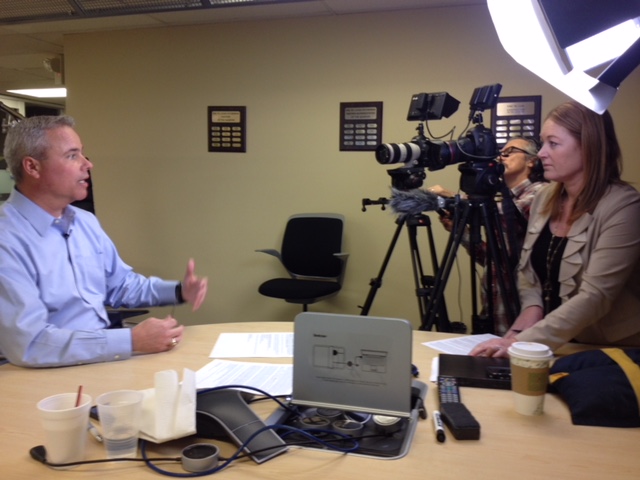


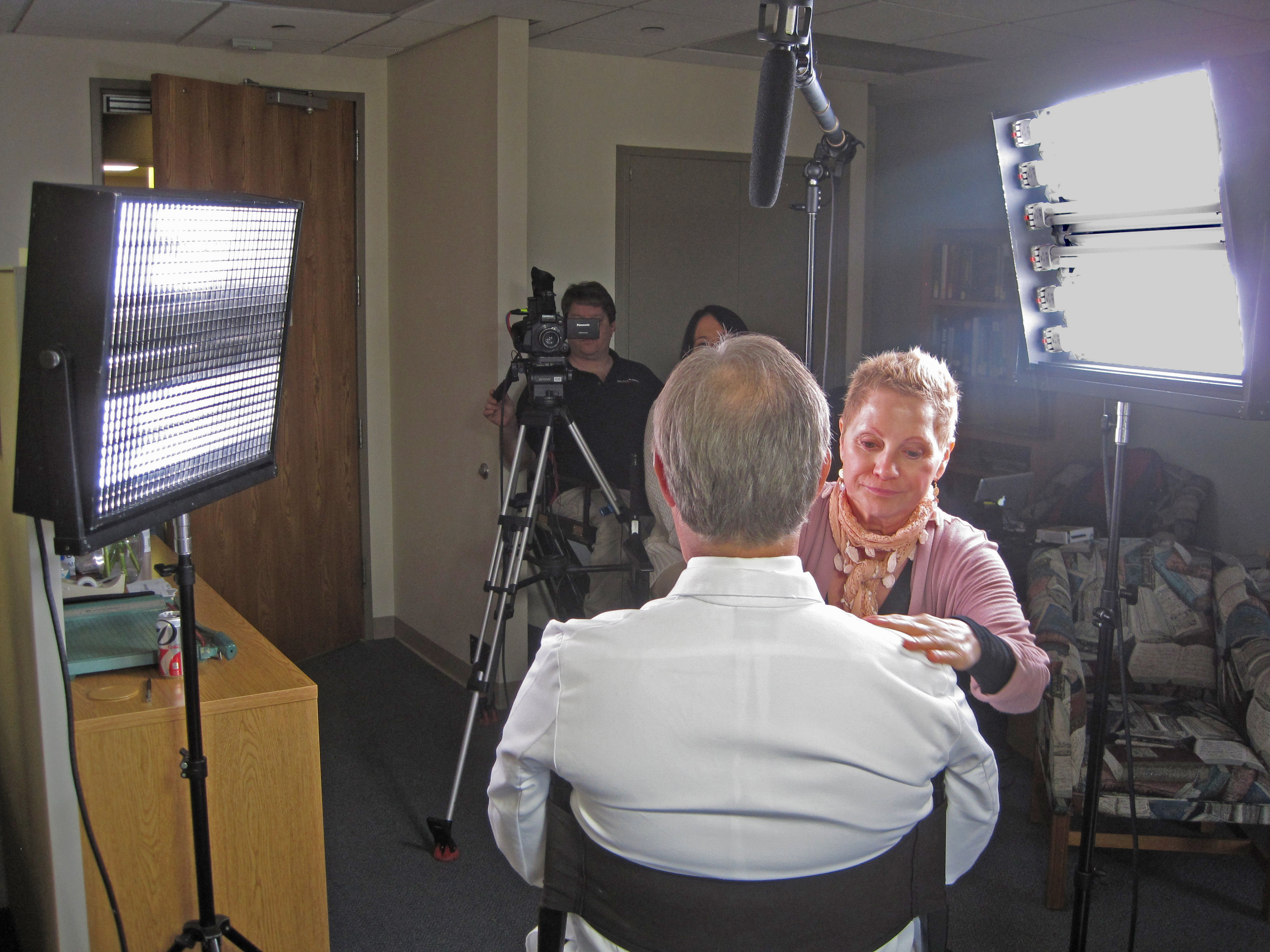


Consistency beats novelty. Match the interview’s image science:
- Frame rate: If interviews are at 23.98/24, capture most B-roll at the same rate; reserve 48/60 only for intentional slow-motion beats.
- Shutter & motion cadence: Keep ~180° shutter (e.g., 1/48 at 24p) for natural motion.
- White balance & color: Lock Kelvin; avoid auto WB. Shoot one profile (Log or Rec.709) across bodies.
- Glass & filtration: Polarizer for screens/reflections; variable ND for constant aperture; macro for texture.
- Lighting continuity: Key practicals (lamps, monitors) to match interview color contrast; add a gentle edge or negative fill to sculpt.
- Sound beds: Capture NAT sound (machines, keystrokes, ambient room tone) for editorial glue under B-roll.
On-Set Workflow: Coverage Without Chaos
- Three-pass rule: For each action, run a wide, functional medium, and expressive tight pass.
- Subject-motivated movement: Start moves on action (hand lift, tool press) to create cut points.
- Continuity stills: Snap a quick reference photo after each setup for reshoots or future batches.
- Metadata discipline: Card labels by location/scene; clip notes for high-value selects (“Operator explains torque step”).
- Coverage ratio: Plan 3–5 minutes of B-roll per minute of interview for efficient edits and future repurposing.
Editorial Integration: Turn Answers into Stories
- Edit rhythm: Use J-cuts to pre-lap B-roll before new answers; L-cuts to sustain visuals through thought changes.
- Cut on action: Hide edits by cutting mid-movement (hand pull, page turn).
- Bridge problem → solution: Start with a friction visual, land on a successful outcome.
- Use slow motion sparingly: Deploy for emphasis—operator precision, pivotal product moments—and keep it brief.
- Graphics & captions: Lower thirds, UI callouts, and captioned definitions to translate jargon into value.
- Color pipeline: One primary grade for cohesion; secondaries to brand hues; maintain believable skin tones.
- QC pass: Check lip sync on visible dialogue, logo clearance, any safety or compliance visuals.
Smart Uses of AI (That Actually Help)
We incorporate AI where it saves time or adds quality without compromising authenticity:
- Transcription & paper-edits: Auto-transcribe interviews, keyword search sound bites, and map B-roll candidates to lines.
- Shot detection & tagging: Quickly cluster similar B-roll for versioning and social pull-through.
- Noise reduction & speech enhancement: Clean dialogue transparently.
- Object cleanup (when permitted): Remove stray logos or identifiers.
- Style-consistent color assists: AI-guided balancing across multi-camera shoots before the final grade.
Repurposing: Squeeze More Value from Every Shoot
- Aspect ratio strategy: Capture “clean” frames to support 16:9, 1:1, and 9:16 outputs.
- Evergreen B-roll library: Tag by product, process, persona, and outcome for future campaigns.
- Versioning plan: From a single interview, spin a 90-second hero, 30-second cut-downs, and 10–15 second verticals for ads and social.
- Rights & compliance: Track releases, expiration windows, and facility restrictions to keep assets usable long-term.
Practical Tools: Checklists You Can Use
Pre-Production B-Roll Checklist
- Interview beat sheet with visual proof points
- Location map + drone/flight plan (indoor corridors marked)
- Releases/approvals (brand, safety, compliance)
- Props/products staged; screens prepped with demo data
- Wardrobe guidance issued; color temperature plan set
- Shot architecture: W-M-T passes per action
- NAT sound targets identified
On-Set Coverage Pattern (per scene)
- Establishing wide (5–10 sec static)
- Functional mediums (two angles)
- Tights & macro (hands, indicators, textures)
- Expressive move (slow push or lateral)
- Transition beats (doors, feet, forklifts)
- NAT sound bed (20–30 sec)
Post-Production Hand-Off
- Labeled folders by scene/action
- Paper-edit with B-roll suggestions per line
- Color notes, white balance targets, any legal flags
- Shortlist of “hero” shots for thumbnails and teasers
A Sample Half-Day Run of Show
- 00:00–00:30 Lighting & audio for interview; camera tests; white balance lock
- 00:30–01:30 Interview capture (primary + safety cam)
- 01:30–02:30 Process B-roll (W-M-T passes)
- 02:30–03:00 Interaction & demo sequences (customers or internal team)
- 03:00–03:15 Indoor drone reveals (corridor + hero space)
- 03:15–03:30 Details, macro, transitions, NAT sound, safety pickups
Why Teams Hire Us for This
St Louis Video Studio is a full-service professional commercial photography and video production company with the right equipment and seasoned crew to ensure reliable, high-quality image acquisition—in studio or on location. We handle studio and location video and photography, editing, and post-production, and our licensed drone pilots (including specialized indoor flight) add dynamic perspectives safely and legally.
We customize productions for diverse media requirements and repurpose your photography and video branding to extend reach across platforms. Our team is well-versed in all file types, media styles, and the accompanying software, and we leverage the latest in Artificial Intelligence for transcription, tagging, cleanup, color assistance, and accelerated post workflows—always with human creative oversight.
Our private studio lighting and visual setup is ideal for small productions and interview scenes, with enough space to incorporate props and create on-brand environments. We support every aspect of your production—from setting up a private, custom interview studio to supplying professional sound and camera operators and the right gear—so your next video is seamless and successful.
Since 1982, we’ve partnered with businesses, marketing firms, and creative agencies across the St. Louis area to deliver marketing photography and video that performs. If you’re ready to transform your interviews with B-roll that actually moves the needle, we’re ready to roll.

 St Louis Video Studio