Unknown's avatar

Teleprompter Magic: How to Look Natural on Camera—Even If You’re Not an Actor

If you’re a C-suite leader, product manager, or marketing director, you need message precision and a human, trustworthy presence. A teleprompter makes that possible—when it’s set up, scripted, and operated correctly. Below is the playbook we use in studio and on location to help non-actors look relaxed, sound authoritative, and land the message on time.


Why Use a Teleprompter in the First Place?

  • Accuracy: Legal, compliance, and investor language must be exact.
  • Consistency at scale: One message across multiple markets, languages, or spokespeople.
  • Throughput: Shoot more segments per day with fewer retakes and faster approvals.
  • Editorial efficiency: Prompter scripts feed captions, translations, and transcripts.

Eye-Line & Optics: Where Authenticity Starts

Goal: align the audience’s eyes with yours. Do that and you’ll read as confident and sincere.

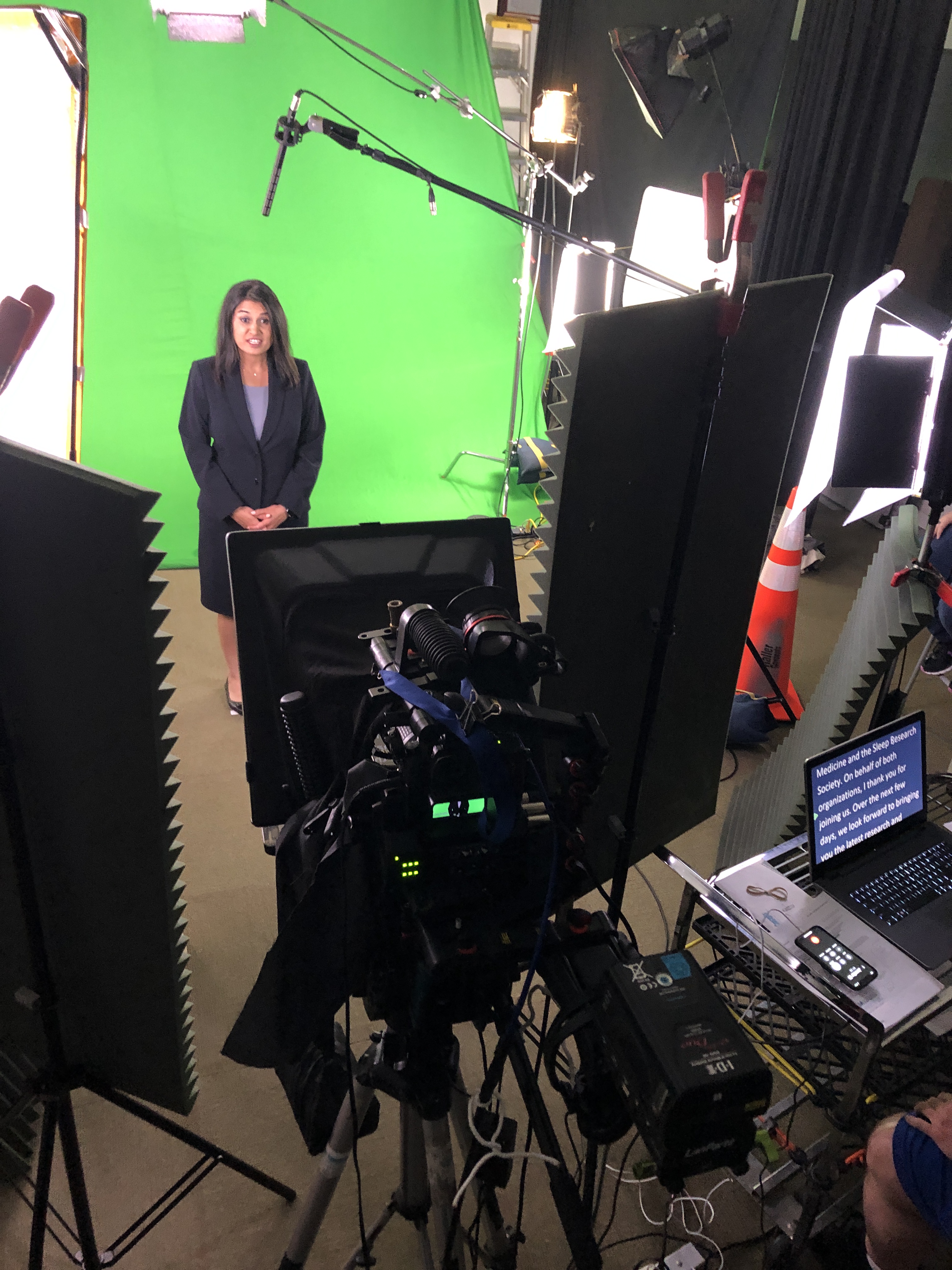
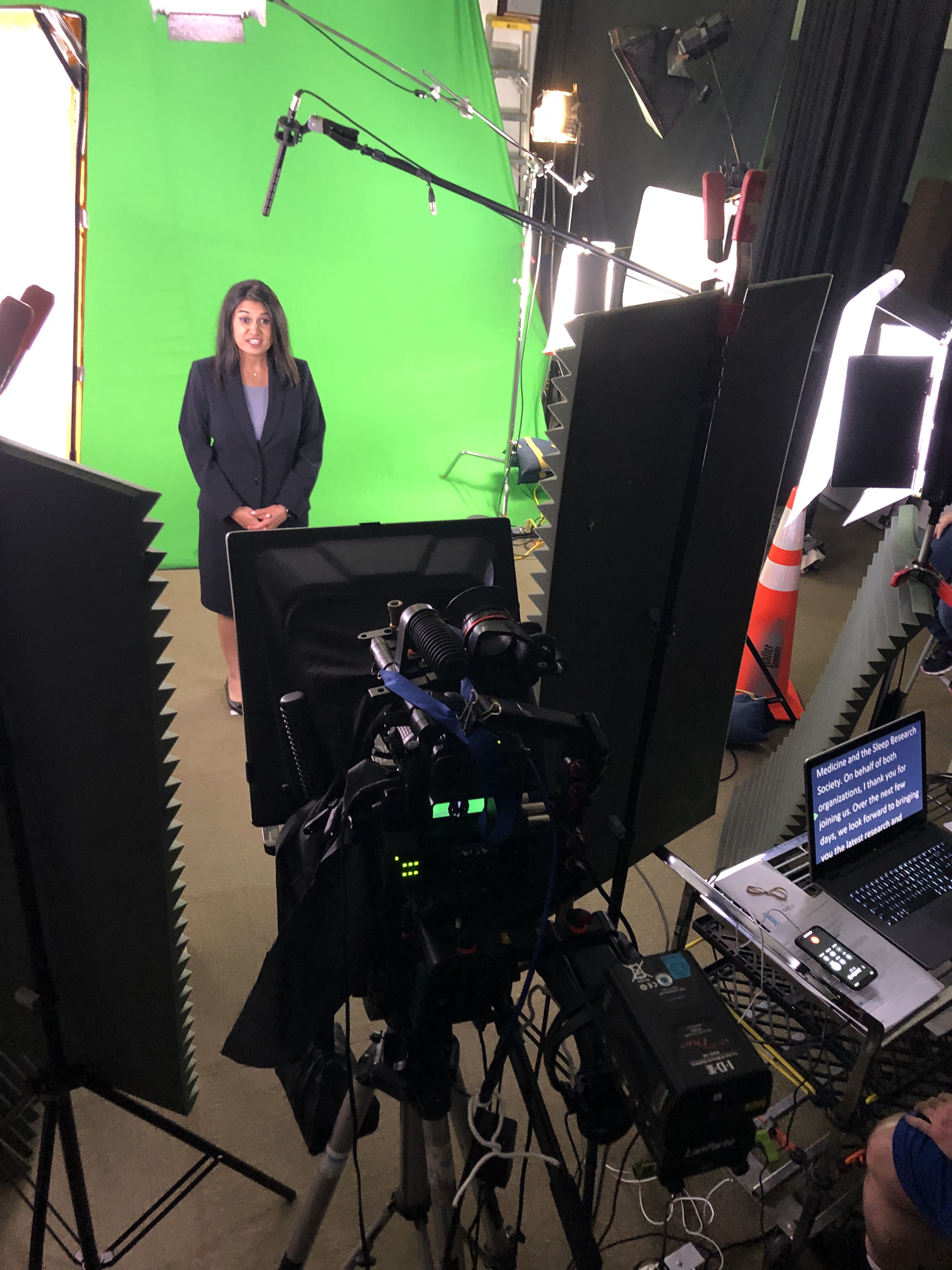
  • Prompter type: Through-the-lens (TTL) beam-splitter in front of the lens for direct-to-camera delivery.
  • Lens choice: 50–85 mm (full-frame) subtly compresses perspective and reduces visible eye travel.
  • Distance & font: Place talent ~5–10 ft from the glass; set font so each line reads without scanning (typically 48–72 pt at that distance).
  • Scroll window: Keep active text centered vertically; avoid top/bottom edges which trigger noticeable eye jumps.
  • Glasses & glare: Slightly raise the key light, tilt the glass a few degrees, use flags/hoods, and favor matte/AR-coated frames.

Script Engineering: Write for the Ear (Not the Page)

  • Cadence target: 110–135 words per minute for conversational corporate delivery.
  • One idea per line: 12–18 words; short clauses beat long sentences.
  • Mark the “music”:
    • Bracketed cues: [PAUSE] [SMILE] [B-ROLL CUT] [GRAPHIC]
    • Phonetics for tricky names/terms: “kuh-TEG-uh-ree”
    • LIGHT emphasis—avoid ALL CAPS everywhere.
  • Numbers that land: Round when possible; put dense data on graphics/B-roll, not in a single spoken sentence.
  • Version control: Name files clearly (CEO_TownHall_v7_APPROVED) and keep a visible change log.
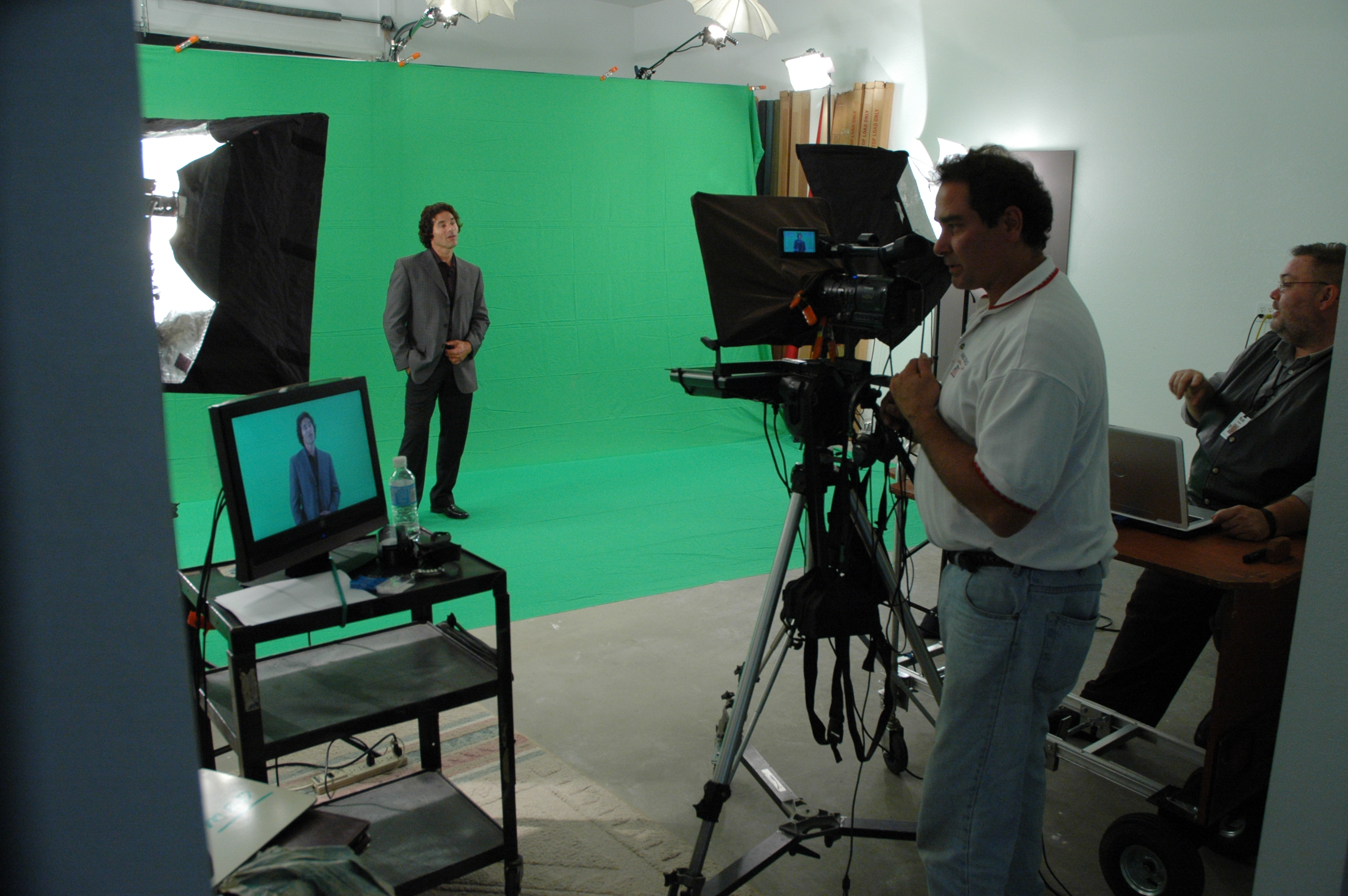
Scroll Craft: The Operator Follows You

  • The operator matches the speaker, not the other way around.
  • Smooth acceleration/deceleration prevents mechanical “stair-step” motion.
  • White space between paragraphs lowers cognitive load and eye flicker.
  • Live edits: one owner routes last-minute changes—no dueling cursors.

Coaching Non-Actors: Small Levers, Big Gains

  • 90-second warm-up: hum on “M,” tongue twisters at 70% speed, then one throwaway read to find pace.
  • Breath mapping: land breath at punctuation; commas = half-beat, periods = full beat.
  • Landing words: linger a beat on the key noun/verb; let connector words glide.
  • Posture & presence: feet planted, shoulders soft, chin level, micro-smile through transitions.
  • Pickups that edit cleanly: redo the full sentence, not the fragment.
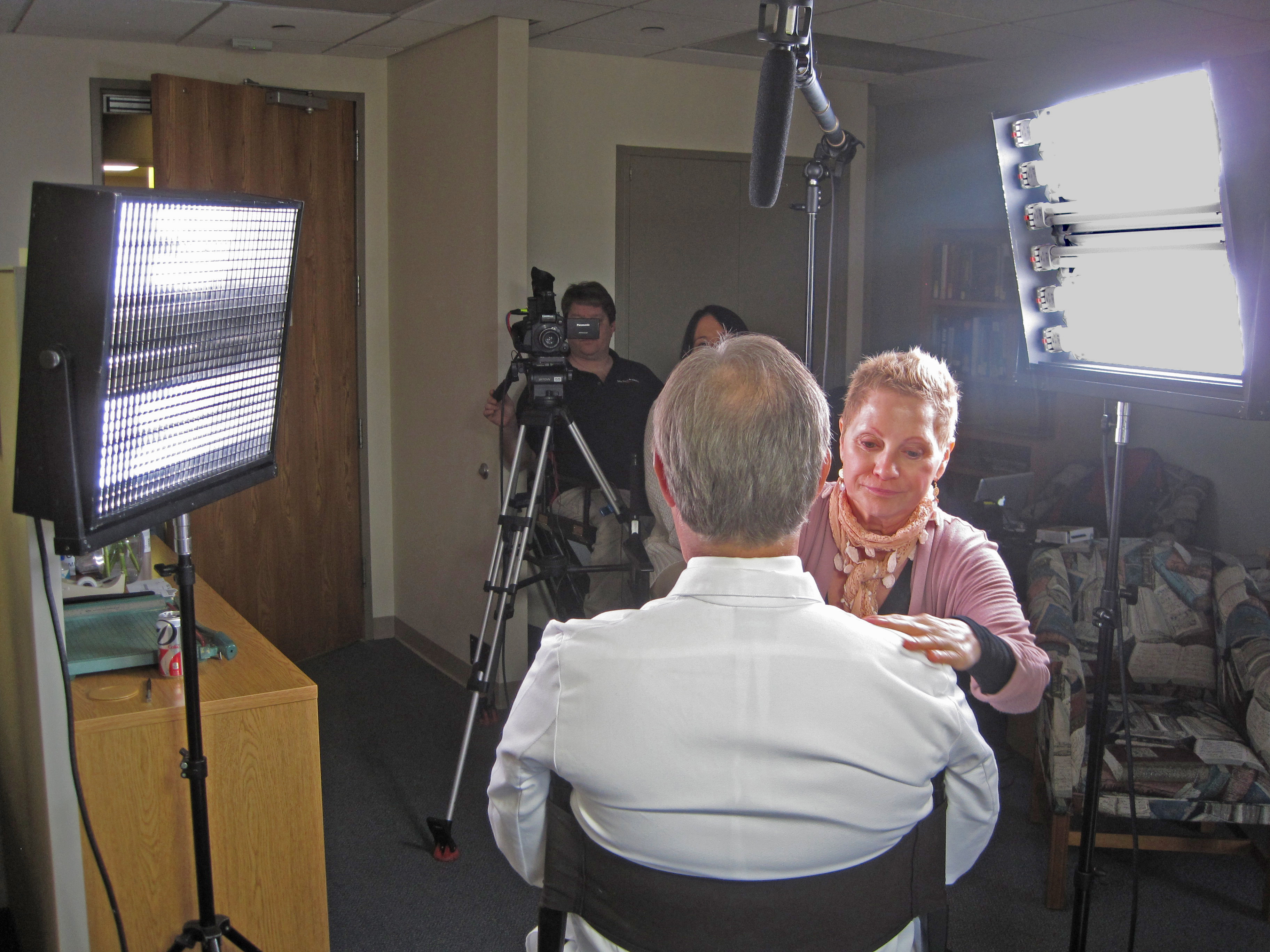
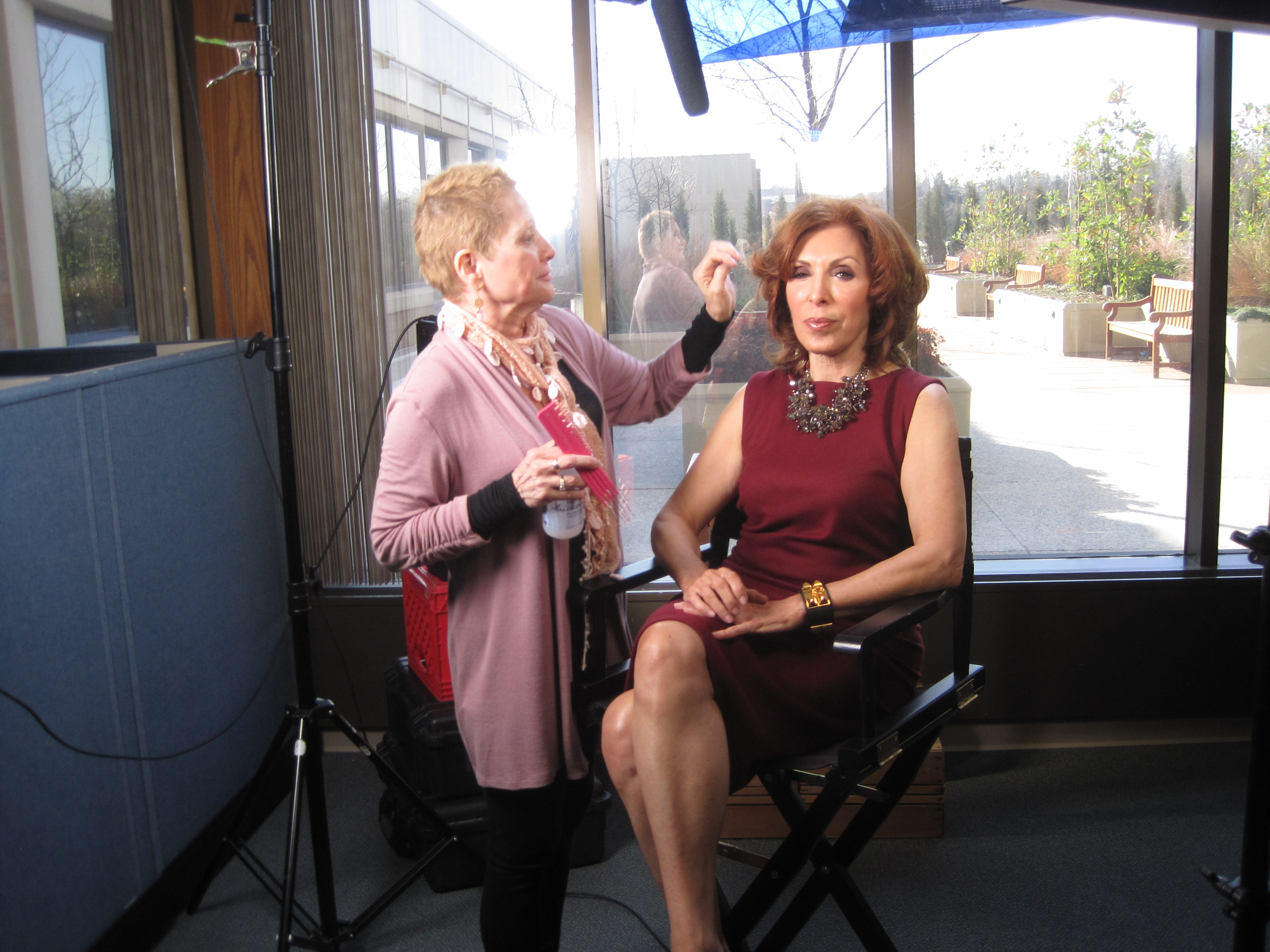
  • Wardrobe notes: avoid tight stripes or loud jewelry; powder forehead/nose; keep lav clear of necklaces.

Multi-Camera, Panels, and Walk-and-Talks

  • A/B cameras: match prompter size & distance to keep eye-line consistent across angles.
  • Panels/interviews: use confidence monitors with talking points instead of full sentences to encourage natural interplay.
  • Walk-and-talks: small prompter on a gimbal, pre-block turns so eye-line stays near lens axis.

Remote & Hybrid Setups (Executives on the Move)

  • Place the overlay within 1–2 inches of the webcam lens.
  • Use wired controllers to avoid Bluetooth lag.
  • Rehearse in the actual meeting platform to test latency and frame pacing.
  • Treat the remote space like a set: key/fill/back light, controlled background, treated audio.

Editorial Integration: Shoot for the Edit

  • Plan cover shots: bake [B-ROLL CUT] and [GRAPHIC] cues into the script.
  • Handles: roll 5 seconds before/after each take for clean transitions.
  • Captions & access: prompter scripts accelerate accurate captions and multi-language subs.
  • Continuity notes: log best takes, pronunciation locks, and any approved ad-libs.

Troubleshooting: Fast Fixes We Use On Set

  • Eyes darting: enlarge font, reduce scroll speed, recenter active line.
  • Flat delivery: insert breath/beat marks, add verbs up front, encourage micro-smile.
  • Glare on lenses: adjust light angle first; then tilt glass and flag spill.
  • Rushing the close: add [HOLD SMILE 2s] at the final line and capture a clean button.

Day-Before & Day-Of Checklists

Day-Before

  • Final script in shared doc + PDF; pronunciations verified
  • Shot list with B-roll/graphic cues
  • Teleprompter/laptop/controller tested, mirror flip confirmed
  • Wardrobe guidelines sent; location noise/light checks completed

Day-Of

  • TTL prompter + hood, backup unit, UPS/power distro
  • Lens set 50/85 mm, flags/matte box, anti-glare wipes
  • Eye-line test recording (10 s) and speed calibration pass
  • Mark landing words/CTAs; confirm durations per segment

Copy-Paste Script Skeleton (≈2:00, 240–260 words)

OPEN [SMILE]
I’m [Name], [Title]. Today, three updates designed to help your team move faster and make smarter decisions. [PAUSE]

BENEFIT HEADLINE
First: [Feature/Program] reduces steps in [workflow] so your process is simpler, safer, and easier to scale. [B-ROLL CUT]

PROOF
Teams like [Client] saw results in weeks—not months—and cut [metric] by [X%]. [PAUSE]

WHAT’S NEW
Second: [Feature] adds [capability], so admins spend less time on manual tasks.
Third: [Feature] improves [process], with clearer approvals and better visibility. [GRAPHIC]

CALL TO ACTION
If you’re on [plan], these roll out [date]. To learn more, visit your admin panel or talk with your account team. [SMILE]

CLOSE [HOLD 2s]
Thanks for choosing us to help you do more with less. [HOLD SMILE]


Why This Matters for Decision Makers

Teleprompter-driven workflows reduce retakes, protect compliance language, and shorten post-production—all while helping your leaders show up as themselves. The business result: tighter schedules, faster approvals, and on-brand content that persuades.
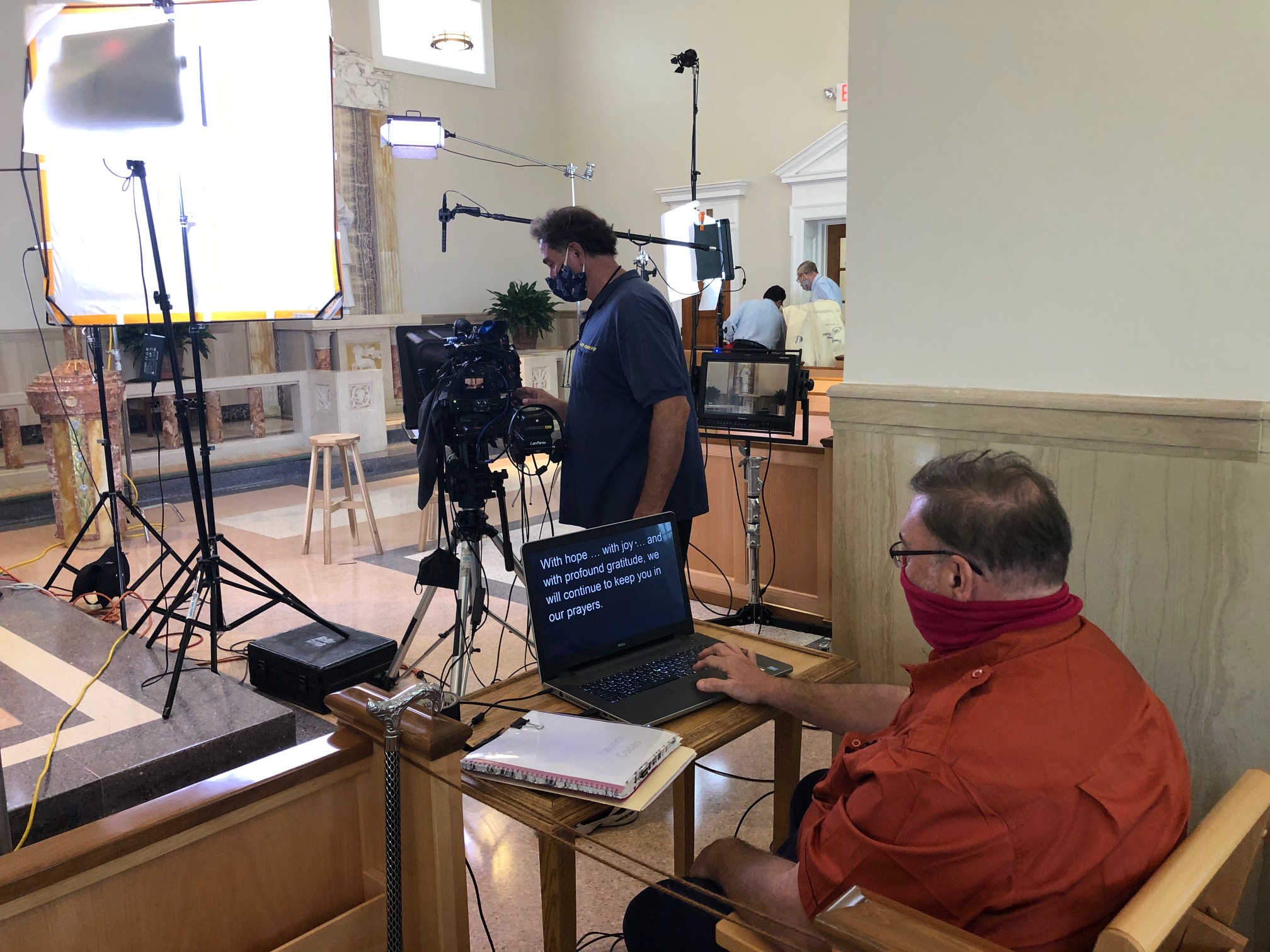

Work With a Studio That Makes Prompters Invisible

St Louis Video Studio is a full-service professional commercial photography and video production company with the right equipment and creative crew service experience for successful image acquisition. We offer full-service studio and location video and photography, as well as editing, post-production and licensed drone pilots. St Louis Video Studio can customize your productions for diverse types of media requirements. Repurposing your photography and video branding to gain more traction is another specialty. We are well-versed in all file types and styles of media and accompanying software. We use the latest in Artificial Intelligence for all our media services. Our private studio lighting and visual setup is perfect for small productions and interview scenes. Our studio is large enough to incorporate props to round out your set. We support every aspect of your production—from setting up a private, custom interview studio to supplying professional sound and camera operators, as well as providing the right equipment—ensuring your next video production is seamless and successful. We can fly our specialized drones indoors. As a full-service video and photography production corporation, since 1982, St Louis Video Studio has worked with many businesses, marketing firms and creative agencies in the St. Louis area for their marketing photography and video.
314-913-5626

stlouisvideostudio@gmail.com

Unknown's avatar

The Right Questions Make the Best Stories: Crafting Clear, Compelling Video Testimonials

When it comes to marketing your business, few tools are as effective and persuasive as a well-produced video testimonial. These authentic endorsements allow real customers or clients to tell your story from their perspective, adding a level of trust and relatability that scripted ads simply can’t achieve.

But a successful testimonial video doesn’t happen by accident—it requires thoughtful planning, a comfortable interview environment, and most importantly, the right questions. As an experienced videographer, photographer, and producer at St Louis Video Studio, we’ve helped countless businesses capture powerful on-camera testimonials that resonate. In this post, we’ll break down which types of questions help uncover clear, emotionally engaging stories that move viewers to act.


1. Start with Context: Set the Scene

Before diving into the customer’s experience with your brand, it’s important to establish context. Help the viewer understand who this person is and what problems they were facing before finding your business.

Sample Questions:

  • Can you tell us a little about your business or role?
  • What challenges were you facing before working with our company?
  • What prompted you to start looking for a solution?

These questions serve as an introduction, grounding the testimonial in a real-life situation and establishing the speaker’s credibility.


2. Dig Into the Decision: Why You?

Now that we know the background, help the subject explain why they chose your company. This step is key to showing what sets your brand apart from competitors.

Sample Questions:

  • What stood out about our company during your search?
  • Was there something specific that made you choose us?
  • What expectations did you have going in?

This section offers a chance to highlight your unique value propositions—through the authentic voice of a satisfied client.


3. Highlight the Experience: The Heart of the Story

This is where the testimonial becomes compelling. Ask open-ended questions that let the speaker describe the process and their interaction with your team.

Sample Questions:

  • What was it like working with us?
  • Can you walk us through how we helped you?
  • Were there any standout moments or team members?

These answers bring the story to life and help future clients imagine themselves having a similar positive experience.


4. Show the Results: Before vs. After

People watching your testimonial want to know what results they can expect. This is your client’s chance to share the impact of your services in a tangible way.

Sample Questions:

  • What changed after using our service?
  • What results did you see, and how soon?
  • How has this made a difference in your day-to-day operations?

Be sure to give room for specific outcomes—metrics, business growth, saved time, or increased confidence all make for powerful statements.


5. Encourage a Recommendation: Close Strong

Wrap up by inviting the client to summarize their experience and make a recommendation. This is often the most powerful clip to end the video with.

Sample Questions:

  • Would you recommend our company to others? Why?
  • What would you tell someone considering working with us?
  • Is there anything else you’d like to share about your experience?

These responses create a confident, satisfying conclusion and give your audience a clear message to walk away with.


The Power of a Comfortable Setup

Of course, getting great answers depends not just on the questions, but the environment. That’s why at St Louis Video Studio, we prioritize creating a relaxed and professional space. Our private interview studio is designed specifically for testimonial interviews, with customizable lighting, camera setups, and the flexibility to include props or branded elements. When people feel at ease, their stories flow naturally.


Why Work with St Louis Video Studio?

At St Louis Video Studio, we’re more than just camera operators—we’re storytellers, strategists, and seasoned producers who know how to help clients speak authentically and effectively on camera.

We are a full-service professional commercial photography and video production company, offering both studio and on-location services. With years of experience in editing, post-production, and licensed drone operation, we’ve helped countless businesses across St. Louis and beyond craft testimonial videos that engage, convert, and build trust.

Whether you need a single interview or a full campaign of client stories, we have the right equipment, creative crew, and technical expertise to support every aspect of your production. We specialize in customizing content for diverse media requirements and are experts at repurposing video and photography for maximum reach across digital platforms.

Using the latest in Artificial Intelligence-enhanced media tools, we ensure your testimonial content is not only compelling but also professionally polished and optimized for modern marketing needs.

Let’s bring your customer success stories to life—clear, authentic, and powerfully told.

314-913-5626

stlouisvideostudio@gmail.com

Unknown's avatar

Commercial Video Studio Recording and Editing with Non-Professional Talent.

Ready to set up a commercial video recording studio with non-professional talent? You’re in the right place! This article will guide you through all the necessary steps for creating high quality, professional videos without breaking your budget. Learn how to get your project off the ground and running quickly, efficiently, and effectively.

Last minute changes are typical when it comes to video recording with non professionals.

Working with amateur actors can be a challenge, as they often lack the proper training, discipline and experience that professional talent bring to the table. Despite this, every now and again it’s necessary to work with non-professionals – that’s where our guide comes in!

We’ll walk you through the basics of working in a commercial video studio and show you how to get the most out of working with non-professional talent. We’ll cover factors like:

  • Equipment selection
  • Audio considerations
  • Lighting options
  • Camera angles
  • Tips for guiding your performers towards delivering their best performance.

We’ll also demonstrate techniques for editing your footage quickly and efficiently so you can maximize production value when creating content for web use or TV broadcast. With our guide in hand you’re sure to create great results when filming with non-pros!

What is a Commercial Video Studio?

A commercial video studio provides professional-level, high-quality recording and editing services for clients who require a more polished approach to their video production. These studios are typically found in production facilities that specialize in producing videos for television advertisements, promotional campaigns, internet content, and more. A commercial video studio may contain a variety of digital equipment—including cameras and editing suites—that are designed to capture the highest quality audio and visual products possible. The technicians working in these facilities have a great deal of experience with both hardware and software systems, allowing them to provide top-notch recording and editing services to clients.

When utilizing a commercial video studio, non-professional talent can be utilized alongside experienced professionals to create high-quality videos. Non-professional talent is especially beneficial when mood or emotion is needed that can’t be obtained with strictly professional actors or voiceover artists. This allows for further creative possibilities when it comes to producing an impactful video product. Additionally, the typical costs associated with shooting in these types of facilities can be lower than hiring professional talent alone because you don’t have to pay for their time on set or on location when shooting at the studio. Professional guidance from studio technicians can also provide valuable insight into making sure your project is as successful as possible—including accurate sound mixing, scene arrangement/blocking guidance, editing advice, displaying motion graphics accurately onscreen during recordings if necessary; everything one needs to make sure their project is well executed before it wraps production!

Benefits of Recording and Editing with Professional Talent

When it comes to video production, there is a wide range of options available to clients. Depending on their objectives and budget, they may opt for professional talent or non-professional talent.

Benefits of recording with professional talent include the following:

  • Professional actors have experience in the industry and therefore possess the necessary skills to deliver a quality performance.
  • Professional actors bring a higher level of professionalism that can help set a studio apart from competitors.
  • Professional actors are committed to their work 24/7, which allows them to provide the maximum level of production value for each project.
  • They can also be more efficient in their delivery as compared to non-professional talent who may take longer because they are less experienced with performing in front of a camera and need more time to practice and master acting techniques.

Benefits of editing with professional talent include:

  • Professional editors have an eye for detail that can help improve the overall quality of the video.
  • They are able create compelling visuals faster then their amateur counterparts due to their ability to process information quicker and understand how each scene works together within an edit.
  • Some editors specialize in certain genres such as sports and music which can bring unique visual styles into your project.
  • Lastly, they know how long certain types of shots need be so that the flow of the video feels natural all while maintaining your intended branding message throughout its entirety.

Challenges of Recording and Editing with Non-Professional Talent

Recording and editing with non-professional talent can pose unique challenges for commercial video production studios. The talent being used may not be experienced in the studio environment, which can lead to difficulties with sound and camera synchronization and aspects of performance management. Additionally, the lack of professionalism from inexperienced actors may slow down or lengthen the recording process.

Furthermore, inexperienced actors will generally require more direction from the directors throughout the recording, particularly when it comes to their performance as it relates to pacing and timing. This could potentially have a bearing on potential editing opportunities down the line as editors may have to adapt their approach depending on the raw footage they are presented with.

In terms of an optimal rendering of a project that uses non-professional actors, directors and producers should:

  • Create a strong creative environment during pre-production so that expectations are wholly communicated with each actor.
  • Give extended attention during both re-recording activities as well as offering coaching support while reviewing dailies to ensure sound delivery is up to par when working with novice talent.

Tips for Working with Non-Professional Talent

Working with non-professional talent can seem intimidating, but with the right approach, you can make sure that you end up with a great video or commercial. There are a few tips that come in really useful when working with non-professional talent in your video studio.

  • One of the most important aspects of working successfully with non-professional talent is communication. You will want to explain in detail what you will be doing and what is expected of them prior to filming even if it seems redundant. Make sure they know where to stand, when to move and how long you plan on recording for. It is also wise to make certain that any discussion about pay is settled prior to the shoot so that any surprise costs don’t occur during filming. Be patient with your talent and let them experiment, providing feedback as needed so they can best perform their role within the video or commercial.
  • Another tip when working with non-professional talent is comfortability. Consider their rehearsal time as an opportunity where they can settle into their roles and feel more secure going into shooting day. Establishing rapport before filming goes a long way! Setting up a friendly production environment without heavy stress helps everyone perform better during the filmmaking process and through post-production editing stages too.
  • Finally, it’s important to ensure accuracy within the script if possible! This means that if your client wants an exact phrase used during shooting make sure it’s incorporated accurately into rehearsals beforehand so there are no surprises on set or further along in post-production efforts!
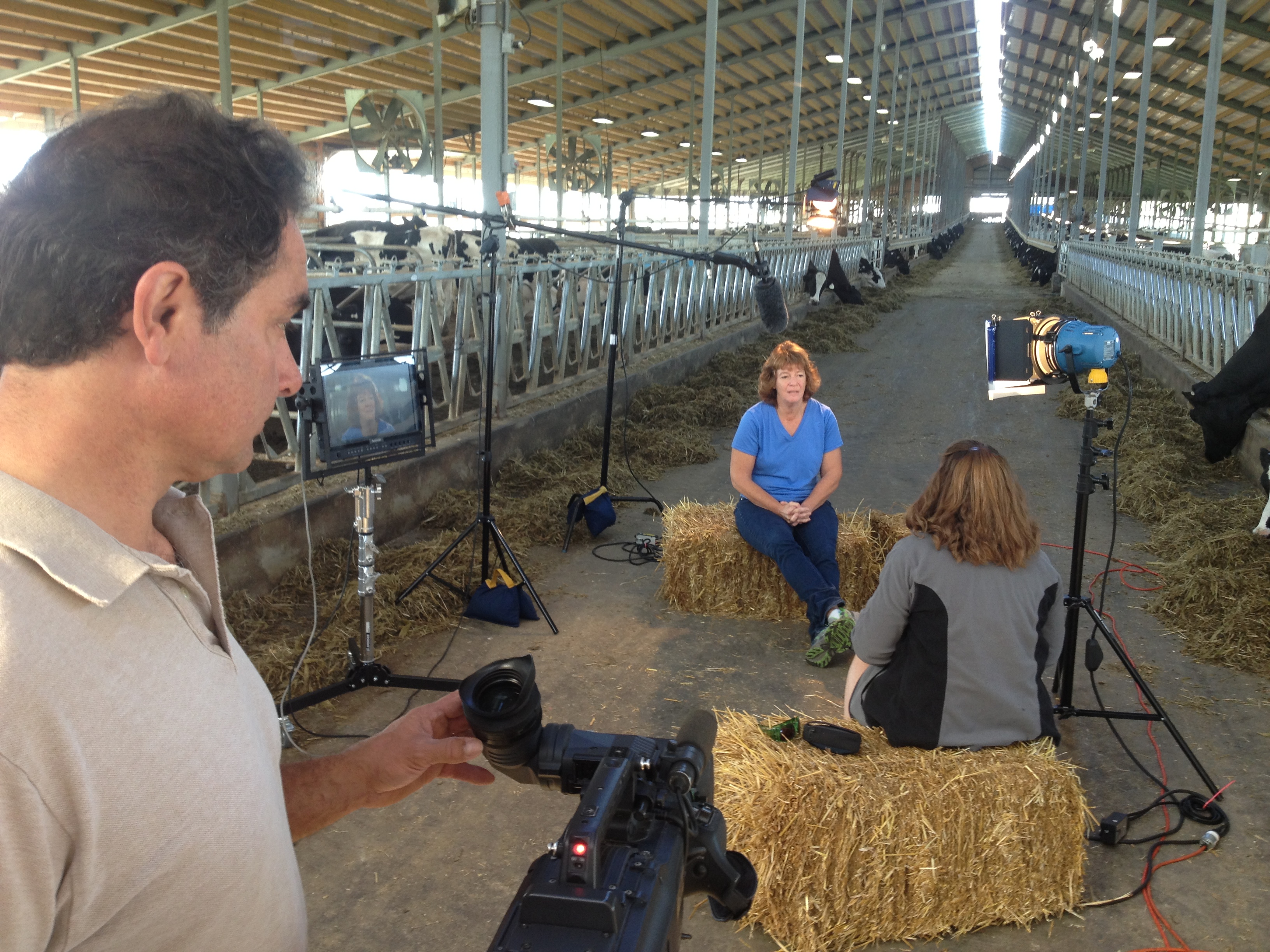
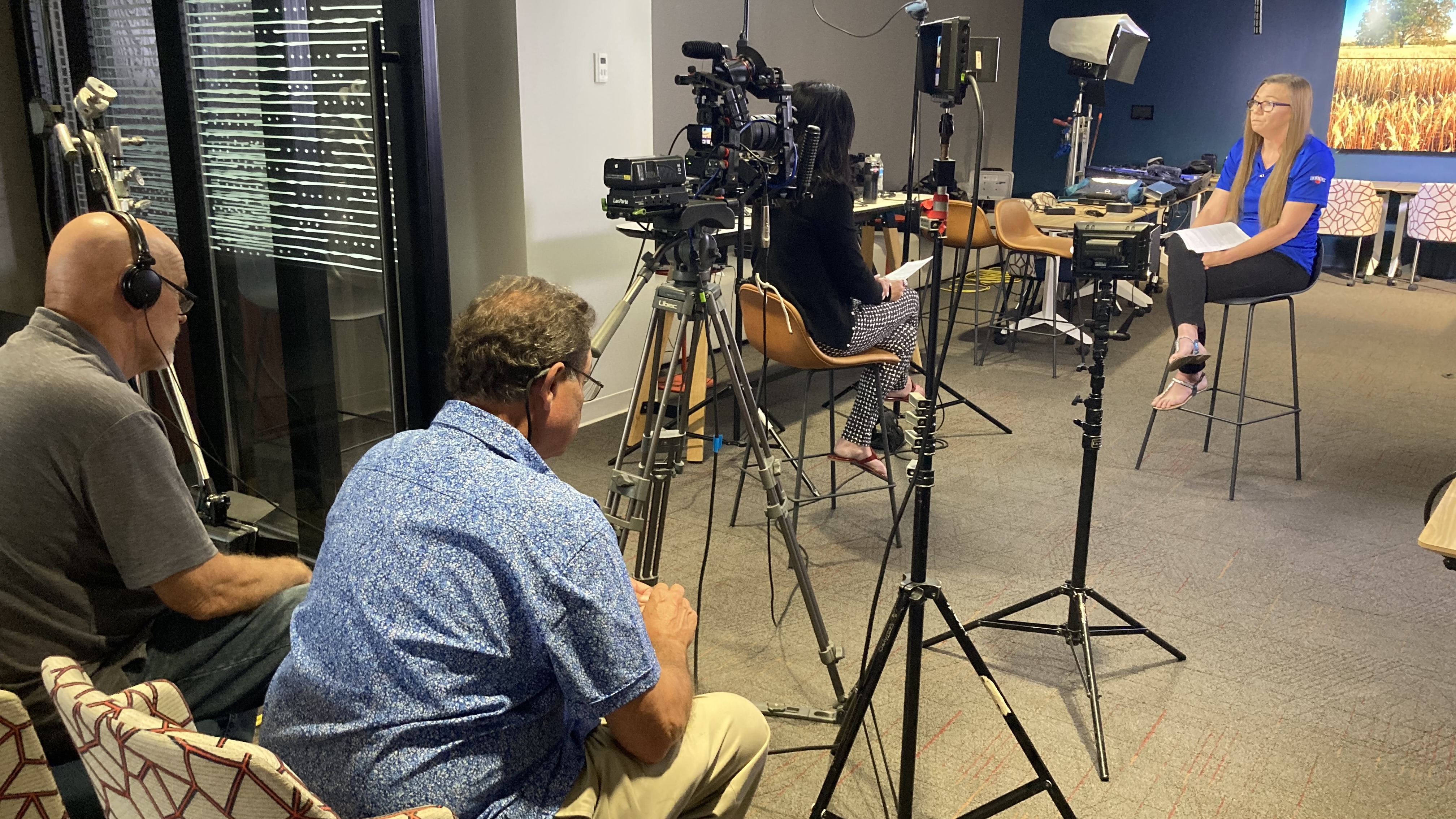
Recording non-professional talent on a studio set.

Equipment and Software Needed for Commercial Video Studio Recording and Editing

Once you have determined the type of commercial videos you’d like to create and the software and hardware devices you will use, it is important to understand what equipment and software are needed for commercial video studio recording and editing with non-professional talent. Here is a brief overview of the essential items needed for a successful commercial video project.

Hardware:

  • Camera: Whether filming with a DSLR or point-and-shoot camera, be sure to purchase an appropriate model that will work in collaboration with your specific video format.
  • Computer: A powerful computer system is essential for post-production, editing, and rendering. Depending on the software utilized and complexity of the project, you should determine if a desktop or laptop system is best suited for your needs.
  • Microphones: Mics can range from simple lavaliers to boom mics that pick up audio details unobtainable using other methods such as high fidelity audio capture capabilities. It is important to decide which will be most effective before shopping around.

Software:

  • Recording Software: Utilizing the right recording software can be critical for capturing pristine audio tracks. Be sure to research samples of varied applications before settling on one for final production purposes.
  • Video Editing Software: Professional editors use variety of packages depending on the type work in which they specialize or reflect their own personal aesthetic preferences such as Adobe Premiere Pro or Final Cut Pro X. Different tools will produce different results so understanding features within offered package options prior purchase can save time avoid program learning curve delays later within post production stages.
  • Graphics & Animation Programs: If specific graphics integration within show segments desired more advanced user graphic animation applications such as Adobe After Effects must consider usage case scenarios prior selection costs fees. Specialized set backgrounds titles end slides need consider implementation planned timeline based upon budget dictations contracts timelines detailed clearly ensure proper deadlines met avoid any problems later during playback distribution manners.

Best Practices for Working with Non-Professional Talent

When recording and editing video with non-professional actors and personalities, it is important to keep in mind that not everyone is going to be a professional performer. It is important to be organized, patient and understanding, so the production process runs smoothly for all involved. Here are some tips for working with nonprofessional talent in a commercial video studio:

  • Manage Expectations: Before production begins, explain what you need from the talent and let them know exactly what to expect. Give clear instructions on how to act and where to look when on camera, as well as providing direction during practice runs.
  • Keep it Engaging: While prepping your talent for their part in filming, it’s important to make the process engaging. Take extra time while blocking and rehearsing the scene, provide cues throughout that create natural pauses or breaks in action that can help keep energy levels up throughout filming.
  • Use Visuals Before Words: When communicating how something should be done or how you want your talent to act/react/pose on camera don’t rely solely on verbal communication – instead use visuals such as hand gestures or mimicry of scenes/slides/staging so they can really understand what’s required of them before doing a take.
  • Be Flexible: Last minute changes are typical when it comes to video recording with non professionals – remain flexible by coming up with alternate solutions that still achieves the desired goal ie rephrasing dialogues or incorporating different acting styles if needed. Make sure that everyone feels heard within the creative process so none of them feel left out in this shared experience because having an emotional connection can help instill confidence beforehand as well during post production.

Conclusively, there is no single optimal approach to recording and editing a video project in a commercial video studio for working with non-professional talent. Each project will have its own unique requirements based on the particular context and goals of the project. However, it is possible to identify some common principles that can help guide the process, such as:

  • Keeping color levels consistent
  • Establishing clear communication between collaborators
  • Maintaining adequate separation between microphones

When working with non-professional talent, it is also important to ensure that everyone involved feels comfortable and confident in their respective roles throughout the recording process. Following these core principles can help ensure that the end result is a successful video production.

Rob Haller 314-604-6544

stlouisvideostudio@gmail.com

Unknown's avatar

St Louis Video Studio – Interviews with your stakeholders.

Video has become a commodity of sorts. It seems like everybody’s in on the act … some of it is good, and some not so good. What is it that makes a video succeed? It usually boils down to one thing: Planning. If you are considering hiring professionals to craft a video, the first thing should ask yourself is: what is the purpose? Which is another way of asking, what is the message?

Once you have defined your message, you can decide the best way to deliver it. So there: you have started your planning. Your chances of producing a successful project have taken a giant leap forward! Too many people make the mistake of grabbing a camera, shooting footage, and then try piecing it all together and hoping for the best. It’s not a good approach. You wouldn’t build a house without a blueprint, would you? Crafting a video is the same thing. And your unique blueprint is your script.

We can’t overstate the importance of script preparation. Scriptwriting is not easy, and sometimes not fun, but it’s the single most important element for the work we do. And it’s important to do it early in the production process. Give it the attention it deserves. A script will take the guesswork out what footage needs to be captured by your video crew. This helps reduce wasted time, and allows your crew to spend more time getting the shots you really need.

St Louis Video Studio Production. Setting the proper stage for your next marketing communications project.

With video, as with many things in life, the devil is in the details. Spending time at the beginning to plan will save enormous headaches later on. We are talking about things like locations, budgets, graphics, and the rest of the nuts and bolts. There is too much to get into in this short video. But if you’d like to learn more, feel free to contact us.

We would love to help.

Mike Haller 314-913-5626 stlouisvideostudio@gmail.com

Unknown's avatar

St Louis Video Studio | Marketing and Training Films

Our small creative team is made up of experienced writers, producers, directors, shooters, editors, visual effects artists, and motion graphics artists.

We’ll bring your story to life!

Our team has worked together for years on thousands of projects, and as a result, every client receives a consistent quality video.

We own some of the highest quality equipment available and we bring it along on almost every shoot.

We have proven over and over again that our ability to create concepts is not just for commercial work but for film as well.  We feel confident that our production value paired with our original concepts will exceed your expectations.

St Louis Studio for Photography and Video Production.

St Louis Studio for Photography and Video Production.

Robert Haller
314-892-1233
stlouisvideostudio@gmail.com

Unknown's avatar

St Louis Video Studio

Digital video editing and production is performed in-house on HD editing software, which is technologically advanced editing equipment. Whether your video is for promotional campaigns, education, or corporate training and presentation, St Louis Video Studio grants you access to the technology and provides you with a solution.

st louis video studio

St Louis Video Studio enhances the liveliness of objects or people, thus drawing the eye to a main focal point. The result is broadcast-quality color and resolution that is true-to-life, if not better. Impress your audience with footage that appears to have been recorded in a big-budget television studio. St Louis Video Studio’s digital editing and production process does not require costly and quality-degrading film. All shooting and editing is done digitally to retain and enhance visual images before being recorded or compressed and uploaded to streaming format for your custom website.

Rob Haller
314-892-1233
stlouisvideostudio@gmail.com

Unknown's avatar

St. Louis Video Studio

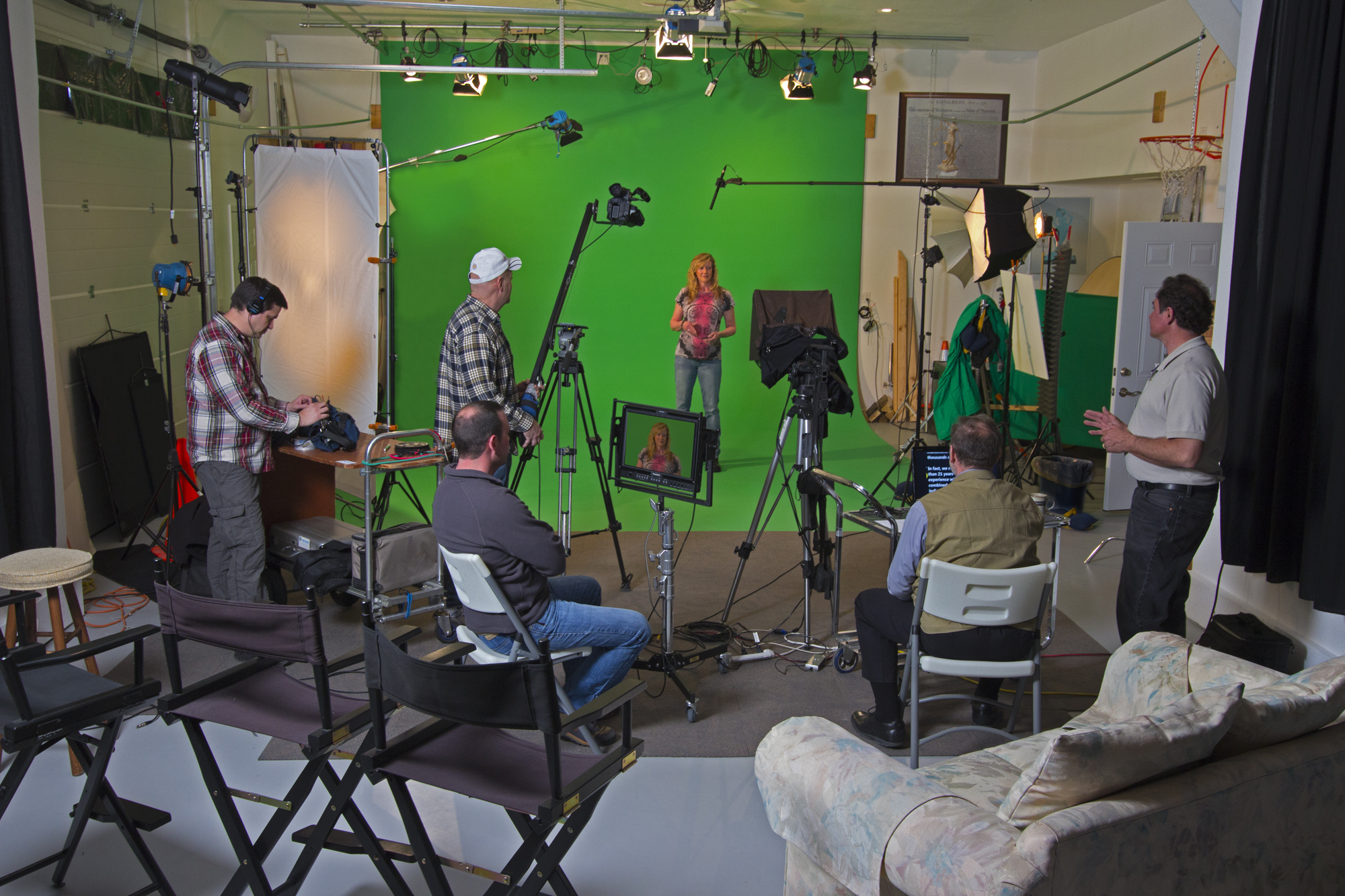
At St. Louis Video Studio we offer complete studio production. We offer green screen and white cyclorama walls or we can dress the set any way creatively desired.  We can easily staff your production with cameras, teleprompters and production crew professionals.  We also have the latest in set lights and sound.  We provide a cost efficient, high quality video production facility.

We also offer complete post production.  Our video editing and animation is very creative and highly sought after.

We want to make your video production experience easy and give you the best value for the price.  Let us put together a coordinated plan and communications solution that will help you achieve your video production goals.


314-892-1233

Mike Haller

St Louis Video Producer

mikeh@hallerconcepts.com

St Louis, Missouri, USA  | Video Production

Unknown's avatar

st louis video production studio | explainer video | video marketing services

After we create your video production, we are fully prepared and experienced to direct your marketing efforts.  We are well versed in social media and online distribution of video. This includes setting up video sharing accounts, determining the best distribution platform and creating HD versions of video optimized for web playback.  We also understand and utilize social media distribution.

314-892-1233 Mike Haller St Louis Video Producer mikeh@hallerconcepts.com St Louis, Missouri, USA  | Video Production

Unknown's avatar

st louis video studio | production and post | editing graphics and animation

Video production for specific industries requires a special type of production.  Unlike most products which are being sold to the general public, industry specific services, devices and equipment are generally being marketed to highly target audiences.  The producer must focus more on functionality and feature details than other product lines which may wish to focus more on the aesthetic or emotional components.

St Louis Video Production Services, Rob Haller, St Louis Video Producer and Photographer, 314-892-1233.  robh@hallerconcepts.comSaint Louis, Missouri, USA


Unknown's avatar

St Louis Video Studio

We keep current with the latest in video technology.  Our in-house video production and editing is scalable for all types of video production. We believe in quality production, and we have cherry picked all the creative video production and post production editing tools to achieve our goals.


314-892-1233

Rob Haller, St Louis Video Producer

St Louis Video Producer

robh@hallerconcepts.com

Unknown's avatar

st louis video studio | video production company | videopost

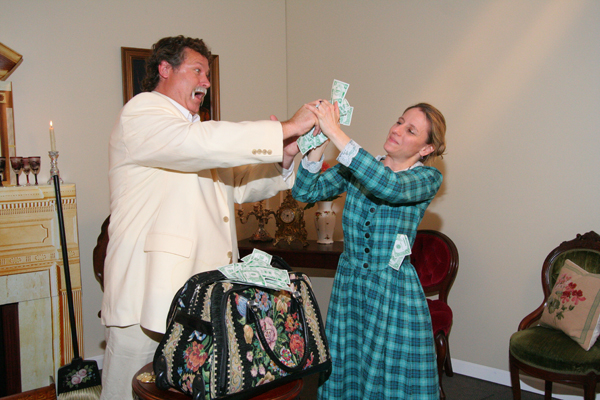
Here is a scene from  Historical Video shot in our video studio.  The talent is quarreling over greenbacks and as a result the money is jostled and subsequently starts flying throughout the set.  This scene depicts the payments to the carpetbaggers in the deep south shortly after the War Between the States.  The productions were shot over a three day period.  Resulting in 8 new program themes for the DVD and video streaming.  Video post production was a little more time consuming and was finalized within a one week period after the shoot.

st louis video studio | video production | videopost

st louis video studio | video production | videopost

314-892-1233

Robert Haller, St Louis Video Producer

St Louis Video Production

stlouisvideoproduction@gmail.com