Unknown's avatar

Economical Video and Photography Studio in St. Louis: How to Get Premium Results Without Premium Waste

Decision makers don’t usually have a “video problem” or a “photo problem.” You have a throughput problem: more channels, faster timelines, tighter approvals, more internal stakeholders, and a constant need to refresh creative without restarting from zero.

An economical video and photography studio isn’t the one with the lowest day rate. It’s the one that reliably delivers usable, on-brand assets with minimal reshoots, predictable production time, and a post workflow designed for repurposing—so each shoot generates value across web, social, sales enablement, internal comms, recruiting, PR, and paid campaigns.

Below is how to think about economical production like an operator, not a shopper.


“Economical” doesn’t mean “cheap”—it means engineered efficiency

If you’ve ever paid for a “low-cost” shoot that required:

  • multiple revisions because messaging wasn’t locked,
  • preventable audio issues,
  • inconsistent lighting across interviews,
  • missing coverage that forced a pickup day,
  • or deliverables that didn’t match your platform needs…

…you already know the real cost is waste.

Economical production is designed to eliminate waste in four areas:

  1. Pre-production clarity (the fastest way to cut cost without cutting quality)
  2. On-set efficiency (less downtime, fewer surprises, more coverage per hour)
  3. Post-production discipline (fewer rounds, faster approvals, better versioning)
  4. Asset repurposing (one shoot → many outputs, not one output → one platform)
The biggest budget lever is pre-production (and it’s not glamorous)

Most teams underinvest in planning because planning isn’t visible. But it’s the most controllable variable you have.

What good pre-production looks like

  • Creative brief that’s actually usable: objective, audience, key messages, proof points, CTA, brand rules, and success metrics.
  • Shot list built from deliverables backward: you don’t “get B-roll.” You capture specific coverage that supports a narrative and multiple edits.
  • Interview architecture: who speaks to what, how you avoid redundancy, and how you build soundbites that edit cleanly.
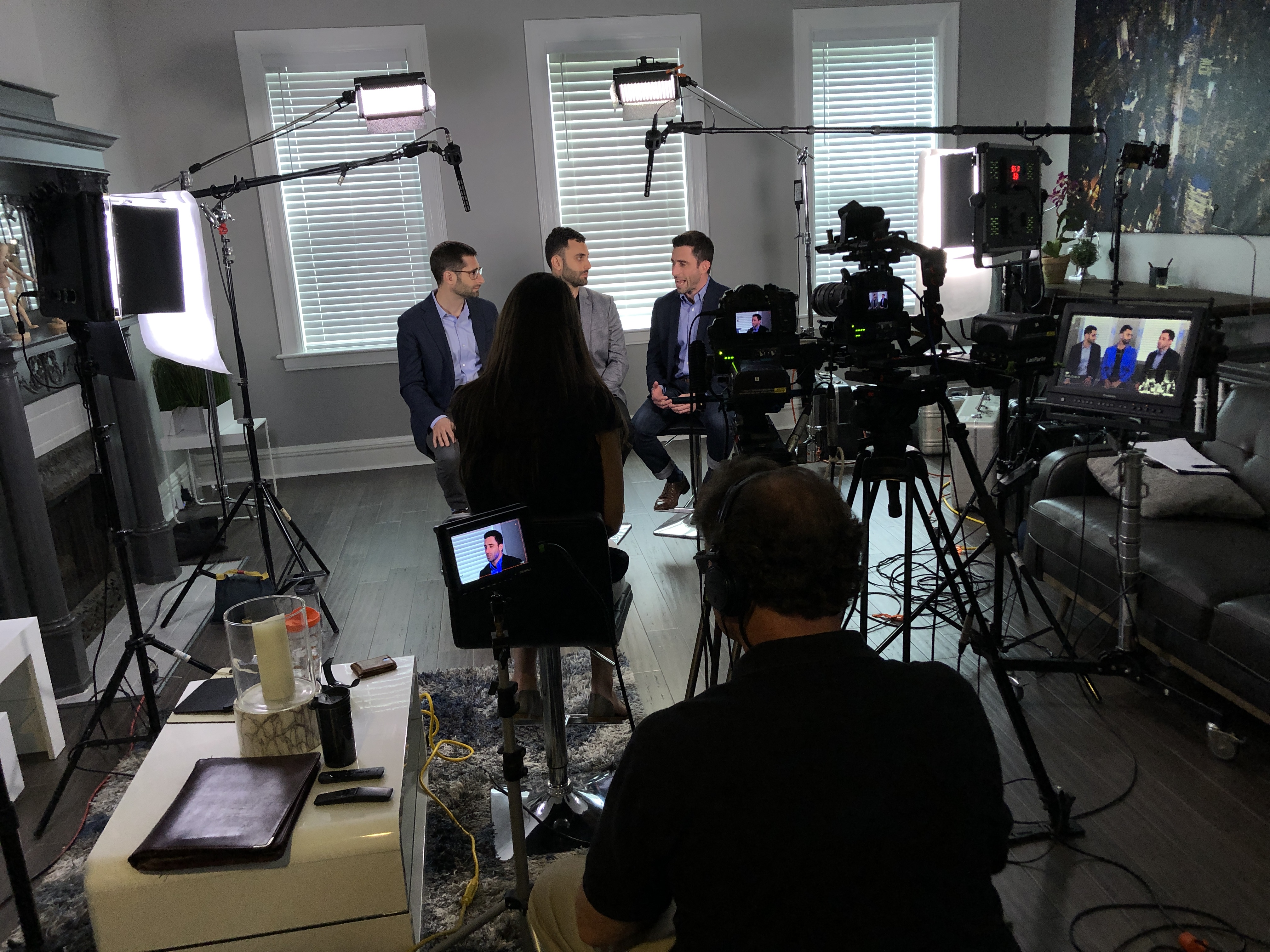
  • Location and set strategy: controlling noise, reflections, foot traffic, and power access.
  • Approval map: who signs off on what, when, and how feedback is consolidated.

When these pieces are locked, production speeds up and post-production becomes a smooth assembly line—not a negotiation.


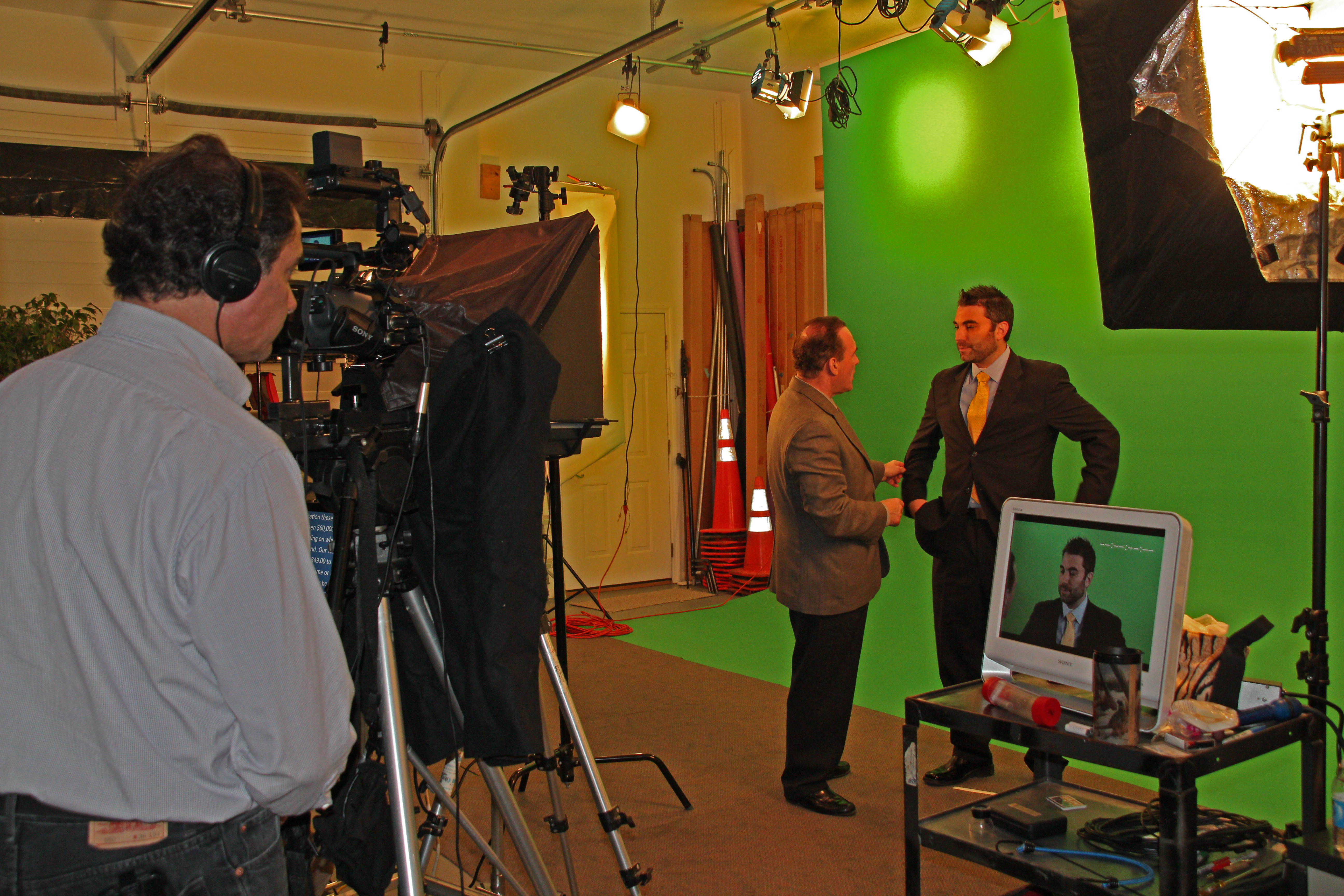
Studio vs. location: economical means choosing the right level of control

A controlled studio environment is often the most economical choice for:

  • executive interviews,
  • testimonials,
  • product explainers,
  • recruiting content,
  • training and internal messaging,
  • and “repeatable” brand content (monthly/quarterly releases).

Why? Because studios reduce variables:

  • consistent lighting,
  • consistent sound,
  • fewer interruptions,
  • faster setup,
  • repeatable looks across a campaign.

Location shoots can be essential (culture, operations, scale, authenticity), but they introduce cost drivers:

  • company disruptions,
  • ambient noise,
  • security and access,
  • permits,
  • weather,
  • and longer setup times.

The economical approach is often a hybrid:

  • studio for interviews and hero messaging,
  • location for purposeful B-roll and operational proof.
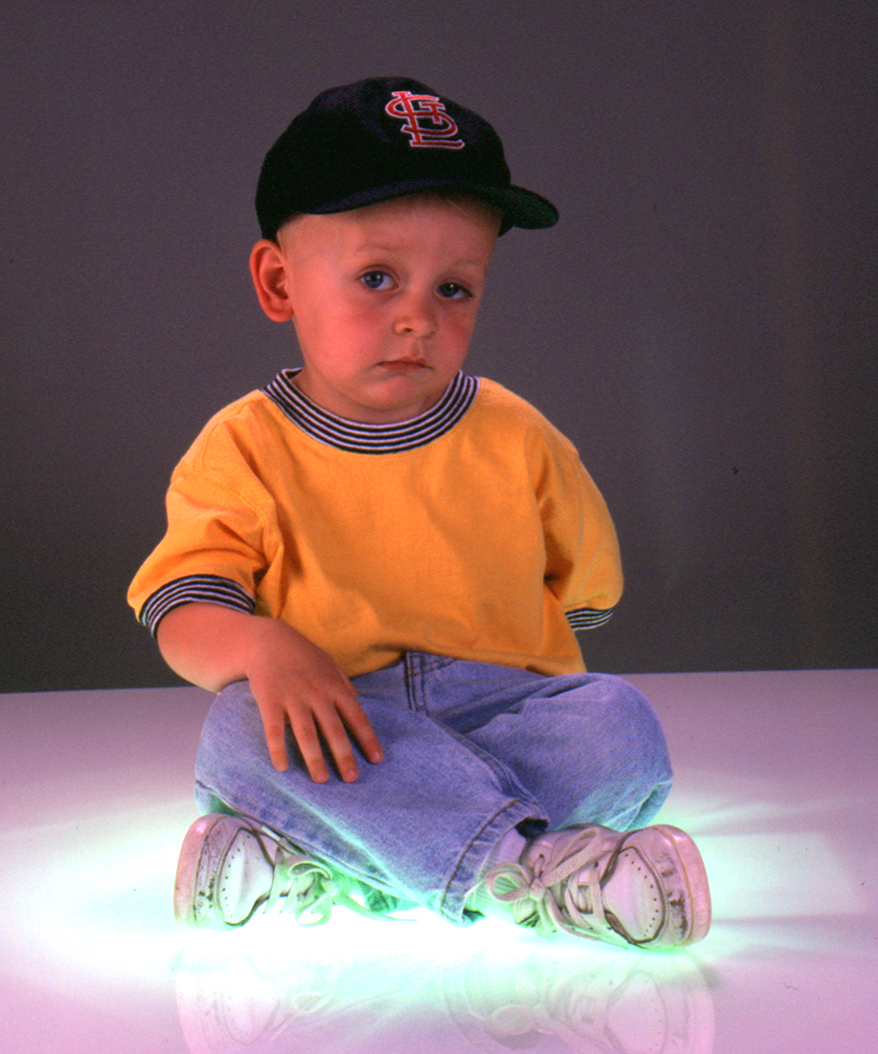
Lighting: the silent differentiator between “inexpensive” and “effective”

Lighting is where budget production often collapses—because it’s misunderstood.

Good lighting does three economical things:

  1. Flatters skin and reduces retouching time
  2. Creates separation and depth (so footage looks premium without expensive locations)
  3. Maintains continuity (so edits don’t reveal mismatched scenes)

In a studio, lighting is repeatable. That means:

  • faster setup for multi-person interview days,
  • consistent look across departments,
  • and easier future shoots that match earlier campaigns.

Audio is non-negotiable (and fixing bad audio is never economical)

Viewers forgive imperfect visuals faster than they forgive poor sound. And bad audio creates hidden cost:

  • longer edits,
  • more re-recording,
  • more approvals,
  • and often a total loss of credibility.

Economical production plans for audio like it’s the primary deliverable:

  • proper mic strategy (lav, boom, redundancy),
  • controlled room tone,
  • noise management,
  • and clean gain staging.

The payoff is speed: clean audio edits faster, grades better, and gets approved sooner.
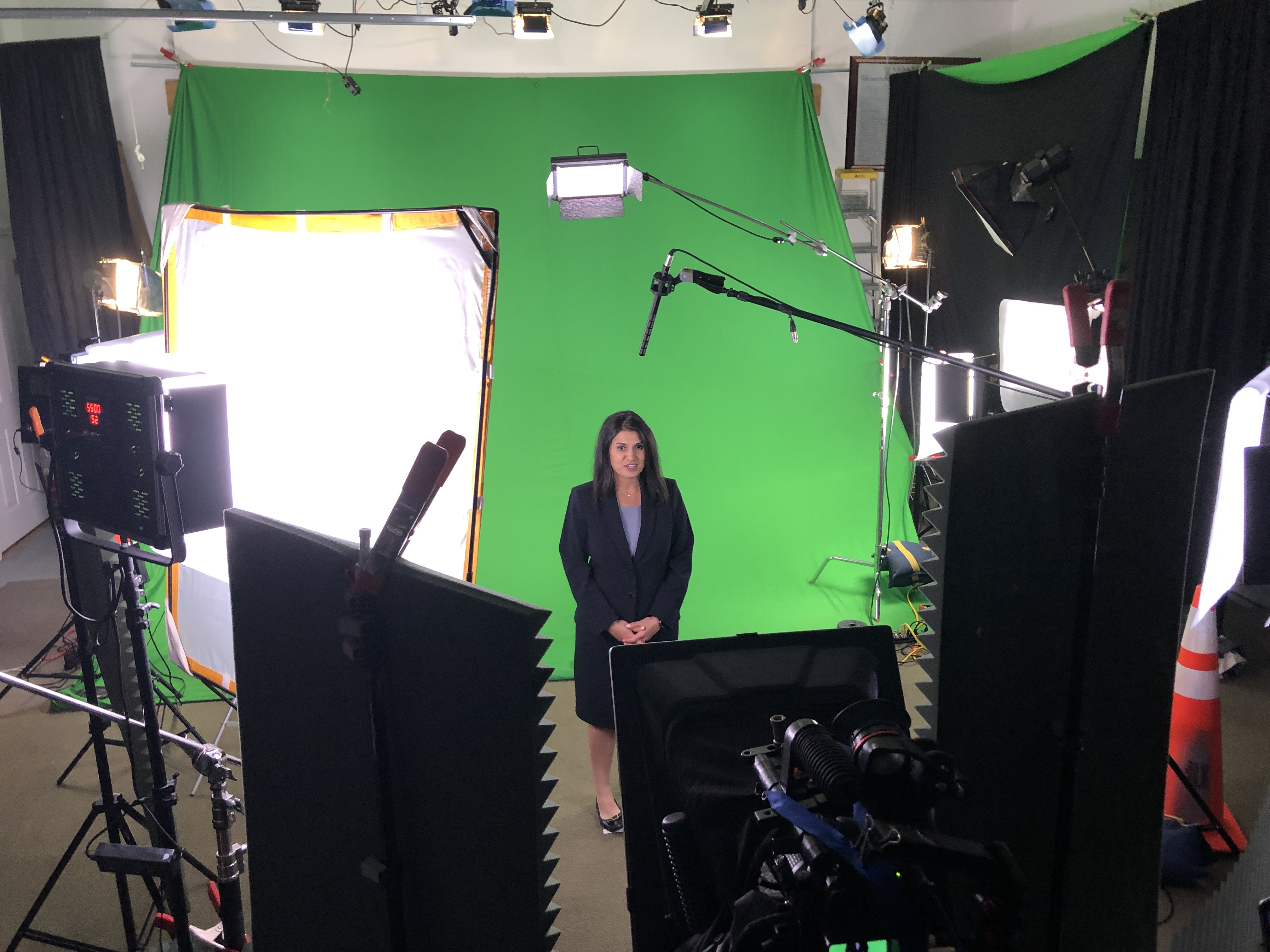

The “coverage multiplier”: designing one shoot to feed many edits

This is where economical production becomes strategic.

Instead of one finished video, you want a content system:

  • 1 hero video (60–120 seconds)
  • 3–6 cutdowns (15–30 seconds)
  • 6–12 short clips (5–12 seconds) for paid/social
  • pull quotes and stills for web and sales decks
  • vertical versions for mobile platforms
  • alternate CTAs for different funnel stages

You don’t get this by “shooting more.” You get it by shooting smarter:

  • capturing transitions and clean action loops,
  • filming subject-specific B-roll that matches what’s being said,
  • building in short “headline lines” for social,
  • and maintaining consistent framing for clean punch-ins.

Post-production economics: version control beats endless revisions

The most expensive edit is the one that keeps getting reopened.

Economical post-production is a workflow, not a vibe:

  • clear deliverable specs (platform, length, aspect ratio, captions, file type)
  • edit milestones (outline → assembly → fine cut → color/sound → final)
  • feedback consolidation (one channel, one owner, one set of notes)
  • asset management (organized project files, labeled selects, reusable templates)

When the edit is structured, you reduce the number of review cycles and protect timelines—especially with multiple stakeholders.


AI as a cost-and-speed amplifier (when used correctly)

AI can absolutely make production more economical—but only when it’s used to accelerate real work (not create chaos).

High-impact, practical uses include:

  • transcript-based editing and faster selects,
  • caption workflows and versioning,
  • searchability across archives (find the right quote fast),
  • noise reduction and cleanup (when applied surgically),
  • metadata tagging for repurposing.

The key is restraint: AI should reduce friction while keeping human control over brand voice, legal risk, and story.


Indoor drones: when they help—and when they’re a distraction

Indoor drone work can be powerful for:

  • facility walk-throughs,
  • warehouse and operations coverage,
  • revealing scale and flow,
  • connecting scenes without hard cuts.

But it has to be executed with safety, planning, and purpose:

  • flight path design,
  • risk mitigation around people and equipment,
  • and shots that integrate into the narrative.

Used well, indoor drone footage can replace more expensive rigging, stabilize movement, and deliver “production value” without production drag.

Deliverables matter: economical means you get exactly what you need, in the right formats

Decision makers don’t want “the video.” You want:

  • the right versions,
  • correctly exported,
  • platform-ready,
  • and easy to deploy internally.

That includes clarity on:

  • aspect ratios (16:9, 9:16, 1:1),
  • compression and bitrate targets,
  • audio mix needs,
  • caption formats (burned-in vs sidecar),
  • still frames and thumbnails,
  • and a clean handoff for your marketing stack.

When deliverables are planned upfront, you avoid last-minute scramble and re-exports that eat time (and patience).


A quick checklist: how to evaluate an economical studio partner

Ask these questions before you commit:

  • How do you structure pre-production so we don’t waste shoot time?
  • How do you design deliverables for repurposing across channels?
  • What’s your audio plan, and what redundancies do you use?
  • How do you manage review cycles and feedback consolidation?
  • Can you maintain a consistent look across multiple shoot days/months?
  • What’s your approach to versioning (cutdowns, vertical edits, captions)?
  • How do you handle file formats, handoff, and archival?

A studio that answers these clearly is usually the one that protects your budget and your brand.


Why St Louis Video Studio is built for economical, high-impact production

At St Louis Video Studio, we’ve spent decades refining a production model that’s efficient without cutting corners. As a full-service video and photography production corporation since 1982, we’ve worked with many businesses, marketing firms, and creative agencies in the St. Louis area—so we understand what decision makers need: reliable execution, predictable timelines, and assets that work across platforms.
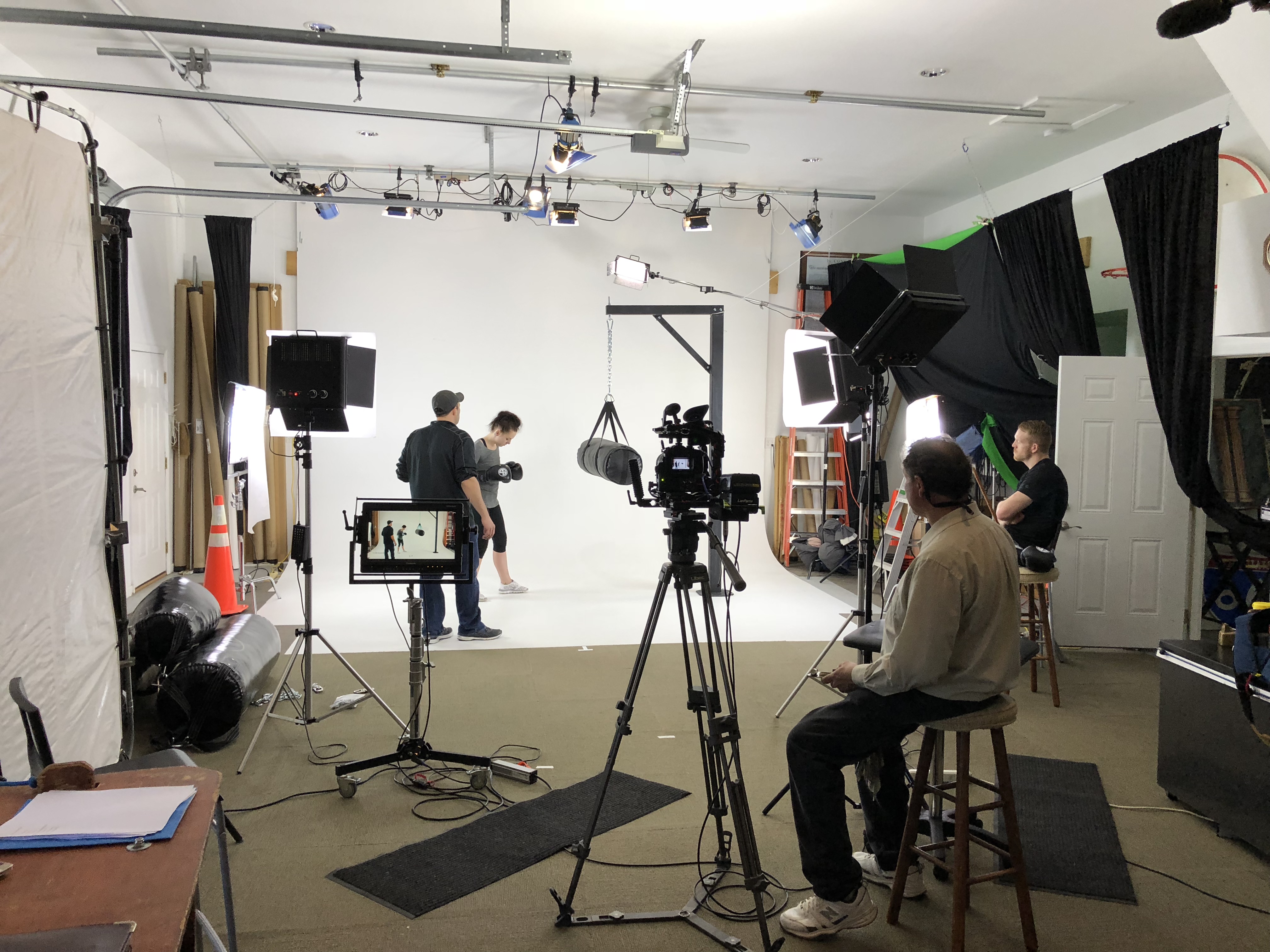
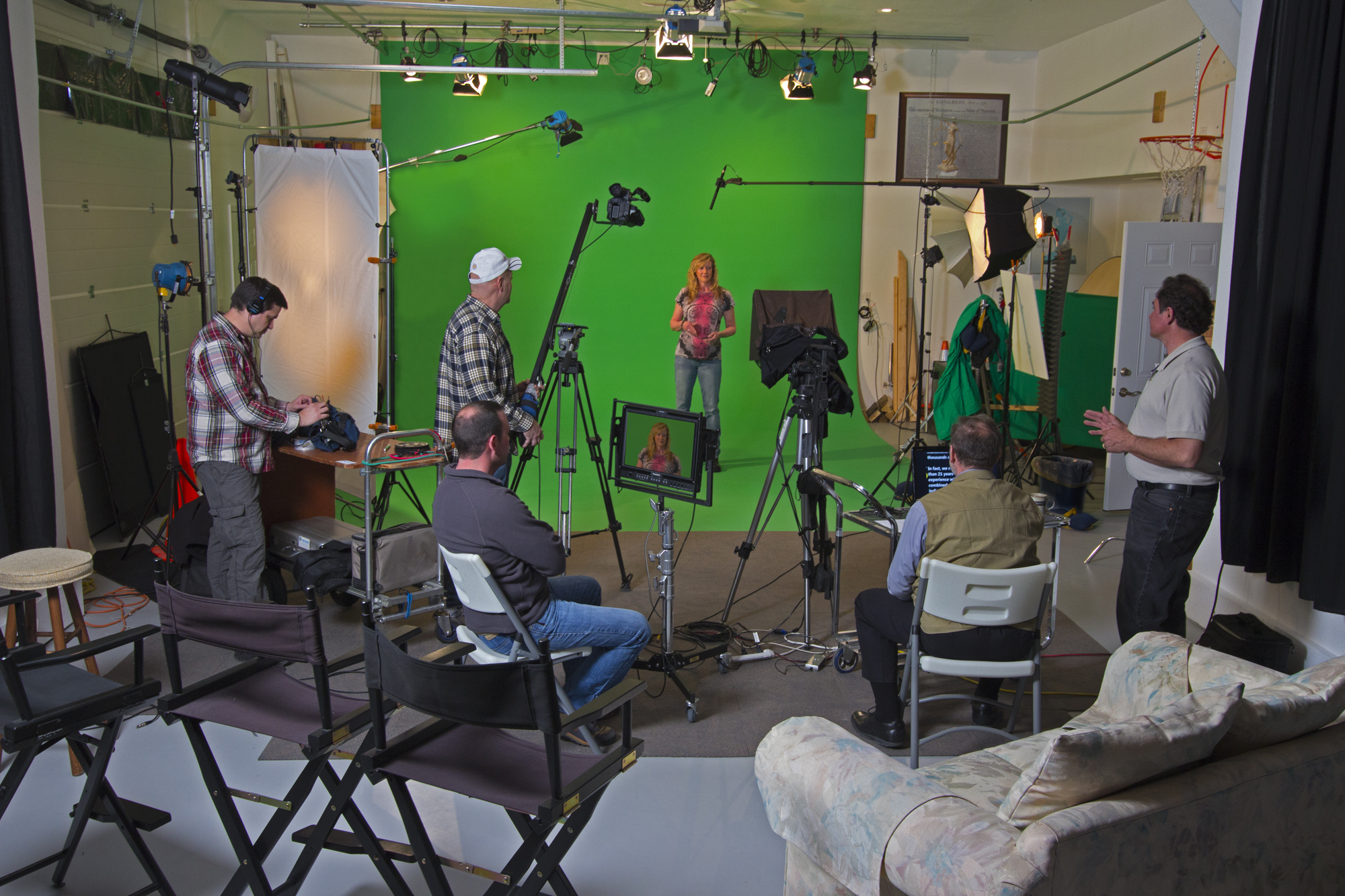
We’re a full-service professional commercial photography and video production company with the right equipment and creative crew service experience for successful image acquisition. We offer full-service studio and location video and photography, as well as editing, post-production, and licensed drone work. St Louis Video Studio can customize your productions for diverse types of media requirements, and repurposing your photography and video branding to gain more traction is one of our specialties.

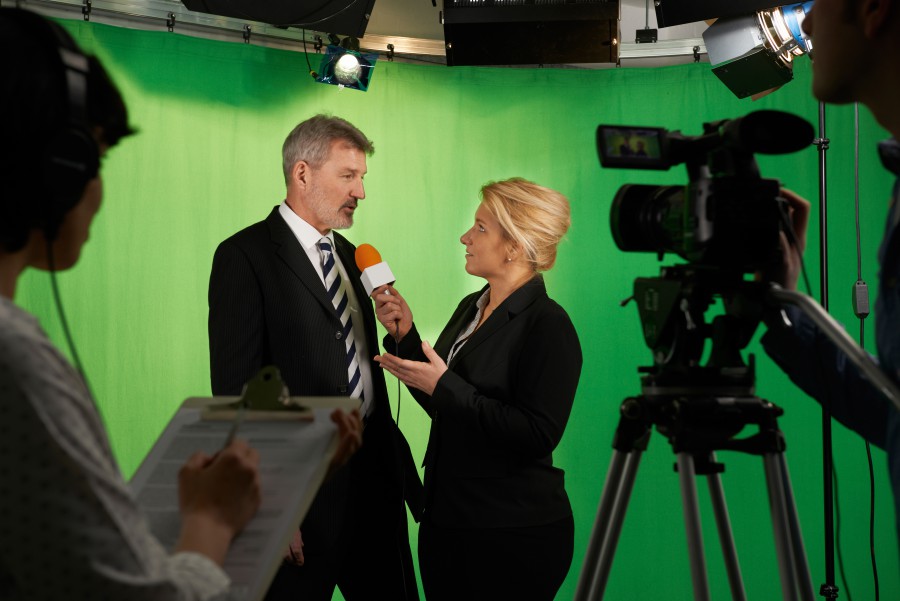
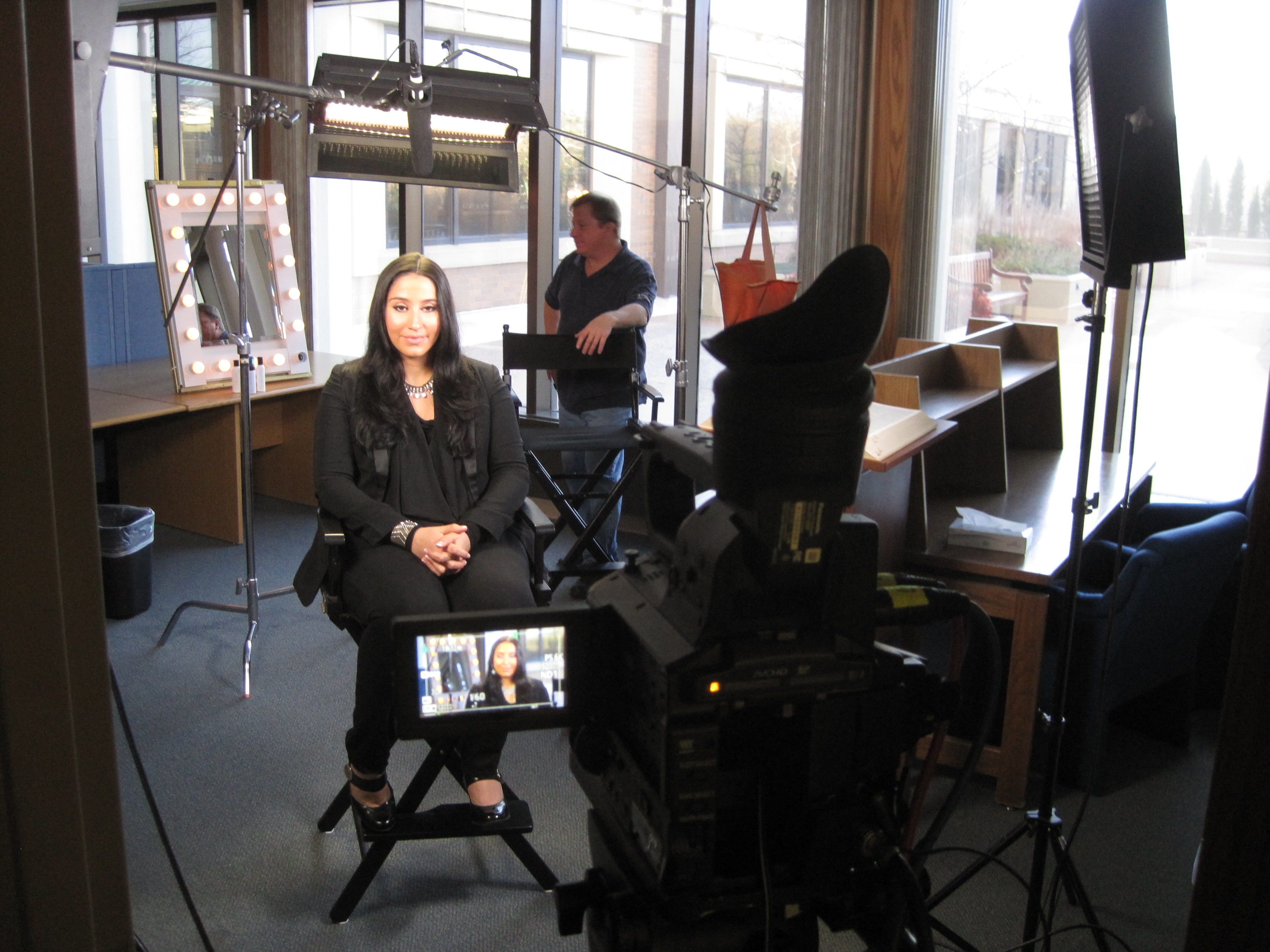
We’re well-versed in all file types, media styles, and accompanying software—and we use the latest in Artificial Intelligence across our media services to speed workflows without sacrificing quality. Our private studio lighting and visual setup is ideal for small productions and interview scenes, and our studio is large enough to incorporate props to round out your set. We support every aspect of your production—from setting up a private, custom interview studio to supplying professional sound and camera operators, as well as providing the right equipment—ensuring your next video production is seamless and successful. And yes, we can fly our specialized drones indoors when the shot calls for it.

If your goal is to produce more high-quality content with less waste—without compromising on brand, consistency, or production value—an economical studio partner should feel like a force multiplier. That’s exactly how we operate.

314-913-5626

stlouisvideostudio@gmail.com

Unknown's avatar

How Service-Repair Companies Can Use Simple, Real-World Video to Book More Jobs

If you run—or market—a service repair business, you already know what customers want before they call: confidence.

They want to know:

  • Are you legit?
  • Will you show up?
  • Will you treat my home or facility with respect?
  • Will you fix it right the first time?
  • Will I get surprised by the price?

A polished brand video helps, but the videos that consistently book more repairs often look simpler: real technicians, real jobs, real proof. That’s the core idea behind “Film Your Day”—a practical content approach where you capture your work as it happens and turn it into high-trust marketing that converts.

This isn’t about becoming an influencer. It’s about documenting what you already do—then editing it into videos that reduce hesitation and increase bookings.


Why “Film Your Day” works for repairs

Most service companies compete on similar claims: fast, friendly, affordable, experienced. Your prospects assume everyone says that.

What they can’t easily see is how you operate:

  • cleanliness and professionalism
  • diagnostic skill
  • safety practices
  • communication style
  • quality control
  • tools and process

“Film Your Day” bridges the trust gap. It shows competence in a way a website can’t.

When done well, these videos become:

  • lead generators (social + local search)
  • appointment setters (retargeting + landing pages)
  • objection handlers (sales follow-up)
  • reputation builders (Google Business Profile content, reviews support)

The 4 video types that book more service repairs

You don’t need dozens of concepts. You need a repeatable set that targets how customers decide.

1) The “Before / After + What We Found” video

Purpose: Prove results and expertise quickly.
Length: 20–60 seconds.

Structure:

  • 1–2 seconds: the visible symptom (“no heat,” “leaking,” “won’t start,” “sparking,” “clogged line”)
  • 5–10 seconds: the diagnosis moment (“here’s the actual cause”)
  • 5–10 seconds: the fix
  • 3–5 seconds: the result (“back to normal,” “pressure restored,” “safe and code-ready”)
  • CTA: “If you’re seeing this, call us before it gets worse.”

These perform because they’re visual, specific, and instantly relatable.

2) The “What It Costs If You Wait” video

Purpose: Create urgency without fear-mongering.
Length: 15–45 seconds.

Examples:

  • “A small leak isn’t small for long.”
  • “This sound is your early warning.”
  • “This panel issue is a safety problem, not a convenience problem.”

Keep it calm, professional, and grounded in real consequences: damage, downtime, safety, repeat failures.

3) The “How to Know It’s Time” checklist video

Purpose: Capture high-intent searches and reduce uncertainty.
Length: 30–90 seconds.

Examples:

  • “3 signs your water heater is about to fail”
  • “When that breaker keeps tripping, here’s what it usually means”
  • “If your commercial unit does this, schedule service before peak season”

These position you as helpful (not pushy) and drive inbound calls.

4) The “Meet the Tech + Process” trust video

Purpose: Replace the fear of letting someone in the building/home.
Length: 30–60 seconds.

Show:

  • shoe covers / floor protection
  • how you explain options
  • how you quote and document
  • cleanup habits
  • professionalism and safety

For homeowners and facility managers alike, trust is the product.


What to film during a normal day (without slowing the work)

A “Film Your Day” approach only works if it stays practical.

Here’s a realistic shot list that fits into real jobs:

Quick clips to capture

  • arriving at the job (truck + logo + location context)
  • the “problem moment” (leak, noise, error code, damaged part)
  • diagnostic step (meter reading, camera scope, thermal check, pressure test)
  • repair action (tight shots: hands/tools, replacement part, connections)
  • verification (system running, gauge stable, temp restored)
  • cleanup/protection (drop cloths, wiping, tidy workspace)
  • quick tech-to-camera line (10 seconds): “Here’s what caused it…”

What not to film

  • customer faces / private documents / addresses in frame
  • sensitive security systems without permission
  • anything that reveals a client’s vulnerabilities (especially commercial facilities)

A professional production partner will help build a simple on-site workflow that’s fast, compliant, and repeatable.


The script that converts: “Problem → Cause → Fix → Proof → Next step”

Service video scripts should be short and structured. Here’s a template that works across trades:

Hook (1 sentence): “If your [unit/system] is doing this… don’t ignore it.”
Cause: “In this case, the real issue was [specific cause].”
Fix: “We [repair step] and replaced [part] to restore [function].”
Proof: “Now you can see [result]—and here’s what we checked to confirm it.”
CTA: “If you’re seeing this at your home/facility, call us and we’ll diagnose it before it turns into a bigger repair.”

It’s not sales copy. It’s competent communication.


Editing choices that separate “content” from “bookings”

The difference between views and booked calls is often the edit.

Make it scannable

Decision makers and homeowners watch on phones. Use:

  • tight pacing (cut dead space)
  • on-screen keywords (“Cause,” “Fix,” “Result”)
  • simple captions (not walls of text)
  • clear audio (no echo, no compressor pumping)

Show proof, not just talking

Use b-roll of the diagnostic step and the verification step. That’s where credibility lives.

Add local trust signals

For repair services, local presence matters. Include:

  • neighborhood/city cues (without revealing addresses)
  • fleet consistency
  • uniformed techs
  • shop/studio presence
  • “serving [area]” text overlays

Build a versioning system

One job can become:

  • 1 “hero” cut (60–90s)
  • 3 short clips (15–30s) for socials
  • 1 vertical story/reel
  • 1 website embed
  • 1 ad-ready version with CTA

This is how you scale without constantly “creating new ideas.”


Where these videos make the phone ring

If you want bookings, distribute where intent and trust intersect:

  • Google Business Profile: post weekly clips; supports local conversion behavior
  • Service pages: embed the most relevant videos on each service page (HVAC, plumbing, electrical, roofing, etc.)
  • Retargeting ads: show “before/after” and “what we found” videos to people who visited your site
  • Sales follow-up: text/email a 30-second proof clip after an estimate
  • LinkedIn (B2B service repairs): facility managers respond well to process + safety + reliability content

Common mistakes (and quick fixes)

  • Mistake: Every video is “we’re the best.”
    Fix: Make videos about customer problems and your process.
  • Mistake: Too long, too slow.
    Fix: Lead with the problem/result, then explain.
  • Mistake: No call to action.
    Fix: One line: “If you’re seeing this, schedule service.”
  • Mistake: Footage exists but never gets used.
    Fix: Batch-edit and publish on a simple cadence (e.g., 2 shorts/week).

Closing: why St. Louis Video Studio is built for “Film Your Day” service content

At St. Louis Video Studio, we’ve worked with businesses, marketing firms, and creative agencies in the St. Louis area since 1982, helping organizations turn real-world operations into professional marketing assets that build trust and drive action.

We’re a full-service professional commercial photography and video production company with the right equipment and creative crew service experience for successful image acquisition. We offer full-service studio and location video and photography, plus editing and post-production, and licensed drone support—including the ability to fly specialized drones indoors when the project calls for it.

St. Louis Video Studio can customize your productions for diverse media requirements, and we specialize in repurposing your photography and video branding so each shoot produces multiple deliverables across platforms. We’re well-versed in all file types, media styles, and the software needed to deliver clean, usable assets for web, social, broadcast, and internal communications. We also use the latest Artificial Intelligence tools to accelerate editing workflows, create fast cutdowns, and help you publish consistently without sacrificing quality.

Our private studio lighting and visual setup is perfect for small productions and interview scenes, and our studio has room for props and set elements to round out your look. We support every aspect of your production—from building a private, custom interview studio to supplying professional sound and camera operators and the right equipment—so your next video production is seamless and successful.

If you want to film your day and turn everyday repairs into consistent bookings, we can help you build a practical video system that captures real proof, edits for trust, and publishes with purpose.

314-913-5626

stlouisvideostudio@gmail.com

Unknown's avatar

How Drone Inspections Expose Building Heat Loss Before It Gets Expensive

Energy waste rarely announces itself with a flashing red light.
Most of the time, it slips out quietly—through a failing roof membrane, leaky windows, uninsulated walls, or aging mechanical systems. By the time a problem becomes visible inside the building, you’ve often already paid for it several times over in wasted energy, moisture damage, and emergency repairs.

Drone-based thermal inspections change that equation. They give you a fast, safe, and visual way to see exactly where your building is losing heat—across an entire facility or campus—without scaffolding, lifts, or guesswork.

For facility managers, building owners, and the marketing and communications teams who support them, this kind of visual data isn’t only a maintenance tool. It’s also powerful storytelling and documentation: proof of due diligence, sustainability efforts, and capital improvement ROI.

Let’s break down how drone inspections help you “fix” building heat loss—practically, safely, and in a way that can be clearly communicated to stakeholders.


What “Building Heat Loss” Really Looks Like in the Real World

Heat loss isn’t a single problem; it’s a cluster of related issues that show up in different ways:

  • Roofing failures
    • Wet or saturated insulation under a membrane
    • Seams and penetrations where warm air escapes
    • Ponding water that leads to long-term moisture and structural issues
  • Wall and façade problems
    • Thermal bridging at structural elements
    • Missing or compromised insulation in panels or cavities
    • Failing joints around expansion gaps and cladding
  • Windows, doors, and openings
    • Leaky curtain walls and storefront systems
    • Gaps around overhead doors in loading docks and warehouses
    • Aging weatherstripping that no longer seals
  • Mechanical and utility losses
    • Steam line leaks
    • Inefficient rooftop units (RTUs) running hot
    • Poorly insulated piping and ductwork

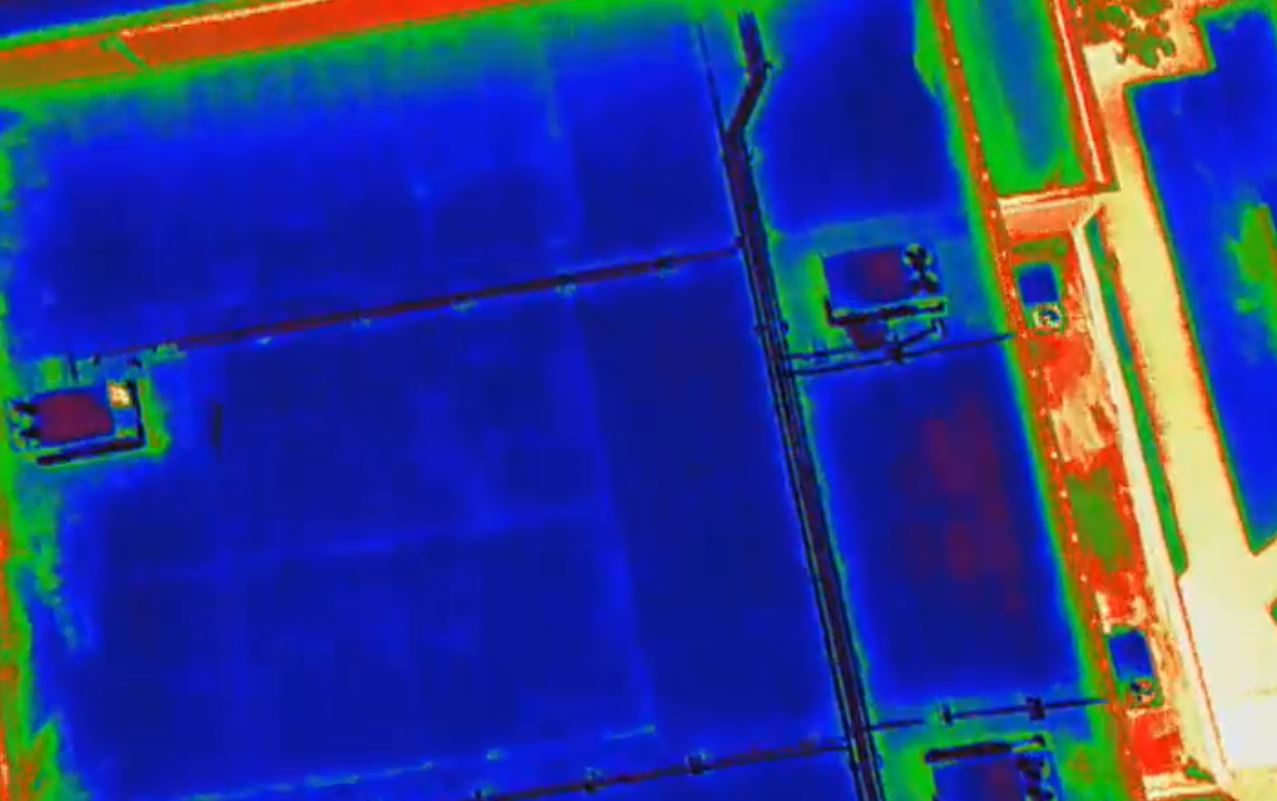
All of these issues show up as temperature anomalies—areas that are warmer or colder than they should be relative to surrounding surfaces. Thermal cameras mounted on drones capture this delta and translate it into clear, actionable visuals.


Why Traditional Inspections Miss So Much

Conventional building envelope inspections rely heavily on:

  • Walking the roof with a handheld thermal camera
  • Lift-based checks of façades
  • Visual inspections from the ground
  • Trial-and-error destructive testing

Those methods can work—but they’re:

  • Slow and labor-heavy
  • Limited in coverage (you see only what you can safely reach)
  • Dependent on the inspector’s vantage point and experience
  • Potentially disruptive to building operations

In large facilities—corporate campuses, industrial plants, logistics hubs, healthcare complexes—it’s easy for problem areas to stay hidden for years simply because no one can see them safely, quickly, and comprehensively.

Drone inspections step over those limitations.


How Drone-Based Thermal Inspections Work

A modern building heat-loss drone survey typically includes two data layers:

  1. Thermal (infrared) imagery – to show temperature anomalies
  2. High-resolution visual imagery – to document physical conditions

Here’s what the process looks like when it’s done professionally:

1. Pre-Planning

  • Review site constraints (airspace, nearby airports, local restrictions)
  • Map building footprints, roof levels, obstructions, and critical areas
  • Coordinate with building management for access, timing, and safety

2. Optimal Timing and Conditions

Thermal inspections depend on contrasts. The best results typically come when:

  • There’s a clear difference between indoor and outdoor temperatures
  • The building has gone through a heating or cooling cycle
  • Direct sunlight and reflective surfaces are managed to avoid false positives

An experienced drone crew plans flight schedules to maximize this contrast and minimize noise in the data.

3. Flight and Data Capture

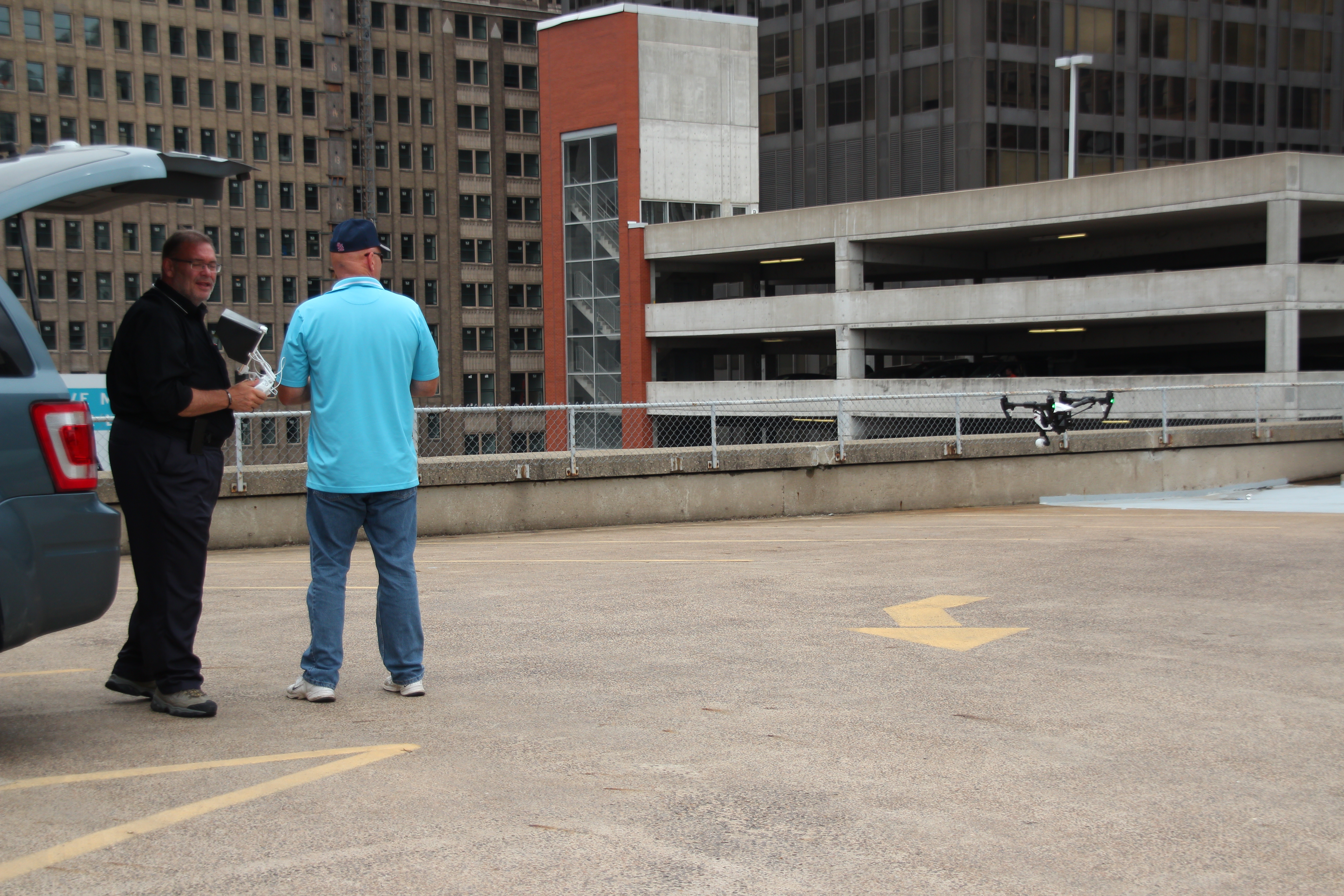
Using specialized drones equipped with radiometric thermal sensors, the crew:

  • Flies precise grid patterns over roofs and façades
  • Captures overlapping thermal stills and/or video
  • Collects matching high-res visual imagery for context

With the right gear and pilots, an inspection that would take days on lifts can often be captured in a fraction of the time—with no one leaving the ground.

4. Analysis and Interpretation

Raw thermal data is only half the job. The real value comes from:

  • Comparing thermal images with visual imagery to understand what’s happening at each anomaly (e.g., seam failure, wet insulation, missing insulation, mechanical issue)
  • Creating maps and reports that align anomalies with real-world locations and roof or building drawings
  • Flagging priority areas by severity, risk, and likely cause

This is where pairing commercial drone pilots with a seasoned imaging and post-production team pays off. You’re not just getting “cool pictures”—you’re getting usable intelligence.


Where Drone Thermal Inspections Deliver the Biggest Wins

1. Commercial Roofs

Flat and low-slope roofs are a perfect fit for drone thermography. Aerial thermal imagery can reveal:

  • Wet or saturated insulation
  • Failing seams, flashings, and penetrations
  • Heat loss around HVAC curbs, vents, and skylights

Instead of guessing where to core sample or cut, you target the exact spots that show anomalies—reducing destructive testing and focusing repair budgets where they matter.

2. Building Envelopes and Façades

From high-rise office towers to big-box retail, drones can scan façades quickly and safely to detect:

  • Missing or poorly installed insulation
  • Thermal bridging at structural elements and anchors
  • Air leakage around windows, doors, and façade transitions

For owners, this is invaluable evidence when evaluating contractor work, planning façade upgrades, or developing long-term capital budgets.

3. Industrial and Utility Infrastructure

Drone-based thermal imaging is also effective for:

  • Steam tunnels and pipe runs
  • Heat exchangers and process equipment
  • Mechanical rooms and rooftop units (when accessible to line-of-sight)

Being able to capture both thermal and visual data from elevated angles gives maintenance teams an immediate short list of what to address first.


Turning Technical Data into Clear Visual Communication

You’re not just fixing heat loss; you’re also justifying budgets, demonstrating ESG progress, and communicating risk and ROI to non-technical audiences.

That’s where expert video and photography production comes in. Thoughtful post-production can transform your drone capture into:

  • Executive-ready presentations
    • Before/after visuals of problem areas and completed repairs
    • Simple overlays that show thermal anomalies alongside the visible image
    • Callouts and annotations explaining what each hotspot means
  • Board and investor updates
    • Short, narrated explainer videos that walk through issues, solutions, and projected savings
    • Visual documentation of capital improvements tied to sustainability and resilience goals
  • Marketing and ESG storytelling
    • Branded micro-videos and stills demonstrating your commitment to energy efficiency
    • Visual proof that your organization is proactive about infrastructure health, not reactive

When drone and thermal inspections are paired with a professional studio and post-production team, you’re not just checking boxes—you’re creating a visual asset library that supports operations, compliance, and brand.


Planning a Drone Inspection Program That Actually Pays Off

To get maximum value from building heat-loss inspections, treat them as a structured program, not a one-off event.

Consider:

  1. Baseline Survey
    • Capture current conditions across roofs, façades, and key mechanical areas
    • Identify and rank anomalies by risk and cost impact
  2. Targeted Repairs and Upgrades
    • Use the visuals to guide contractors directly to problem zones
    • Prioritize “quick win” fixes with strong ROI
  3. Follow-Up and Verification Flights
    • Confirm completed repairs actually resolved the thermal issues
    • Build a “before and after” visual record for internal and external stakeholders
  4. Ongoing Monitoring
    • Schedule periodic inspections (annually or after major weather events)
    • Track trends over time to anticipate failures before they become critical

When your inspection assets are captured and processed by an experienced imaging partner, each year’s data layers cleanly onto the last. Over time, you build a visual history of the building’s performance that’s hard to dispute—and incredibly valuable.


Why Professional Production Quality Matters

Anyone can buy a drone and a thermal camera. Very few can:

  • Fly safely and legally in complex environments
  • Capture usable, consistent images and video that align with inspection goals
  • Color-grade, annotate, and edit that footage into a coherent story for decision makers
  • Deliver footage and stills in formats that your engineers, contractors, marketing team, and executives can all use without frustration

That’s the gap a dedicated video studio fills—translating raw technical capture into polished, clear, and versatile visual assets.


Partner with St. Louis Video Studio for Drone Heat-Loss Inspections

St. Louis Video Studio is an experienced, full-service professional commercial photography and video production company with the right equipment and creative crew experience for successful image acquisition—on the ground and in the air.

We offer full-service studio and location video and photography, as well as editing, post-production and licensed drone pilots. St. Louis Video Studio can customize your productions for a wide range of media requirements, from technical inspection documentation to executive briefings and marketing campaigns.

Repurposing your photography and video branding to gain more traction is another specialty. We are well-versed in all file types, styles of media and accompanying software, and we use the latest in Artificial Intelligence for all our media services—from smart noise reduction and image enhancement to AI-assisted editing and content versioning.

Our private studio lighting and visual setup is perfect for small productions and interview scenes, and our studio is large enough to incorporate props to round out your set. We support every aspect of your production—from setting up a private, custom interview studio to supplying professional sound and camera operators, as well as providing the right equipment—ensuring your next video production is seamless and successful.

For inspections that demand unique perspectives, we can even fly our specialized drones indoors where appropriate and safe, capturing views that traditional methods simply cannot reach.

As a full-service video and photography production corporation since 1982, St. Louis Video Studio has worked with many businesses, marketing firms and creative agencies in the St. Louis area for their marketing photography and video. Whether you’re documenting building heat loss, showcasing repairs, or telling a broader story about your organization’s commitment to efficiency and sustainability, we’re ready to help you capture it—and communicate it—clearly.

314-913-5626

stlouisvideostudio@gmail.com

Unknown's avatar

Beyond the Camera: The Art of Stress-Free Video Production Planning

As seasoned videographers, photographers, and producers at St Louis Video Studio, we’ve guided countless businesses and organizations through the seemingly complex world of video production. We understand that for many decision-makers, the idea of planning a video shoot can conjure images of logistical nightmares, budget overruns, and unexpected complications. However, with a structured approach and clear communication, planning a video shoot can be an efficient, even enjoyable, process that leads to exceptional results.

This post will demystify the planning stages, offering expert insights into how to approach your next video project with confidence and clarity, ensuring a stress-free journey from concept to captivating final product.

The Foundation: Why Meticulous Planning Matters

Think of video production as building a house. You wouldn’t start hammering nails without blueprints. Similarly, a video shoot requires a solid foundation of planning to prevent costly mistakes, wasted time, and creative compromises. Poor planning often leads to:

  • Scope Creep: The project expands beyond initial agreements, leading to budget and timeline issues.
  • Miscommunication: Vision discrepancies between client and production team, resulting in dissatisfaction.
  • Logistical Headaches: Unforeseen location issues, equipment shortages, or scheduling conflicts.
  • Mediocre Results: Rushed decisions on set compromise the final quality and impact of your message.

Your Stress-Free Planning Blueprint: Key Steps

Step 1: Define Your “Why” and “Who” – The Strategic Core

Before any creative ideas take shape, solidify the strategic purpose of your video.

  • Clear Objectives: What specific business goal does this video serve? Is it lead generation, brand awareness, employee training, product launch, or something else?
  • Target Audience: Who are you trying to reach? Understanding their demographics, pain points, and preferences will inform every creative decision.
  • Key Message: What is the single most important takeaway you want viewers to remember? Keep it concise and impactful.
  • Call to Action: What do you want viewers to do after watching the video? Visit a website, make a purchase, sign up for a newsletter?

Step 2: Budget & Timeline – Realistic Expectations

Transparency and realism here are paramount to avoiding stress later.

  • Establish a Budget Range: Communicate your financial parameters upfront. A professional production company can then advise on what’s achievable within those limits.
  • Set a Realistic Timeline: Factor in pre-production (planning, scripting, scheduling), production (filming), and post-production (editing, graphics, revisions). Good video takes time.
  • Contingency Planning: Always build in a buffer for both budget and time to account for unforeseen circumstances (e.g., weather delays, minor script changes).

Step 3: Creative Brief & Concept Development – Aligning Visions

This is where your vision starts to materialize.

  • Detailed Creative Brief: Provide your production partner with as much information as possible: brand guidelines, competitor examples, preferred styles, tone, and any existing assets.
  • Concept Presentation: Your production team should present initial concepts, script outlines, and visual references (mood boards, example videos). This is a collaborative phase for feedback and refinement.
  • Scripting & Storyboarding: Once a concept is approved, a detailed script is developed. For more complex shoots, storyboards or shot lists visually map out each scene, ensuring everyone is on the same page.

Step 4: Logistics & Scheduling – The Nitty-Gritty

This is where the detailed execution plan comes together.

  • Location Scouting: Identify and secure ideal locations that align with the creative vision and practical requirements. Consider lighting, sound, permits, and accessibility.
  • Talent Casting (if applicable): Whether professional actors or your own employees, ensure talent is briefed, available, and comfortable with their roles.
  • Crew & Equipment Allocation: A professional studio will assign the right videographers, photographers, sound technicians, lighting specialists, and the necessary equipment (cameras, drones, specialized lighting) for your specific shoot.
  • Detailed Production Schedule (Call Sheet): This document is the bible for shoot day, outlining timings, locations, scenes, and contact information for everyone involved. Share it widely.

Step 5: Pre-Production Meeting – Final Checks

A final meeting before the shoot day is crucial to ensure everyone is aligned.

  • Review Everything: Go over the script, storyboard, schedule, and logistical details one last time with all key stakeholders.
  • Address Questions: Provide an opportunity for any last-minute questions or concerns from the client or crew.
  • Contingency Plans: Discuss what-if scenarios (e.g., bad weather for an outdoor shoot) and agreed-upon backup plans.

By meticulously following these steps, you’re not just planning a video shoot; you’re orchestrating a seamless experience designed for success. The result is a high-quality video that achieves your marketing and communication goals, produced without the usual stress and uncertainty.


At St Louis Video Studio, we believe that brilliant video and photography begin with exceptional planning. As a full-service professional commercial photography and video production company since 1982, we bring over four decades of experience to every project. We possess the right equipment and a creative crew with extensive service experience for successful image acquisition. We offer full-service studio and location video and photography, as well as comprehensive editing, post-production, and licensed drone pilots.

St Louis Video Studio can customize your productions for diverse types of media requirements, specializing in repurposing your photography and video branding to gain more traction. We are well-versed in all file types and styles of media and accompanying software, utilizing the latest in Artificial Intelligence for all our media services to ensure cutting-edge results. Our private studio lighting and visual setup is perfect for small productions and interview scenes, large enough to incorporate props to round out your set. We support every aspect of your production—from setting up a private, custom interview studio to supplying professional sound and camera operators, as well as providing the right equipment—ensuring your next video production is seamless and successful. We can even fly our specialized drones indoors for unique perspectives and dynamic shots.

Having worked with numerous businesses, marketing firms, and creative agencies in the St. Louis area, St Louis Video Studio is your trusted partner for marketing photography and video, transforming complex production processes into stress-free, successful ventures.

314-913-5626

stlouisvideostudio@gmail.com

Unknown's avatar

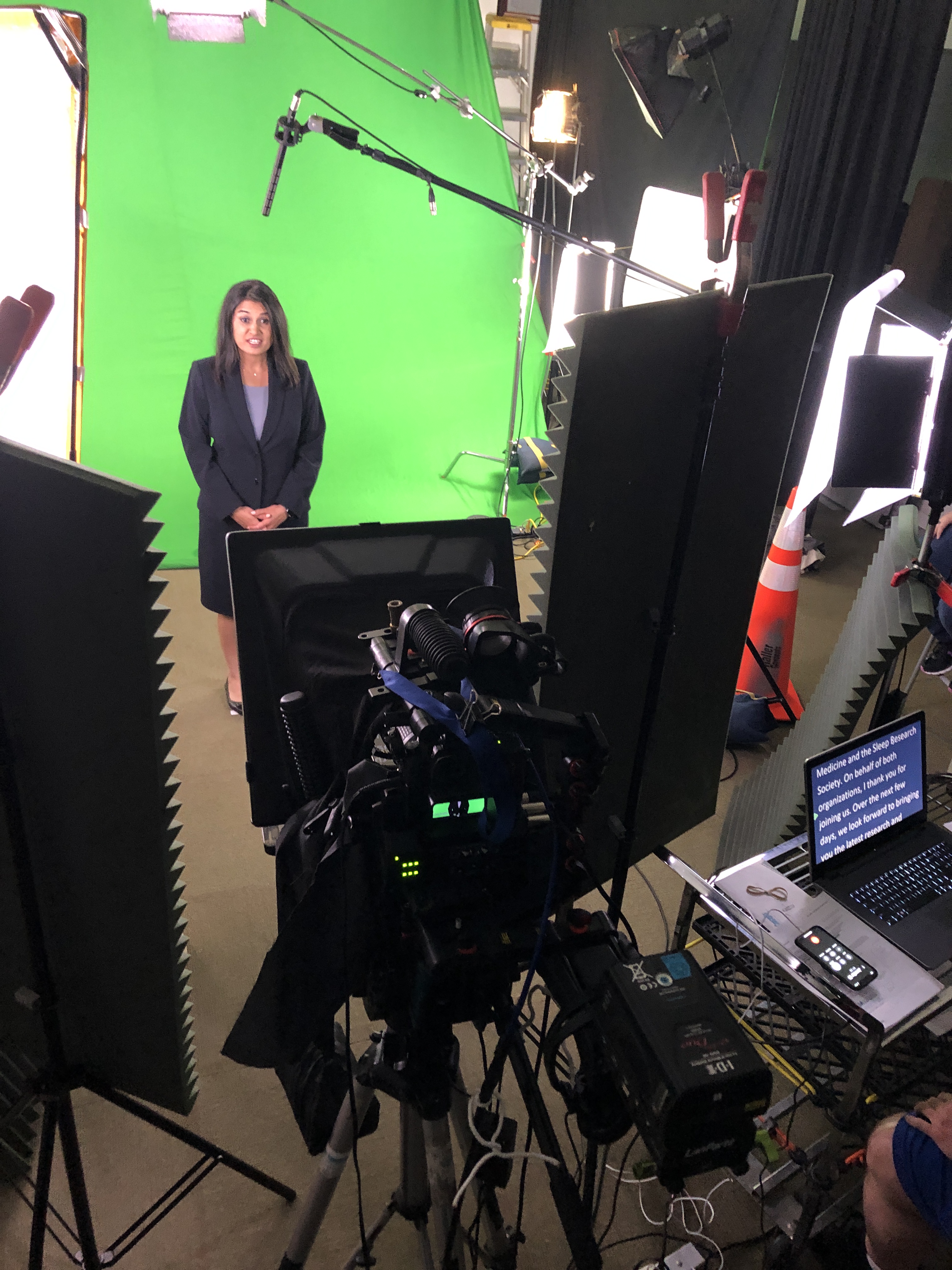
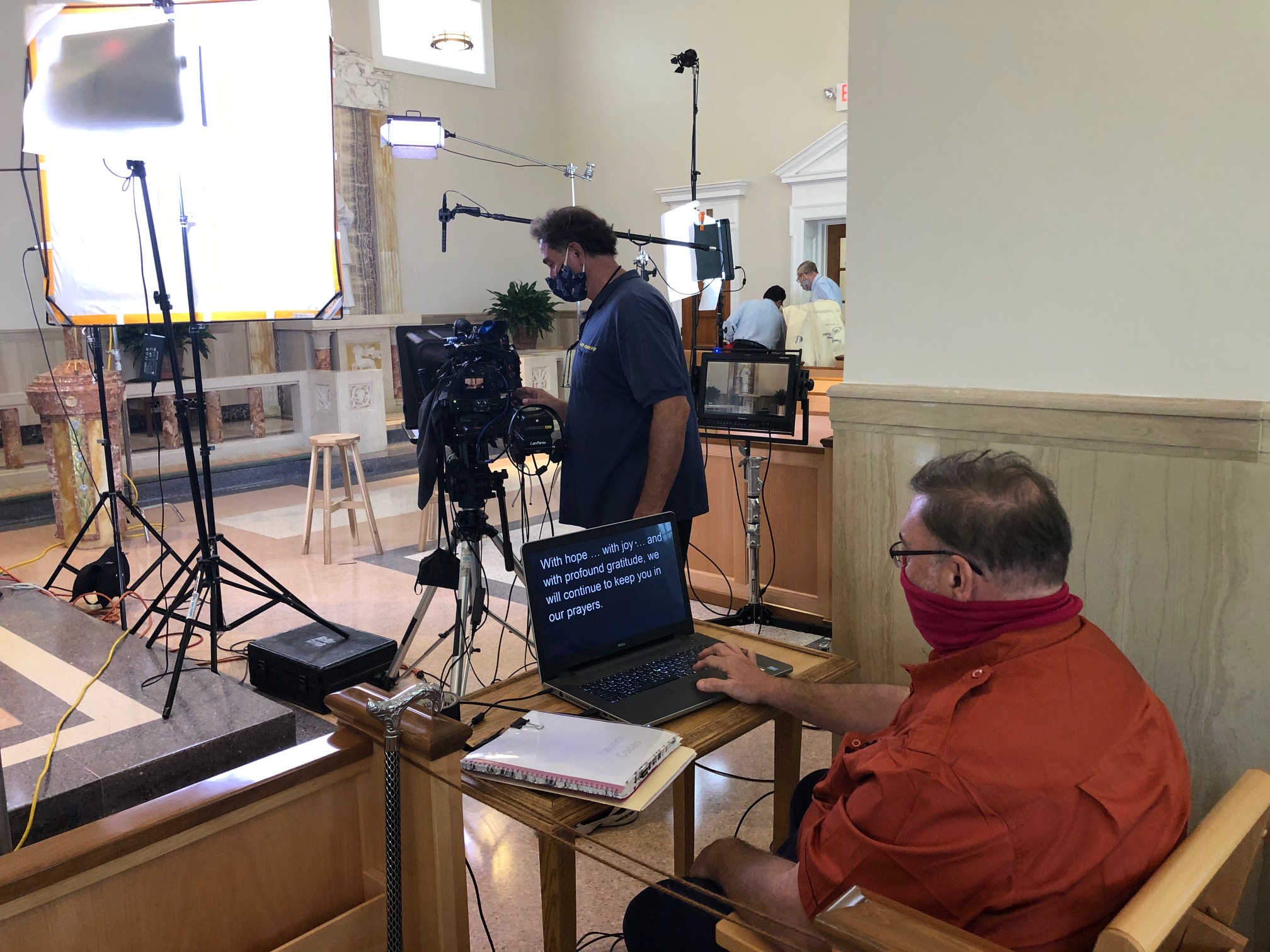
Teleprompter Magic: How to Look Natural on Camera—Even If You’re Not an Actor

If you’re a C-suite leader, product manager, or marketing director, you need message precision and a human, trustworthy presence. A teleprompter makes that possible—when it’s set up, scripted, and operated correctly. Below is the playbook we use in studio and on location to help non-actors look relaxed, sound authoritative, and land the message on time.


Why Use a Teleprompter in the First Place?

  • Accuracy: Legal, compliance, and investor language must be exact.
  • Consistency at scale: One message across multiple markets, languages, or spokespeople.
  • Throughput: Shoot more segments per day with fewer retakes and faster approvals.
  • Editorial efficiency: Prompter scripts feed captions, translations, and transcripts.

Eye-Line & Optics: Where Authenticity Starts

Goal: align the audience’s eyes with yours. Do that and you’ll read as confident and sincere.

  • Prompter type: Through-the-lens (TTL) beam-splitter in front of the lens for direct-to-camera delivery.
  • Lens choice: 50–85 mm (full-frame) subtly compresses perspective and reduces visible eye travel.
  • Distance & font: Place talent ~5–10 ft from the glass; set font so each line reads without scanning (typically 48–72 pt at that distance).
  • Scroll window: Keep active text centered vertically; avoid top/bottom edges which trigger noticeable eye jumps.
  • Glasses & glare: Slightly raise the key light, tilt the glass a few degrees, use flags/hoods, and favor matte/AR-coated frames.

Script Engineering: Write for the Ear (Not the Page)

  • Cadence target: 110–135 words per minute for conversational corporate delivery.
  • One idea per line: 12–18 words; short clauses beat long sentences.
  • Mark the “music”:
    • Bracketed cues: [PAUSE] [SMILE] [B-ROLL CUT] [GRAPHIC]
    • Phonetics for tricky names/terms: “kuh-TEG-uh-ree”
    • LIGHT emphasis—avoid ALL CAPS everywhere.
  • Numbers that land: Round when possible; put dense data on graphics/B-roll, not in a single spoken sentence.
  • Version control: Name files clearly (CEO_TownHall_v7_APPROVED) and keep a visible change log.

Scroll Craft: The Operator Follows You

  • The operator matches the speaker, not the other way around.
  • Smooth acceleration/deceleration prevents mechanical “stair-step” motion.
  • White space between paragraphs lowers cognitive load and eye flicker.
  • Live edits: one owner routes last-minute changes—no dueling cursors.

Coaching Non-Actors: Small Levers, Big Gains

  • 90-second warm-up: hum on “M,” tongue twisters at 70% speed, then one throwaway read to find pace.
  • Breath mapping: land breath at punctuation; commas = half-beat, periods = full beat.
  • Landing words: linger a beat on the key noun/verb; let connector words glide.
  • Posture & presence: feet planted, shoulders soft, chin level, micro-smile through transitions.
  • Pickups that edit cleanly: redo the full sentence, not the fragment.
  • Wardrobe notes: avoid tight stripes or loud jewelry; powder forehead/nose; keep lav clear of necklaces.

Multi-Camera, Panels, and Walk-and-Talks

  • A/B cameras: match prompter size & distance to keep eye-line consistent across angles.
  • Panels/interviews: use confidence monitors with talking points instead of full sentences to encourage natural interplay.
  • Walk-and-talks: small prompter on a gimbal, pre-block turns so eye-line stays near lens axis.

Remote & Hybrid Setups (Executives on the Move)

  • Place the overlay within 1–2 inches of the webcam lens.
  • Use wired controllers to avoid Bluetooth lag.
  • Rehearse in the actual meeting platform to test latency and frame pacing.
  • Treat the remote space like a set: key/fill/back light, controlled background, treated audio.

Editorial Integration: Shoot for the Edit

  • Plan cover shots: bake [B-ROLL CUT] and [GRAPHIC] cues into the script.
  • Handles: roll 5 seconds before/after each take for clean transitions.
  • Captions & access: prompter scripts accelerate accurate captions and multi-language subs.
  • Continuity notes: log best takes, pronunciation locks, and any approved ad-libs.

Troubleshooting: Fast Fixes We Use On Set

  • Eyes darting: enlarge font, reduce scroll speed, recenter active line.
  • Flat delivery: insert breath/beat marks, add verbs up front, encourage micro-smile.
  • Glare on lenses: adjust light angle first; then tilt glass and flag spill.
  • Rushing the close: add [HOLD SMILE 2s] at the final line and capture a clean button.

Day-Before & Day-Of Checklists

Day-Before

  • Final script in shared doc + PDF; pronunciations verified
  • Shot list with B-roll/graphic cues
  • Teleprompter/laptop/controller tested, mirror flip confirmed
  • Wardrobe guidelines sent; location noise/light checks completed

Day-Of

  • TTL prompter + hood, backup unit, UPS/power distro
  • Lens set 50/85 mm, flags/matte box, anti-glare wipes
  • Eye-line test recording (10 s) and speed calibration pass
  • Mark landing words/CTAs; confirm durations per segment

Copy-Paste Script Skeleton (≈2:00, 240–260 words)

OPEN [SMILE]
I’m [Name], [Title]. Today, three updates designed to help your team move faster and make smarter decisions. [PAUSE]

BENEFIT HEADLINE
First: [Feature/Program] reduces steps in [workflow] so your process is simpler, safer, and easier to scale. [B-ROLL CUT]

PROOF
Teams like [Client] saw results in weeks—not months—and cut [metric] by [X%]. [PAUSE]

WHAT’S NEW
Second: [Feature] adds [capability], so admins spend less time on manual tasks.
Third: [Feature] improves [process], with clearer approvals and better visibility. [GRAPHIC]

CALL TO ACTION
If you’re on [plan], these roll out [date]. To learn more, visit your admin panel or talk with your account team. [SMILE]

CLOSE [HOLD 2s]
Thanks for choosing us to help you do more with less. [HOLD SMILE]


Why This Matters for Decision Makers

Teleprompter-driven workflows reduce retakes, protect compliance language, and shorten post-production—all while helping your leaders show up as themselves. The business result: tighter schedules, faster approvals, and on-brand content that persuades.


Work With a Studio That Makes Prompters Invisible

St Louis Video Studio is a full-service professional commercial photography and video production company with the right equipment and creative crew service experience for successful image acquisition. We offer full-service studio and location video and photography, as well as editing, post-production and licensed drone pilots. St Louis Video Studio can customize your productions for diverse types of media requirements. Repurposing your photography and video branding to gain more traction is another specialty. We are well-versed in all file types and styles of media and accompanying software. We use the latest in Artificial Intelligence for all our media services. Our private studio lighting and visual setup is perfect for small productions and interview scenes. Our studio is large enough to incorporate props to round out your set. We support every aspect of your production—from setting up a private, custom interview studio to supplying professional sound and camera operators, as well as providing the right equipment—ensuring your next video production is seamless and successful. We can fly our specialized drones indoors. As a full-service video and photography production corporation, since 1982, St Louis Video Studio has worked with many businesses, marketing firms and creative agencies in the St. Louis area for their marketing photography and video.

314-913-5626

stlouisvideostudio@gmail.com

Unknown's avatar

Why Good Audio Matters More Than You Think: The Overlooked Star of Studio Video Production

Businesses understand the importance of high-resolution visuals, polished editing, and dynamic motion graphics—but often, one critical element gets shortchanged: audio.

At St Louis Video Studio, we know from experience that high-quality audio can be the difference between a compelling piece of branded content and one that viewers click away from within seconds. It’s easy to underestimate sound when the visuals look sharp, but industry research and real-world feedback prove that audio clarity and design have a greater psychological impact on your audience than many realize.

The Science Behind Sound

Viewers will often tolerate less-than-perfect visuals, but poor audio immediately signals unprofessionalism. According to a USC/Annenberg study on multimedia effectiveness, audiences were more likely to trust a video with clear audio and mediocre visuals than the reverse. Why? Because sound is deeply tied to how we interpret meaning and emotional context. Music, tone of voice, ambient sound, and silence each carry subconscious weight that informs how we feel about what we see.

What Bad Audio Does to Good Video

You’ve invested in quality cameras, lighting, and editing—but if your audio is plagued by room echo, inconsistent volume, or background noise, you risk undermining the entire production. Common issues we’ve seen in rushed or underfunded productions include:

  • Echo-heavy audio from untreated rooms or wide-open locations
  • Inconsistent dialogue levels from lav mics or boom mics improperly placed
  • Distracting ambient noise that competes with the message
  • Low bitrate compression that degrades voice quality, especially on mobile devices

These issues are often introduced during production and are costly or impossible to fully fix in post-production, especially when speech intelligibility is compromised.

How Professional Studios Get Audio Right

At St Louis Video Studio, we’ve engineered our private studio space with sound clarity in mind. From acoustically treated walls to purpose-built mic placements and isolation setups, every detail supports optimal audio recording. Our experienced sound operators monitor levels in real-time, ensuring every line of dialogue and every sound cue is clean, crisp, and emotionally tuned to your brand message.

We also bring extensive post-production audio design capabilities to the table—sweetening interviews, removing ambient noise, balancing multi-mic setups, and even designing immersive soundscapes for motion content. Whether your final product will be viewed in a boardroom, at a trade show, or on a smartphone, we ensure your message hits with clarity and authority.

The Competitive Edge of Good Audio

For corporate video interviews, training content, brand stories, and testimonials, superior audio elevates credibility. Subtle shifts in vocal tone and delivery are essential to establishing authenticity and trust. A confident voice without distortion resonates better, and the seamless blend of music and sound design enhances emotional engagement.

This is particularly vital when repurposing your content. Clean audio tracks allow for easier editing into shorter versions for social, broadcast-ready cuts, or podcasts. If you’re trying to get more life out of your production investment—as many savvy marketers are—great audio is a future-proofing strategy.


Why Businesses in St. Louis Trust St Louis Video Studio

Since 1982, St Louis Video Studio has partnered with businesses, marketing firms, and creative agencies throughout the region to deliver high-impact studio and location productions. We are a full-service professional commercial photography and video production company, equipped with the latest tools and the creative insight necessary for successful image acquisition. From full-service studio and location photography and video to editing, post-production, and licensed drone operations, we’ve supported countless successful marketing campaigns.

We specialize in repurposing your existing photography and video branding to generate more traction across platforms. We are well-versed in all file types, media styles, and production software. Leveraging the latest artificial intelligence tools, we optimize workflow and enhance output quality.

Our private studio lighting and visual setup is ideal for small productions, interviews, or controlled environment shoots. The studio can incorporate props to customize your set, while our team handles everything—from sound and camera operators to gear and set design—ensuring a seamless and professional production experience. We can even fly specialized drones indoors, expanding creative options within our custom-built environment.

At St Louis Video Studio, we understand that great visuals open the door, but great audio makes people stay. Let us help you deliver both—exceptionally.

314-913-5626

stlouisvideostudio@gmail.com

Unknown's avatar

How to Tell a Better Story with Ground and Aerial Videos: A Strategic Visual Approach for Modern Brands

In a world saturated with visual content, businesses need more than just great footage—they need compelling stories that hold attention and inspire action. One of the most effective ways to elevate your brand narrative is by combining ground and aerial video. When expertly integrated, these two perspectives deliver a cinematic experience that resonates with viewers on multiple levels—emotionally, spatially, and intellectually.

As experienced storytellers at St Louis Video Studio, we help companies transform simple visuals into strategic brand messages. In this article, we’ll explore how to leverage both ground and drone footage to craft a more powerful, memorable story for your audience.


Why Both Perspectives Matter

Storytelling is about perspective—both figuratively and literally. Ground-level footage creates an intimate, human connection. It captures facial expressions, textures, and close interactions that build emotional depth. Aerial footage, meanwhile, shows scale, movement, and geographic context. It lets viewers see the bigger picture—the facility, the environment, the journey.

When used together, ground and aerial videos:

  • Establish a location and tone
  • Provide narrative rhythm and variety
  • Highlight both scale and detail
  • Reinforce brand authority and production value

This multi-layered approach keeps viewers engaged and communicates more information in less time.


Structuring Your Story with Layered Visuals

Whether you’re producing a corporate overview, a customer testimonial, or a product launch video, integrating ground and drone shots requires thoughtful structure:

  1. Open with an aerial shot – Introduce your location, set the tone, and grab attention with a sweeping view of your facility, event, or landscape.
  2. Shift to ground footage – Bring the story in closer with interviews, operations, or interactions that offer human context.
  3. Alternate perspectives – Use drone shots to transition between scenes or emphasize key moments (like a warehouse in action or a crowd from above).
  4. Conclude with a dynamic blend – Wrap up with a combination of both viewpoints to reinforce your message and leave a strong impression.

Our editing team at St Louis Video Studio excels at pacing, matching color and motion between cameras, and ensuring each transition is both seamless and purposeful.


Technical Considerations for a Cohesive Look

To tell a unified story visually, you need more than great footage—you need a technically sound integration of camera styles. This includes:

  • Matching frame rates and resolution
  • Color grading across both drone and ground footage
  • Consistent motion direction and lens choice
  • Clean, professional audio to tie everything together

Our creative crew is experienced in managing multi-camera environments and blending footage from different sources, so your final video looks polished and intentional.


When and Where to Use Ground + Aerial Storytelling

This approach is especially impactful for:

  • Brand stories and origin videos
    Show where your company started, where it operates, and who drives the mission.
  • Client testimonials
    Combine interview footage with aerial B-roll of operations, locations, or client sites.
  • Product demos or walkthroughs
    Start with an aerial setup and transition into hands-on usage or close-up interaction.
  • Events and activations
    Use drone coverage to capture the energy and scale, then cut to audience or speaker reactions from the ground.

Partner with a Studio That Can Do It All

At St Louis Video Studio, we don’t just shoot video—we tell visual stories that work. As a full-service professional commercial photography and video production company, we’ve been helping businesses, marketing firms, and agencies in the St. Louis area since 1982.

We offer:

  • Studio and on-location video and photography
  • Licensed drone pilots, including indoor flight capabilities
  • Custom studio setups with private lighting and prop integration
  • Post-production services, including editing, color grading, and audio mastering
  • AI-powered tools for faster and smarter content refinement

Our team understands the art and science of integrating multiple visual formats into a single compelling message. Whether you need a custom interview scene, promotional video, or branded campaign content, St Louis Video Studio delivers seamless production from concept to final cut.

Let us help you tell your story—from the ground up, and from the sky down.


Contact St Louis Video Studio today and see how we can elevate your next production into something truly unforgettable.

314-913-5626

stlouisvideostudio@gmail.com